Print shops
Help customers size an order.
 I Build Elementor.
A print job calculator: visitors enter the pages and copies, choose double-sided and pages per side, add spares, and see the sheets, packs and paper cost.
These are the actual published widgets. Change any number to see the result update.
Fields sets the labels and starting values for pages, copies, pages per sheet and spares, whether double-sided starts ticked, and the pack size, price and currency. Behaviour sets the button text; Display the heading, results heading, note and an icon. The Style tab covers the text, colours, fields, button, gap, alignment, accent and results background.
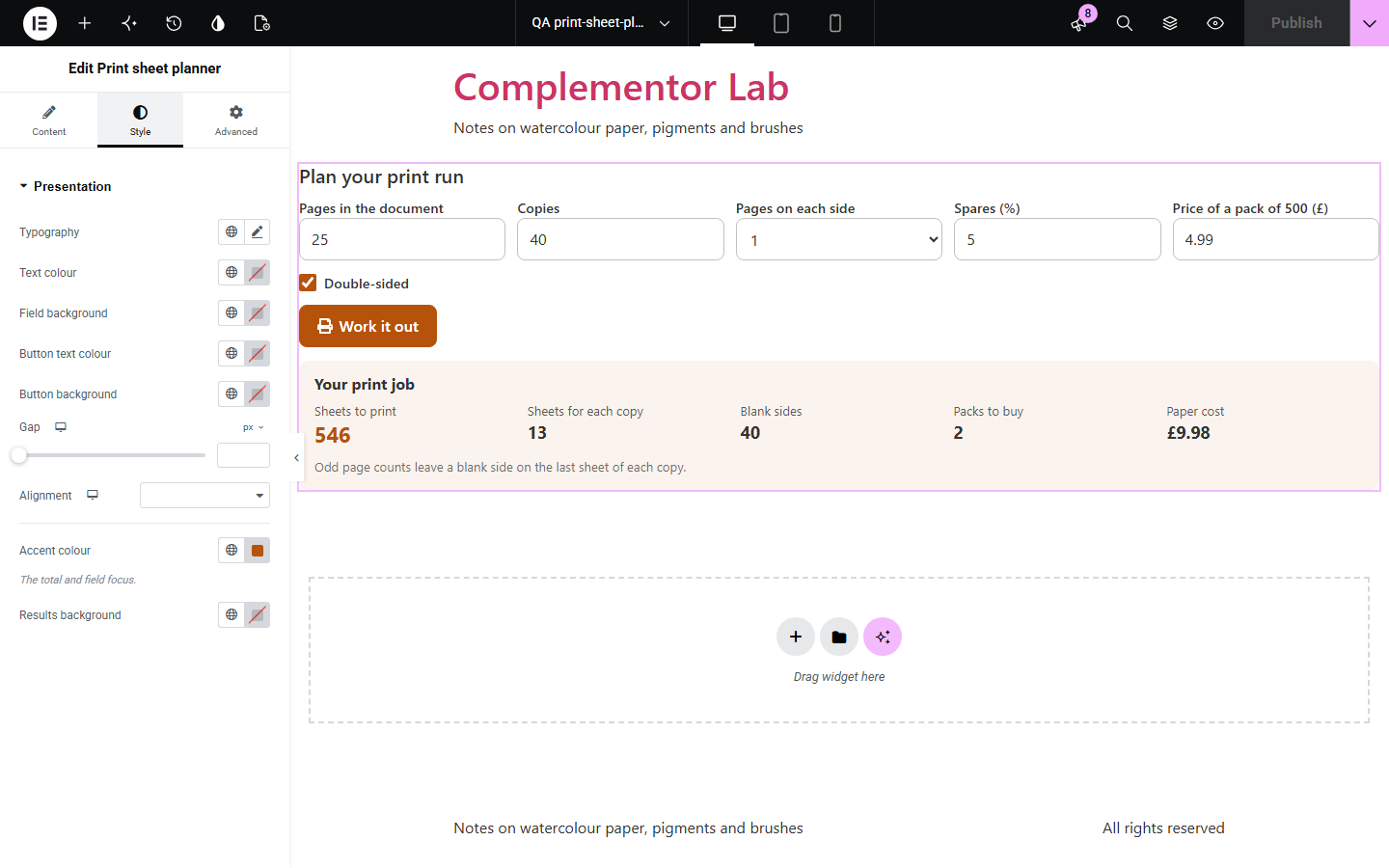
Before printing newsletters, handouts or booklets, people need to know how much paper to buy. This widget lets visitors enter the pages in the document and the copies, choose double-sided printing and up to four pages on each side, add spares for test prints and jams, and shows the sheets for each copy, the sheets to print, any blank sides, the packs to buy and the paper cost at the pack price you set. It updates as they type and runs in the browser.
Help customers size an order.
Plan handouts and newsletters.
Budget paper for reports.
Start with Complementor installed and your license connected. Enable this module in the WordPress library, then configure it in Elementor.
Install Complementor, connect your license and enable Print sheet planner in the Complementor library.
Add the widget to your print, school or office page.
Set typical pages and copies as starting values.
Enter your pack size and price.
Set the accent colour and button text.
Configure the settings available for this module to suit the page you are building.
Pages, copies and pages on each side.
Double-sided printing with one tick.
Optional spares for test prints and jams.
Packs to buy and the paper cost.
Blank sides counted for odd page counts.
Updates as visitors type.
Compare the existing Elementor workflow with this Complementor module before choosing your setup.
Storage for backups and logs.
What a drive costs in fuel.
Complementor uses classic Elementor APIs. Atomic-native controls are not implemented. Check your theme, cache and integrations on a staging site before release.
Check these settings if the published page behaves differently from the editor.
Pages and copies must be whole numbers of 1 or more.
An odd number of sides per copy leaves the back of the last sheet blank when printing double-sided.
The pack price is empty or packs are hidden.
No. It works with the free version of Elementor.
No. The sums run in the visitor’s browser.
No. It counts sheets for pages printed in order, one, two or four to a side.
Yes. Set the sheets in a pack, such as 500 for a ream.
Yes. Every field is labelled, results are announced when they change, and fields are large enough to tap.
This module is included with all 1007 current Complementor solutions. Choose your production website allowance; every plan includes the same modules.
Renews at $29 USD each year.
Renews at $49 USD each year.
Renews at $99 USD each year.
Applicable taxes extra. Annual subscriptions renew automatically unless canceled in your customer account. Elementor Pro is required for Exclude current post. Read the terms and 14-day technical-issue refund policy.