Recipe sites
Print just the ingredients and method.
 I Build Elementor.
Give visitors a real print button that opens the browser's print dialog for the whole page or just one section, and hides itself on the printout.
These are the actual published outputs of the widget. Press a button to open your browser's print dialog, then cancel or save as PDF.
Content sets the button text and icon, whether the whole page or one section prints, whether the button hides on paper, and the message shown without JavaScript. The Style tab covers the button's typography, colours, border, hover and focus states, shape, alignment, icon and width.
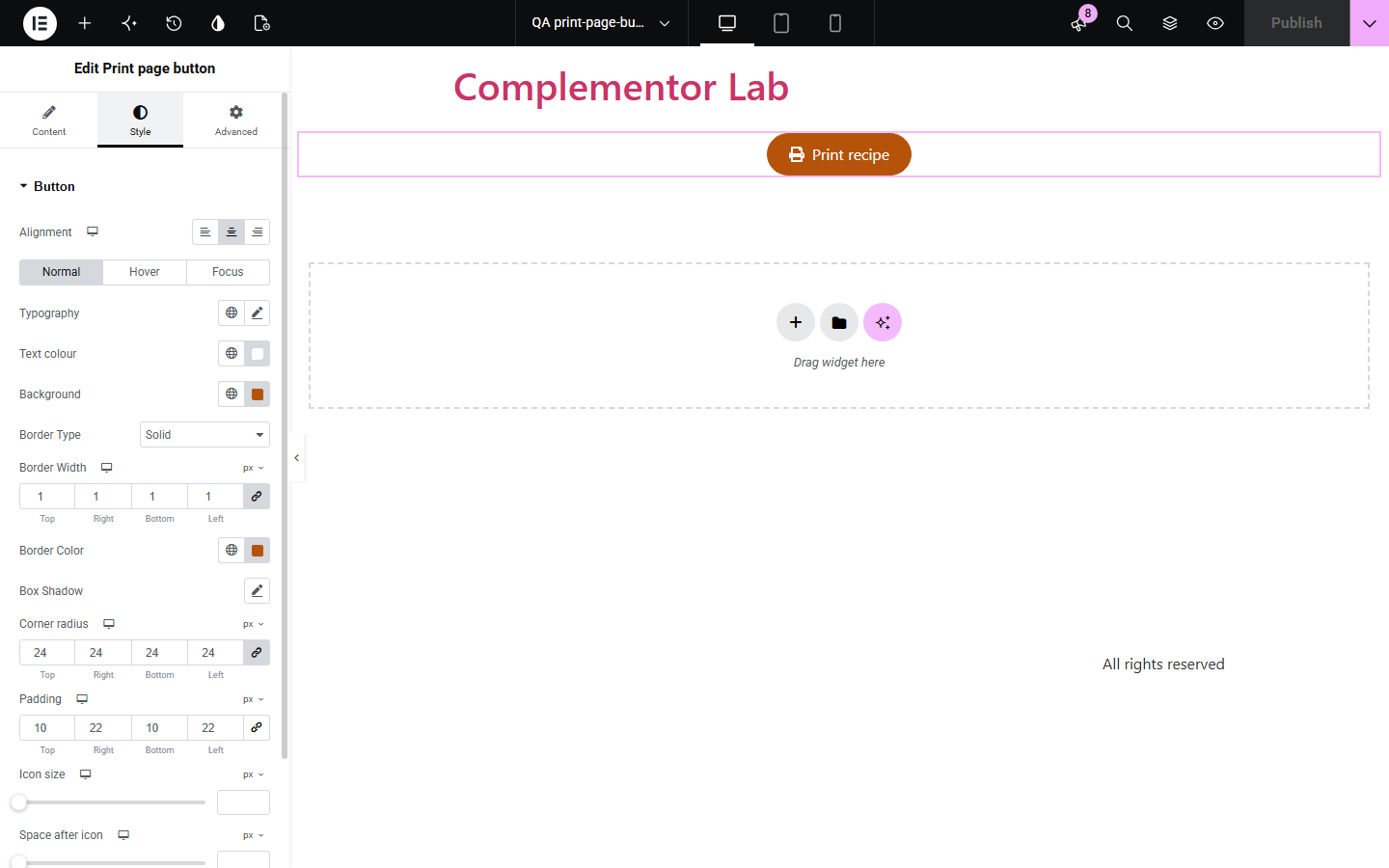
Recipe sites, schools, event pages and shops with order instructions often want visitors to print a page, but many visitors never think of the browser's Print command, and printing the whole page wastes paper on menus and footers. Print page button adds a clear button that opens the print dialog. It can print the whole page or only one section, found by its CSS ID, and the button can hide itself on the printout.
Print just the ingredients and method.
Let pupils print worksheets and instructions.
Offer printable care guides or order details.
Start with Complementor installed and your license connected. Enable this module in the WordPress library, then configure it in Elementor.
Install Complementor, connect your license and enable Print page button in the Complementor library.
Add the widget to a page.
Choose the whole page, or give a section a CSS ID and type it here.
Set the button text and an optional icon.
Style the button and test it with Save as PDF.
Configure the settings available for this module to suit the page you are building.
Real button for keyboard users.
Whole page or one section.
Section found by its CSS ID.
Button hidden on the printout.
Hidden when the browser cannot print.
Full button styling.
Compare the existing Elementor workflow with this Complementor module before choosing your setup.
Works, but many visitors do not think of it, and it prints everything.
Needs a separate file that you must keep up to date.
Complementor uses classic Elementor APIs. Atomic-native controls are not implemented. Check your theme, cache and integrations on a staging site before release.
Check these settings if the published page behaves differently from the editor.
No element has the CSS ID you typed. Check the ID in the section's Advanced tab.
Hide this button on the printout is on. Turn it off to keep it.
Print layout comes from your theme and the browser. The widget does not restyle the page for paper.
JavaScript is off or the browser cannot print. The message tells visitors to use Ctrl+P or Cmd+P.
No. It works with the free version of Elementor.
Yes. Most browsers offer Save as PDF in the print dialog.
No. Parts of the page are hidden only while printing and shown again afterwards.
Yes. It is a real button with a visible label that works with the keyboard.
Yes. Without it a short message about the browser's Print command is shown instead.
This module is included with all 1007 current Complementor solutions. Choose your production website allowance; every plan includes the same modules.
Renews at $29 USD each year.
Renews at $49 USD each year.
Renews at $99 USD each year.
Applicable taxes extra. Annual subscriptions renew automatically unless canceled in your customer account. Elementor Pro is required for Exclude current post. Read the terms and 14-day technical-issue refund policy.