Shop search
Let shoppers search products without blog posts in the results.
 I Build Elementor.
Add a search box that searches only one kind of content, such as blog posts, WooCommerce products or a custom post type.
These are the actual published outputs of the widget on a sample shop and blog: the default posts search, a styled product search, a stacked journal search and an icon-only button.
Content › Source picks the content type to search. Behaviour keeps the searched text in the field on the results page. Display sets the field label and whether it shows, the placeholder, the button text and a button icon before or after the text. The Style tab covers the layout, gap and maximum width, the label, the field with Normal, Hover and Focus states, border, radius and padding, and the button with typography, colours, states, border, radius, padding, alignment and icon size.
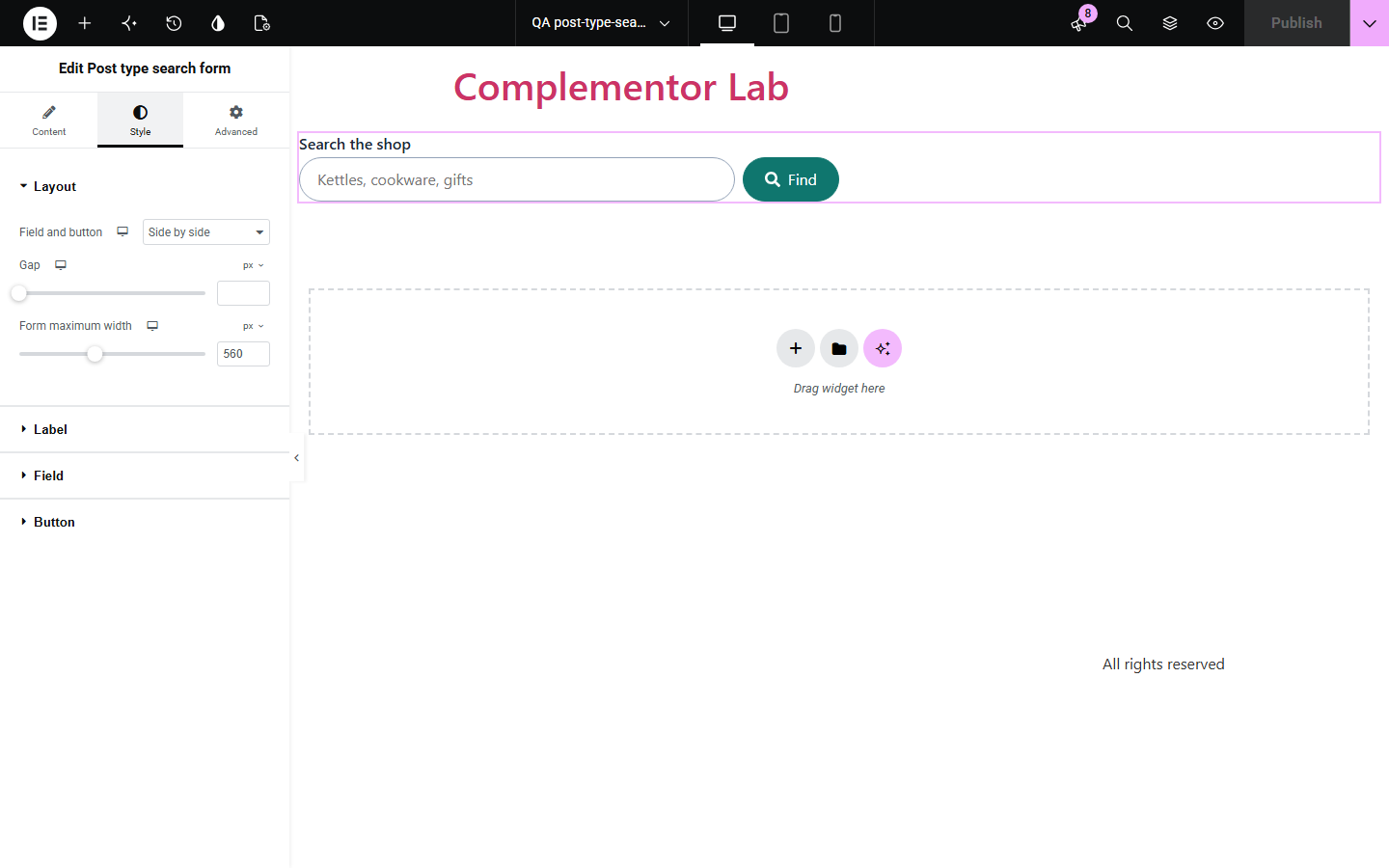
A site-wide search box mixes blog posts, products and every other kind of content into one list of results. Post type search form adds a labelled search box that searches only the content type you pick, using WordPress's own search, so a shop search returns products and a blog search returns posts.
Let shoppers search products without blog posts in the results.
Add a search box to the blog that returns posts only.
Search one custom post type, such as recipes, events or listings.
Start with Complementor installed and your license connected. Enable this module in the WordPress library, then configure it in Elementor.
Install Complementor, connect your license and enable Post type search form in the Complementor library.
Add the widget to a header, sidebar, shop page or blog page.
Choose the content type to search, such as Posts or Products.
Set the label, placeholder and button text or icon.
Style the field and button, publish, and run a search to check the results.
Configure the settings available for this module to suit the page you are building.
Searches one public content type: posts, WooCommerce products or a custom post type.
Keeps the searched text in the field on the results page.
Visible or screen-reader-only label, placeholder and button text.
Button icon before or after the text, or an icon-only button with a spoken name.
Field and button side by side or stacked, with gap and maximum width.
Style: label, field and button typography, colours, Normal, Hover and Focus states, border, radius and padding.
Compare the existing Elementor workflow with this Complementor module before choosing your setup.
The core Search block and WooCommerce's product search block cover the block editor. Use them there; use this widget inside Elementor layouts or for other content types.
Elementor Pro has its own search form. This widget adds a content type choice in the free version.
Complementor uses classic Elementor APIs. Atomic-native controls are not implemented. Check your theme, cache and integrations on a staging site before release.
Check these settings if the published page behaves differently from the editor.
WordPress ignores a page scope in search links, so pages would turn into an unscoped search. Only content types WordPress can search on their own are listed.
Results are shown by your theme's search template, or WooCommerce's product search template for products.
The chosen content type is no longer public or searchable. The editor shows a note asking you to choose another.
WooCommerce opens the product directly when a search finds exactly one.
No. It works with the free version of Elementor.
No. It is a normal form that submits to the WordPress search.
Yes. The field always has a label, the form is a labelled search region, an icon-only button keeps a spoken name and focus is outlined.
Yes. Choose Products and searches return products only.
No. Each form searches one content type; add a second widget for another.
This module is included with all 1007 current Complementor solutions. Choose your production website allowance; every plan includes the same modules.
Renews at $29 USD each year.
Renews at $49 USD each year.
Renews at $99 USD each year.
Applicable taxes extra. Annual subscriptions renew automatically unless canceled in your customer account. Elementor Pro is required for Exclude current post. Read the terms and 14-day technical-issue refund policy.