Small bilingual sites
Link English and French pages without a translation plugin.
 I Build Elementor.
Link the translated versions of a page in a simple language switcher, with native names, hreflang and a marked current language.
These are the actual published outputs of the widget on a sample English page linking to French, German and Japanese versions: native names, code pills with a globe, names with codes, and a column with the current language as text.
Content › Languages is a repeater of language name, BCP 47 code, destination (a published page or post from a picker, or a URL) and a current-language switch. Behaviour adds hreflang and lang attributes and chooses whether the current language is a link or text. Display sets the navigation label, whether to show names, codes or both, the hidden current-language text and an optional icon. The Style tab covers the links' typography, colours, background, border, shadow, Hover and Focus states, radius, padding and underline, layout direction, spacing and icon, and the current language's colours, border, weight and underline.
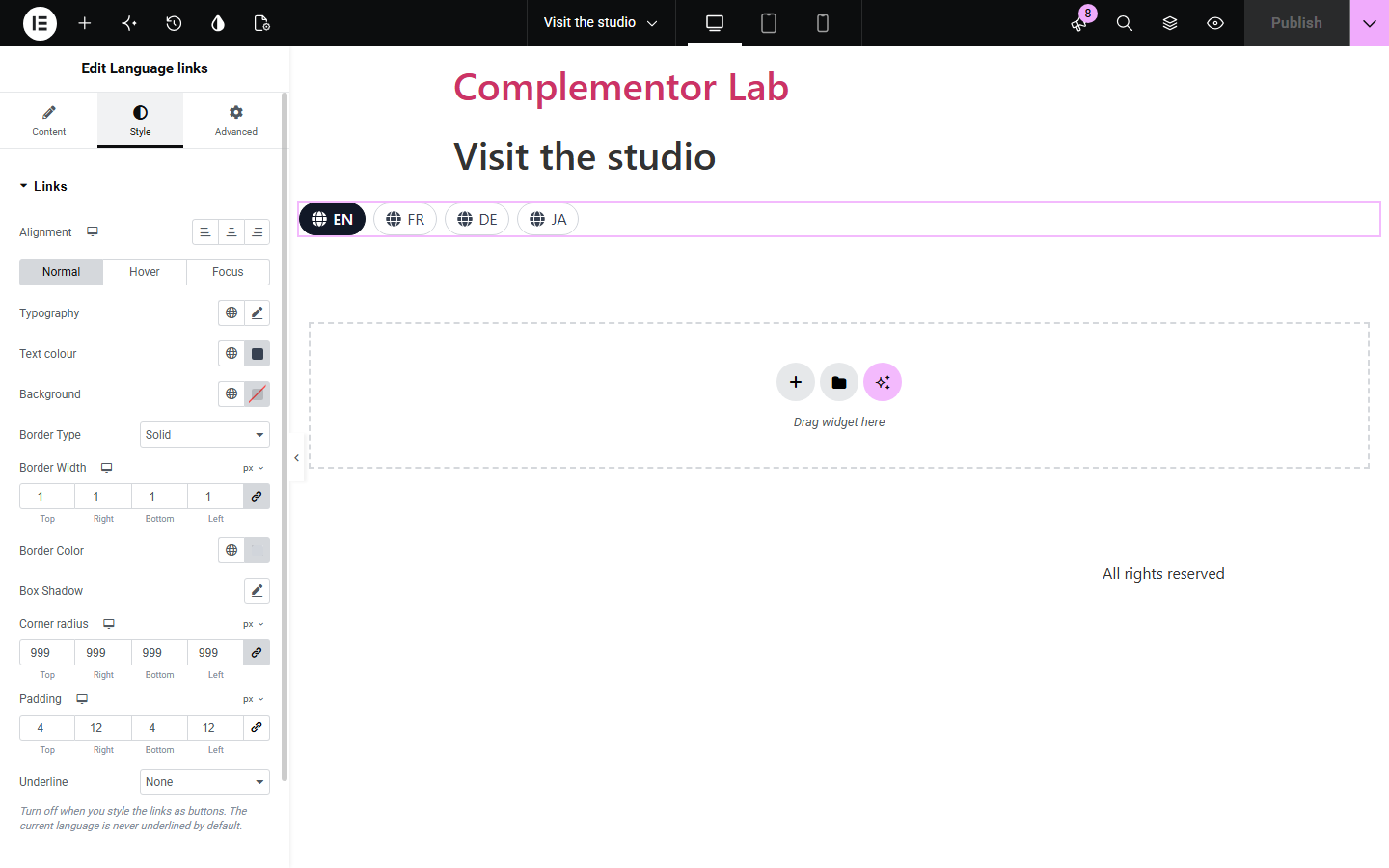
Small multilingual sites often keep each translation as its own page and only need a way to link them, not a full translation plugin. Manual language links lets you list each language with its native name, link it to the right page or URL, mark the current language, and add hreflang and lang attributes so browsers and screen readers handle each name correctly.
Link English and French pages without a translation plugin.
Put a compact language switcher above each campaign page.
Let visitors pick the version of a page in their language.
Start with Complementor installed and your license connected. Enable this module in the WordPress library, then configure it in Elementor.
Install Complementor, connect your license and enable Language links in the Complementor library.
Add the widget to your header, footer or each translated page.
Add each language with its native name and code, such as Français and fr.
Pick the page for each language, or enter a URL, and mark the current language.
Style the links, publish, and click through each language version.
Configure the settings available for this module to suit the page you are building.
Repeater of languages: native name, BCP 47 code, destination page or URL, current switch.
Destinations checked: unpublished, private or protected pages are skipped.
Optional hreflang on links and lang on names for correct pronunciation.
Show names, codes or both; current language as a link or plain text.
Optional icon before each language and a navigation label for screen readers.
Style: link button styles and underline, direction, spacing, icon, and current-language colours and weight.
Compare the existing Elementor workflow with this Complementor module before choosing your setup.
Translation plugins manage translations and switch automatically. Use them for full multilingual sites; use this widget when you link a few translated pages by hand.
A menu can list language links, but without hreflang, lang or a marked current language. This widget adds those.
Complementor uses classic Elementor APIs. Atomic-native controls are not implemented. Check your theme, cache and integrations on a staging site before release.
Check these settings if the published page behaves differently from the editor.
Its destination is unpublished, private, password-protected or an invalid URL. The editor lists skipped rows and why.
Codes must look like BCP 47 tags such as en, fr-CA or zh-Hant; invalid codes are not output.
No. It adds hreflang to the links only. Use your SEO plugin for head tags.
Switch on 'This is the current language' for the row matching the page the widget is on.
No. It links pages you have already translated.
No. It works with the free version of Elementor.
Yes. It is a labelled navigation list, names carry lang attributes, and the current language is announced.
You can add an icon, but language names or codes are clearer than flags, which represent countries.
No. Visitors choose; nothing is redirected.
This module is included with all 1007 current Complementor solutions. Choose your production website allowance; every plan includes the same modules.
Renews at $29 USD each year.
Renews at $49 USD each year.
Renews at $99 USD each year.
Applicable taxes extra. Annual subscriptions renew automatically unless canceled in your customer account. Elementor Pro is required for Exclude current post. Read the terms and 14-day technical-issue refund policy.