Long tutorials
Split a long guide into pages and let readers step through them.
 I Build Elementor.
Add numbered page links and Previous / Next to posts split with the Page Break block, styled to match your Elementor design.
These are the actual published outputs of the widget on page 1 of a sample post split into seven pages: the default links, boxed page numbers, every page listed, and a single Continue reading link.
Content › Source explains which posts it works on. Behaviour turns Previous / Next links and the numbered list on or off and sets how many numbers appear around the current page. Display sets the navigation label, the 'Page' prefix, Previous and Next labels and icons. The Style tab covers alignment, typography, spacing, icon size, prefix and ellipsis colours, link Normal, Hover and Focus colours, background, border, underline, padding and radius, and the current page's colours and border.
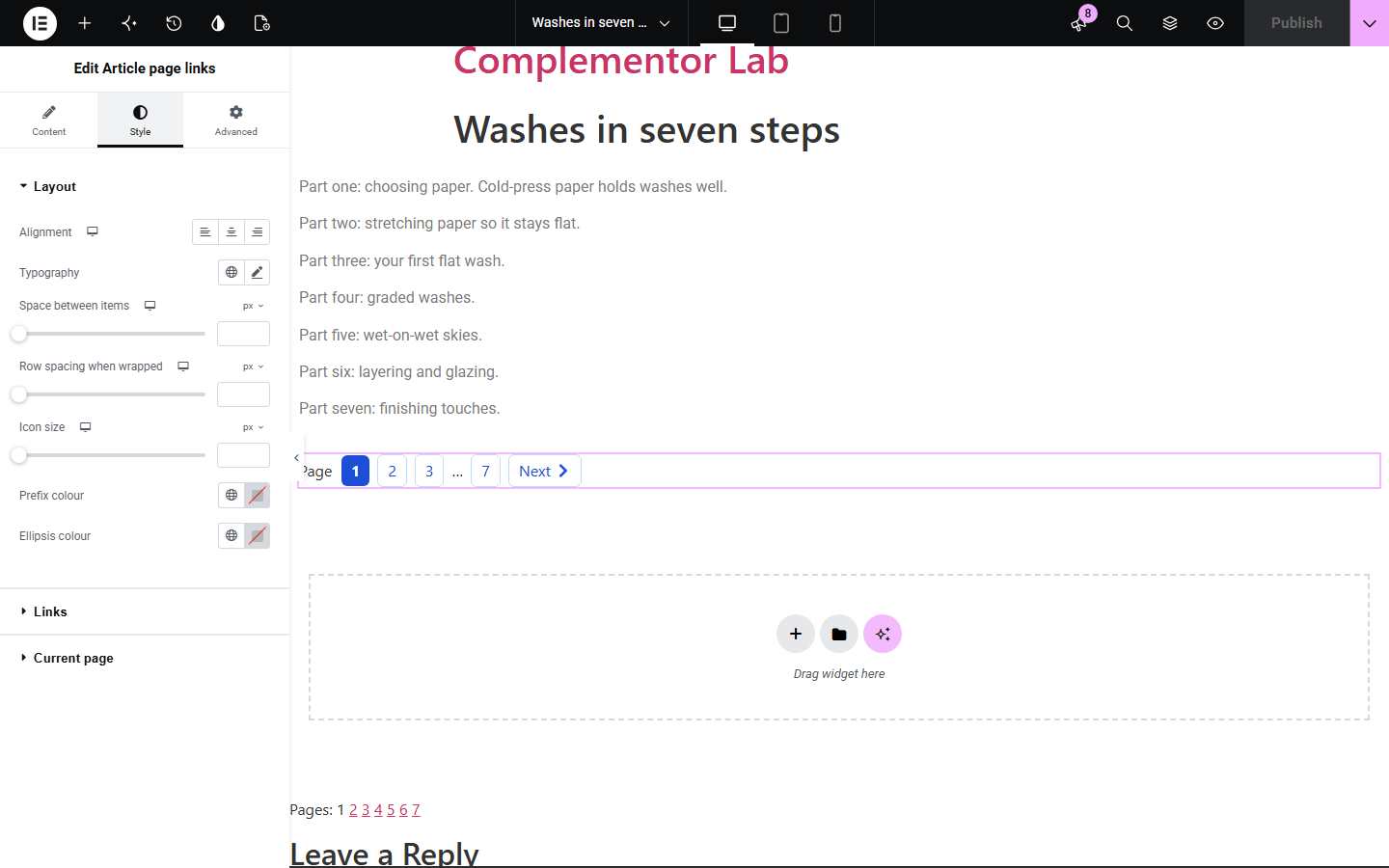
WordPress lets you split long posts into pages with the Page Break block, but the default page links are plain and hard to place in an Elementor template. Article page links shows the current page, nearby page numbers, an ellipsis for long articles and Previous / Next links, using the same page URLs WordPress creates.
Split a long guide into pages and let readers step through them.
Show one section per page with clear navigation.
Break up a long article while keeping the page count visible.
Start with Complementor installed and your license connected. Enable this module in the WordPress library, then configure it in Elementor.
Install Complementor, connect your license and enable Article page links in the Complementor library.
Split the post with the Page Break block (or the nextpage marker in the classic editor).
Add the widget to your single post template, below the content.
Choose Previous / Next, the numbered list and how many numbers to show around the current page.
Style the links, publish, and click through the pages.
Configure the settings available for this module to suit the page you are building.
Page count from the post's Page Break blocks, matching WordPress's own pagination.
Previous and Next links with optional icons; icon-only keeps a readable name for screen readers.
Numbered list with the first and last page always shown and an ellipsis for gaps.
Optional 'Page' prefix and navigation label.
Page URLs built the same way WordPress builds them, for pretty and plain permalinks.
Style: alignment, typography, spacing, link states, underline, borders, padding, radius and current-page colours.
Compare the existing Elementor workflow with this Complementor module before choosing your setup.
Themes print plain page numbers after the content. This widget lets you place and style the same navigation in an Elementor template.
Post Navigation links to the previous and next posts. This widget moves between the pages of one post.
Complementor uses classic Elementor APIs. Atomic-native controls are not implemented. Check your theme, cache and integrations on a staging site before release.
Check these settings if the published page behaves differently from the editor.
The post must be published, public, not password-protected and split into at least two pages. The editor shows a hint otherwise.
Your theme also prints WordPress's own page links. Hide them in your theme or template if you use this widget instead.
There is no earlier page. Next is hidden on the last page for the same reason.
No. Add Page Break blocks in the editor; the widget only links the pages.
No, but you need a single post template (Elementor Pro) or a post built with Elementor to place it.
Yes. It is a labelled navigation, links are named like 'Page 2 of 7', and the current page is marked with aria-current.
Yes. It builds page URLs the same way WordPress does for each permalink setting.
No. It only links the pages of one post split with Page Break.
No. It is rendered on the server.
This module is included with all 1007 current Complementor solutions. Choose your production website allowance; every plan includes the same modules.
Renews at $29 USD each year.
Renews at $49 USD each year.
Renews at $99 USD each year.
Applicable taxes extra. Annual subscriptions renew automatically unless canceled in your customer account. Elementor Pro is required for Exclude current post. Read the terms and 14-day technical-issue refund policy.