Online courses
Let students move through lessons in order and see their place.
 I Build Elementor.
Link a series of pages as numbered steps with a progress line and Previous / Next links, skipping steps that are not published yet.
These are the actual published outputs of the widget on a sample course page: the default list with progress and pager, inline steps with button links, an unpublished step shown as text, and progress with icon-only arrows.
Content › Steps is a repeater of step name, destination (a published page or post from a picker, or a URL) and a current-step switch, plus the navigation label. Behaviour sets what happens to unavailable steps, the Previous / Next links and the progress text with {current}, {total} and {name}. Display shows or hides the list and sets pager labels, neighbour names, icons and icon-only mode. The Style tab covers list typography, colours, current-step colour and weight, underline, layout and spacing, progress text, and the pager's button styles, underline, icon size and gap.
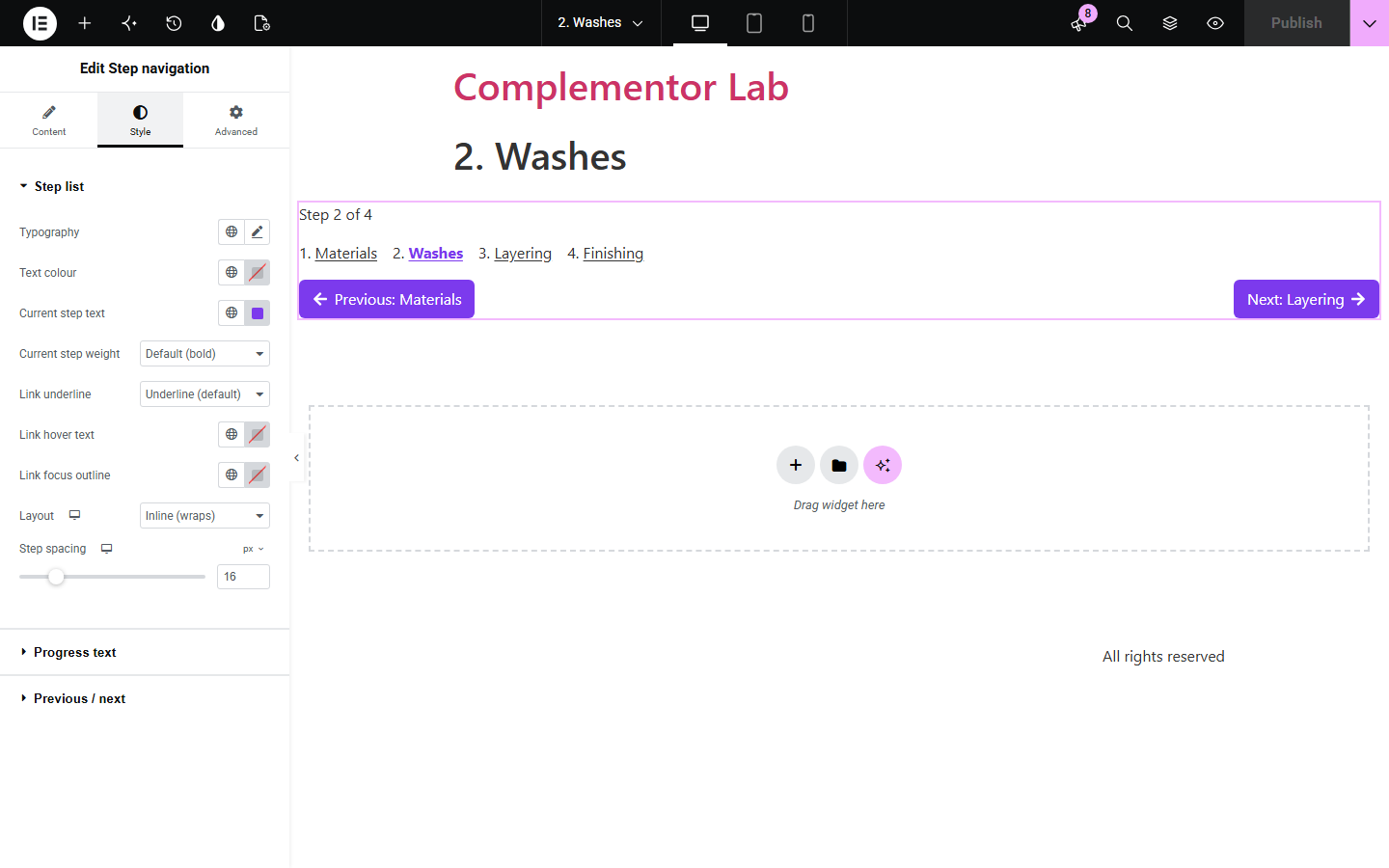
Courses, tutorials and multi-page guides need readers to know where they are and what comes next. Linking pages by hand breaks when a step is unpublished or renamed. Step navigation lists your steps in order, marks the current one, shows 'Step 2 of 4' and adds Previous and Next links, and leaves out steps that visitors cannot open.
Let students move through lessons in order and see their place.
Link each part of a guide with Previous and Next buttons.
Show customers how many steps remain.
Start with Complementor installed and your license connected. Enable this module in the WordPress library, then configure it in Elementor.
Install Complementor, connect your license and enable Step navigation in the Complementor library.
Add the widget to each page of the series, or to a template they share.
List the steps in order, choosing each page from the picker or typing a URL.
Switch on 'This is the current step' for the page the widget is on.
Choose the progress wording and pager style, publish, and click through the series.
Configure the settings available for this module to suit the page you are building.
Steps in your order, each linking to a published page or post or a URL.
Current step marked visually and with aria-current for screen readers.
Progress text such as 'Step 2 of 4', with {current}, {total} and {name}.
Previous / Next links to the nearest linkable steps, optionally naming them, with icons or icon-only.
Unpublished, private or password-protected destinations left out or shown as plain text.
Style: list layout stacked or inline, colours, underline, spacing, progress text and pager button styles.
Compare the existing Elementor workflow with this Complementor module before choosing your setup.
Post Navigation links to the previous and next posts by date. This widget follows the order you choose and can link pages.
A menu lists links but does not mark progress or provide Previous / Next. This widget does both.
Complementor uses classic Elementor APIs. Atomic-native controls are not implemented. Check your theme, cache and integrations on a staging site before release.
Check these settings if the published page behaves differently from the editor.
Its page is not published, is private or has a password. Choose Show name without a link to keep it visible as text.
Mark one step as current, and make sure the neighbouring steps have published destinations.
Only shown steps are counted. Hidden unavailable steps are not part of the total.
No. Switch on 'This is the current step' for the right step on each page.
No. It works with the free version of Elementor.
Yes. It is a named navigation landmark with an ordered list, aria-current on the current step and visible focus outlines.
Yes. Choose Custom URL and enter an http or https address.
No. The current step is set in the editor; nothing is stored about visitors.
Yes. Turn off Show step list and keep only the progress and pager.
This module is included with all 1007 current Complementor solutions. Choose your production website allowance; every plan includes the same modules.
Renews at $29 USD each year.
Renews at $49 USD each year.
Renews at $99 USD each year.
Applicable taxes extra. Annual subscriptions renew automatically unless canceled in your customer account. Elementor Pro is required for Exclude current post. Read the terms and 14-day technical-issue refund policy.