Editorial teams
Fix typos straight from the live post.
 I Build Elementor.
Give people who may edit a post a quick Edit link on the post itself, opening Elementor or the WordPress editor, while visitors see nothing.
These are the actual outputs of the widget on a sample post for a logged-in editor. Logged out, the space stays empty.
Content sets whether the link opens Elementor or the WordPress editor, the link text, a new tab, text before and after, the HTML tag and an icon. The Style tab covers typography, colour, link hover colour and background, alignment, surface, border, radius and padding, plus the icon.
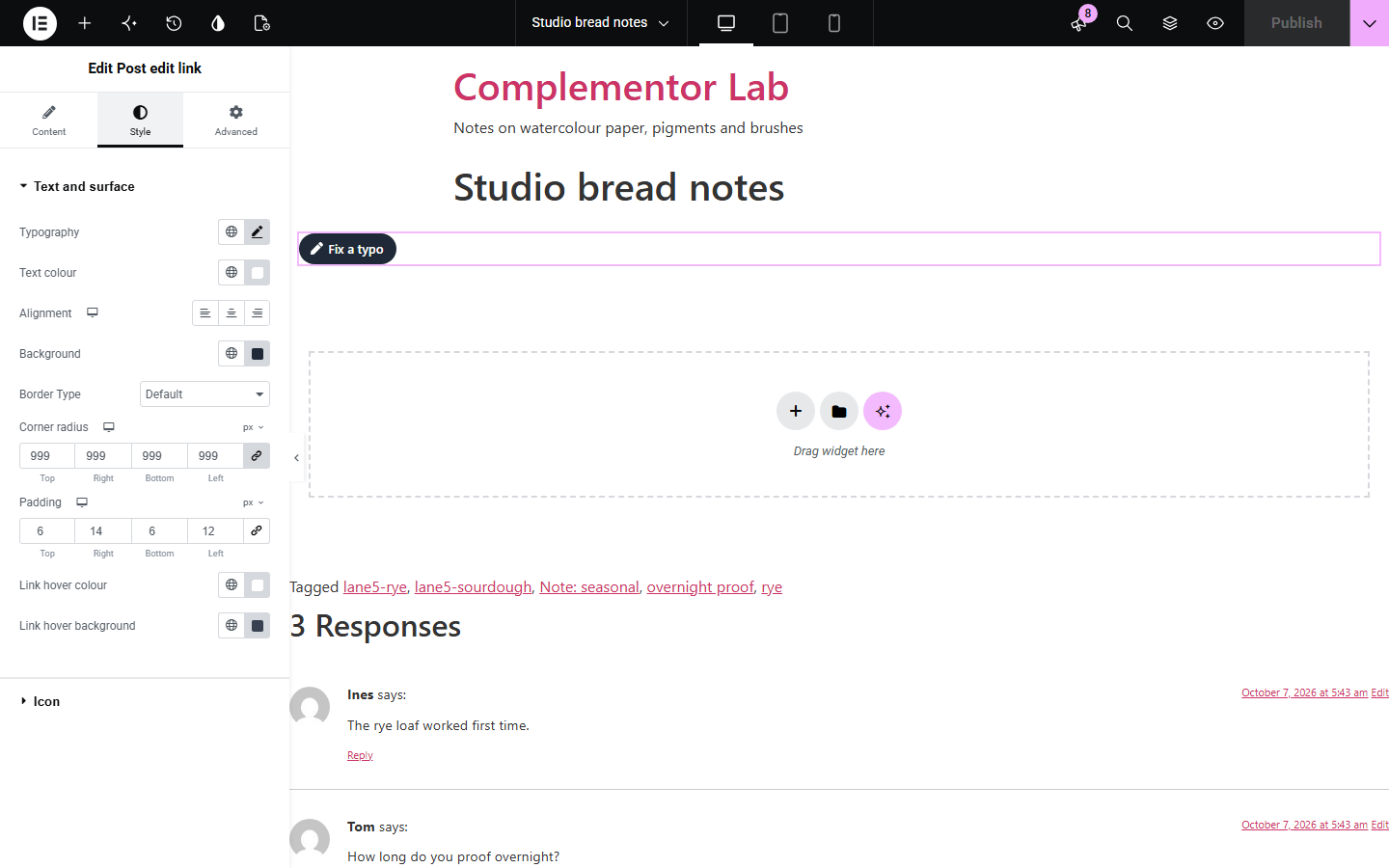
Spotting a typo on a live post means finding the admin bar, or hunting for the post in the dashboard, and many sites hide the admin bar. Post edit link puts an Edit link on the post for exactly the people allowed to edit it, using WordPress's own permission check, and sends them to the Elementor editor for posts built with Elementor. Visitors and subscribers get no markup at all.
Fix typos straight from the live post.
Keep an edit shortcut when the toolbar is hidden.
Give clients an obvious way to update their pages.
Start with Complementor installed and your license connected. Enable this module in the WordPress library, then configure it in Elementor.
Install Complementor, connect your license and enable Post edit link in the Complementor library.
Add the widget to a post or a post template.
Choose whether it opens Elementor or the WordPress editor.
Change the link text if you like.
Style it and view a post while logged in.
Configure the settings available for this module to suit the page you are building.
Only for people who may edit.
Opens Elementor for Elementor posts.
WordPress's own Edit wording.
Works on draft previews.
Optional new tab with a screen reader note.
No markup for visitors.
Compare the existing Elementor workflow with this Complementor module before choosing your setup.
Often hidden, and its Edit link may not open Elementor.
Slow when you are already looking at the post.
Complementor uses classic Elementor APIs. Atomic-native controls are not implemented. Check your theme, cache and integrations on a staging site before release.
Check these settings if the published page behaves differently from the editor.
You are logged out, or your user role may not edit this post.
The post is not built with Elementor, or Always the WordPress editor is chosen.
Only if a shared page cache stores pages built for logged-in users. Check your caching plugin's settings.
There is no post in this context, for example in a template being designed on its own.
No. It works with the free version of Elementor.
Only logged-in users WordPress allows to edit that post.
Yes. The default text becomes Edit Page.
It is never shown to logged-out visitors, and it carries rel="nofollow".
No. The link is part of the page as it is built.
This module is included with all 1007 current Complementor solutions. Choose your production website allowance; every plan includes the same modules.
Renews at $29 USD each year.
Renews at $49 USD each year.
Renews at $99 USD each year.
Applicable taxes extra. Annual subscriptions renew automatically unless canceled in your customer account. Elementor Pro is required for Exclude current post. Read the terms and 14-day technical-issue refund policy.