Handbooks and documentation
Show the chapter path above each page.
 I Build Elementor.
Show where the current page sits under its parents, as a number, a level or the path of parent titles, without leaking private titles.
These are the actual published outputs of the widget on this page.
Content sets whether to show the number, the level or the path, the level text, a text for top-level pages, the path separator and ending, text before and after, a fallback text, the HTML tag and an optional icon. The Style tab covers typography, colour, surface, alignment, padding, radius and the icon.
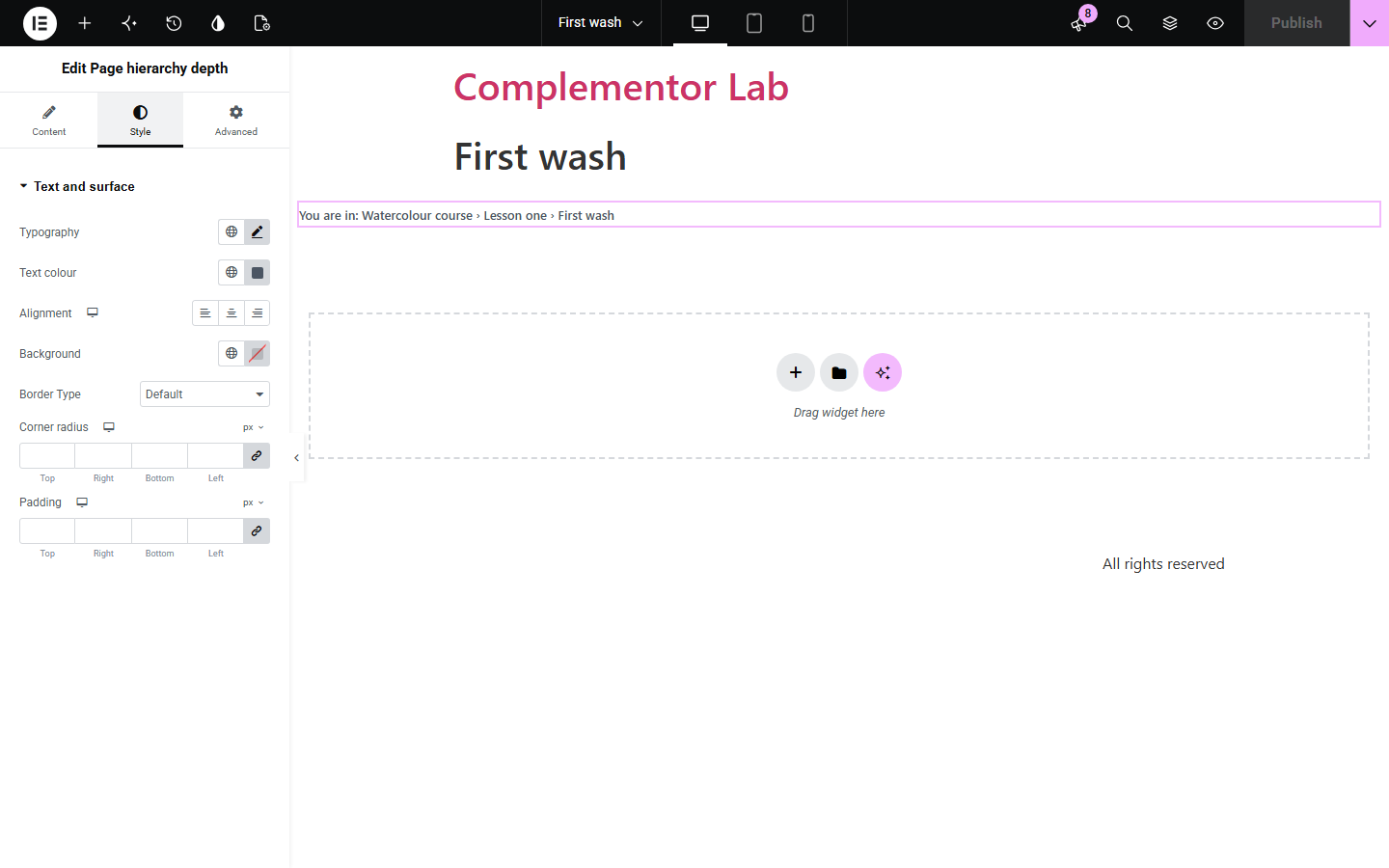
Large sites with nested pages, such as handbooks, documentation and school sites, leave readers unsure how deep they are. Page hierarchy depth shows the page's place in the structure as a number, a level or the path of parent titles, and hides itself when a parent page is not public so private titles never appear.
Show the chapter path above each page.
Show the module and lesson level.
Help editors see where a page sits.
Start with Complementor installed and your license connected. Enable this module in the WordPress library, then configure it in Elementor.
Install Complementor, connect your license and enable Page hierarchy depth in the Complementor library.
Add the widget to a page template or a page.
Choose the number, level or path.
Adjust the texts and separator.
Style it and open a sub-page.
Configure the settings available for this module to suit the page you are building.
Number of parent levels.
“Level 3” with editable text.
Path of parent titles.
Own text for top-level pages.
Hidden when a parent is private.
Works for hierarchical custom types.
Compare the existing Elementor workflow with this Complementor module before choosing your setup.
Usually need an SEO plugin and show links rather than a level.
Breaks when pages move.
Complementor uses classic Elementor APIs. Atomic-native controls are not implemented. Check your theme, cache and integrations on a staging site before release.
Check these settings if the published page behaves differently from the editor.
This is not a page of a hierarchical type, or one of its parent pages is not public.
A top-level page has no parents. Set a text for top-level pages if you prefer.
The path is plain text; use a breadcrumb widget for links.
Yes. Change the path separator.
No. It works with the free version of Elementor.
From the parent pages of the page being viewed.
In a single post, page or product template, or directly on a page. It reads the post being viewed.
Drafts, private and password-protected posts show nothing. In the editor a short note explains why, and a fallback text can be set.
No. Posts have no parents; it works for pages and hierarchical custom types.
This module is included with all 1007 current Complementor solutions. Choose your production website allowance; every plan includes the same modules.
Renews at $29 USD each year.
Renews at $49 USD each year.
Renews at $99 USD each year.
Applicable taxes extra. Annual subscriptions renew automatically unless canceled in your customer account. Elementor Pro is required for Exclude current post. Read the terms and 14-day technical-issue refund policy.