Flooring and tiles
Turn a floor area into boxes of tiles with a margin for cuts and an estimated cost.
 I Build Elementor.
Let visitors work out how many packs, boxes or tins to buy for the amount they need, with the spare amount, an extra allowance and an estimated cost.
These are the actual published outputs of the widget with sample amounts and a sample price. Change the numbers to see the packs, spare amount and cost update.
Packs sets whether visitors enter the pack size or you fix it, the pack and unit names, the extra allowance and an optional price per pack. Behaviour switches live calculation, the check line, the spare amount and the Clear button. Labels holds every text. The Style tab covers the fields, the result box, labels and messages, the widget and the buttons.
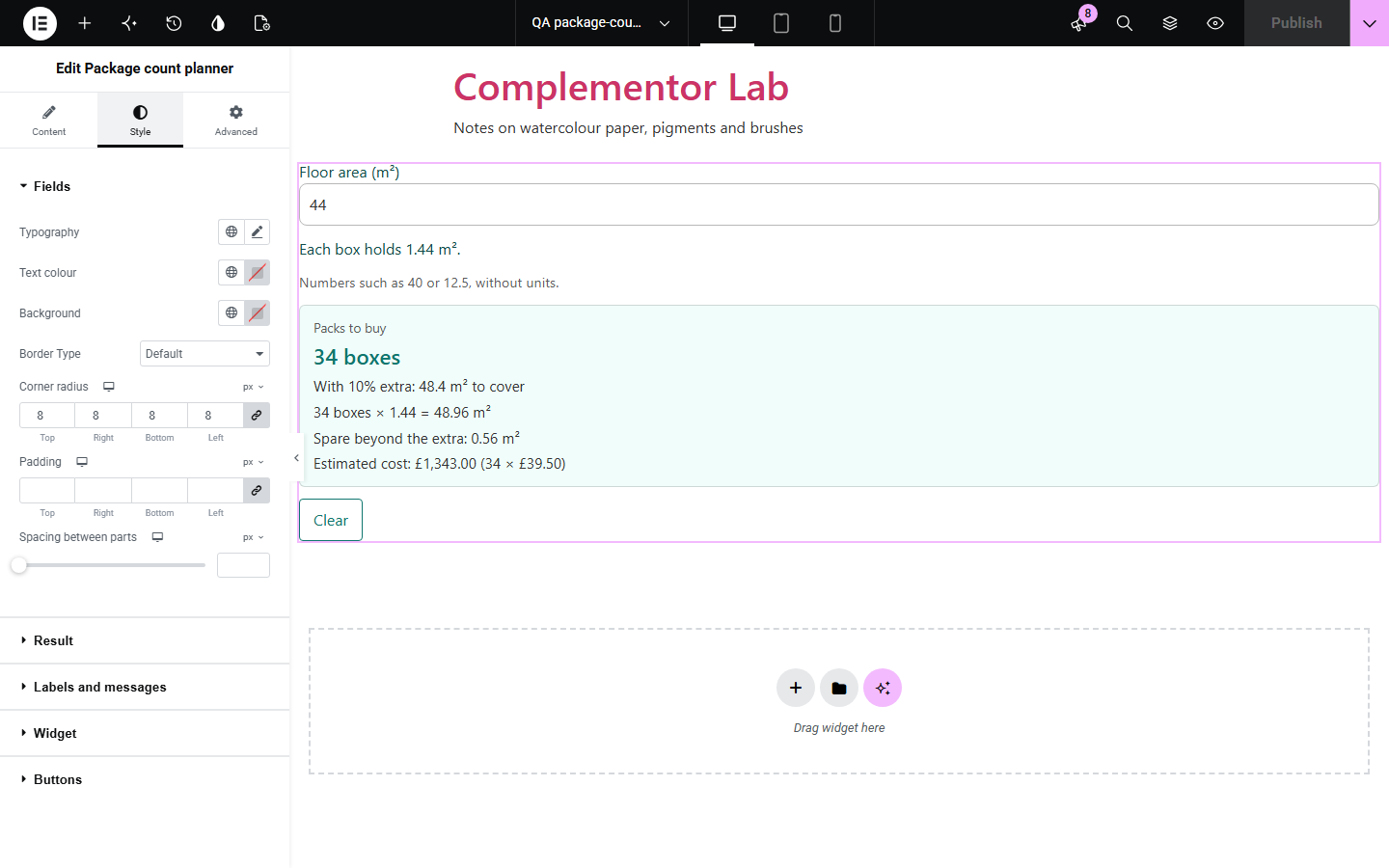
Shops and guides that sell by the pack (tiles by the box, paint by the tin, seed by the packet, labels by the roll) leave visitors to divide, round up and add a margin themselves, and a wrong guess means a second order or leftover stock. Package count planner sits on your own page: visitors type the amount they need and see how many packs to buy, a check line, the spare amount, an optional extra allowance for waste and an optional estimated cost. Nothing is sent anywhere.
Turn a floor area into boxes of tiles with a margin for cuts and an estimated cost.
Show how many tins cover the litres a room needs.
Work out packs of cups, labels or favours for a number of guests.
Count packets or bags for a bed or a lawn.
Start with Complementor installed and your license connected. Enable this module in the WordPress library, then configure it in Elementor.
Install Complementor, connect your license and enable Package count planner in the Complementor library.
Add the widget to a page, for example next to a product description or a buying guide.
Under Packs, choose whether visitors enter the pack size or fix it, and name the pack and the unit.
Optionally add an extra allowance and the price of one pack, then adjust the texts under Labels and Behaviour.
Style the fields, result and buttons under Style, then type an amount to check the answer.
Configure the settings available for this module to suit the page you are building.
Pack size typed by visitors, or fixed by you with a sentence such as “Each box holds 1.44 m².”
Pack and unit names in singular and plural, so answers read “1 pack” and “4 packs”.
Extra allowance from 0 to 100% for cuts, breakage or waste, shown as the amount to cover.
Optional price of one pack with text before and after it, giving an estimated cost.
Check line, spare amount and Clear button switches; results as visitors type or with a Calculate button and optional icon.
Style sections for fields, the result box, labels and messages, the widget and the buttons with Normal, Hover and Focus states.
Compare the existing Elementor workflow with this Complementor module before choosing your setup.
Sets how many packs go in the cart but does not work out how many are needed. Use it on its own when customers already know the pack count.
Fine for a single fixed case such as “one box covers 1.44 m²”, but visitors still do the division and rounding themselves.
Gives a decimal that visitors must round up, and takes them away from your page.
Complementor uses classic Elementor APIs. Atomic-native controls are not implemented. Check your theme, cache and integrations on a staging site before release.
Check these settings if the published page behaves differently from the editor.
A comma followed by three digits is read as a thousands separator, which the planner does not accept so it cannot be mistaken for a decimal comma. Type 1000, or 1 000 with a space.
The allowance is added to the amount to cover first, and the spare is what is left beyond it, so the margin is not counted twice.
With live calculation off, typing hides the old result so it never describes other numbers. Press Calculate or Enter.
The fixed pack size under Packs is 0 or empty. Enter the amount one pack holds.
No. It works with the free version of Elementor and does not need WooCommerce.
Yes. Amounts of up to 4 decimal places are counted exactly, so 12.5 in packs of 1.8 gives 7 packs with 0.1 spare.
It is the number of packs times the price you type under Packs. It is not linked to a product, cart, discounts or tax.
Yes. Choose Fixed under Packs and enter the amount in one pack; visitors then type only the amount they need.
Yes. Without it a short message is shown instead.
This module is included with all 1007 current Complementor solutions. Choose your production website allowance; every plan includes the same modules.
Renews at $29 USD each year.
Renews at $49 USD each year.
Renews at $99 USD each year.
Applicable taxes extra. Annual subscriptions renew automatically unless canceled in your customer account. Elementor Pro is required for Exclude current post. Read the terms and 14-day technical-issue refund policy.