Shops and studios
Show weekday hours, a late-opening night and a closed day.
 I Build Elementor.
Show weekly opening hours as an accessible table with split periods, closed days, notes and your own wording.
These are the actual published outputs of the widget: the default week, a styled week with split days and notes, a week starting on Sunday without notes, and your own labels and separator.
Content › Days is a repeater of weekday, day label, closed switch, periods (one per line, such as 10:00 | 13:00) and note. Behaviour sets the first day of the week, the closed and no-hours labels and the separator between open and close. Display sets the caption and whether it shows, a caption icon, column headings, the notes column and the empty message. The Style tab covers typography, text, day, closed and heading colours, alternate row background, row lines, cell padding, gap between periods, caption and icon.
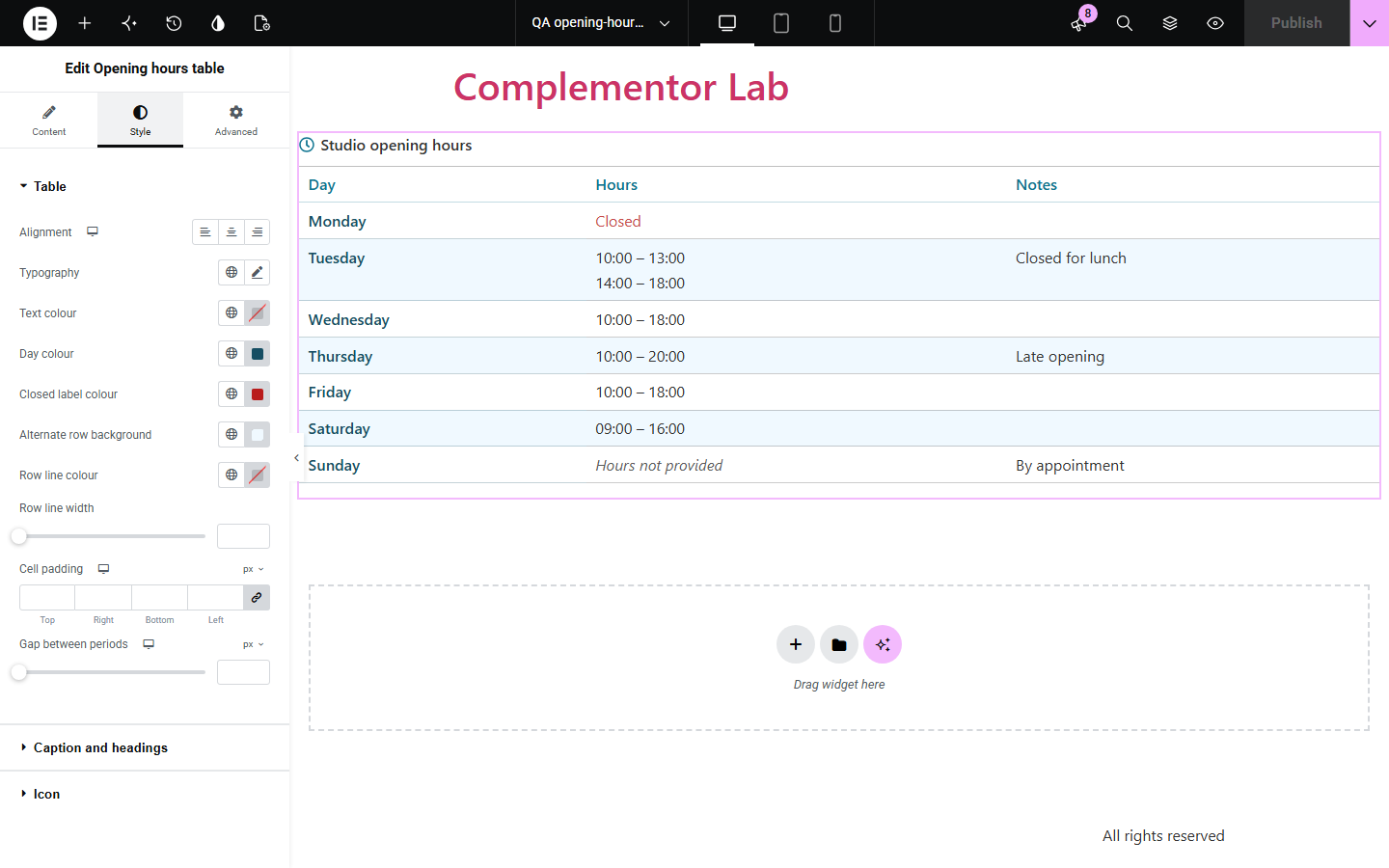
Visitors look for opening hours first, but hours typed into a text box are hard to scan and easy to get wrong when a day has a lunch break or is closed. Opening hours table lists each day in a real table with one or more periods, closed days, notes such as 'By appointment', and the first day of the week you choose.
Show weekday hours, a late-opening night and a closed day.
Show split days with a lunch break and appointment-only days.
Publish seasonal hours that are quick to update in one place.
Start with Complementor installed and your license connected. Enable this module in the WordPress library, then configure it in Elementor.
Install Complementor, connect your license and enable Opening hours table in the Complementor library.
Add the widget; Monday to Sunday are already listed with sample hours.
Type each day's periods, one per line as open | close, or switch the day to Closed.
Add notes such as 'Late opening', and choose the first day of the week.
Style the table, publish, and check it on a phone.
Configure the settings available for this module to suit the page you are building.
One row per day with any number of periods (up to the limit), a closed switch and a note.
Periods written as open | close and shown with your separator, such as 09:00 – 17:00.
Week starts on Monday, Sunday or another day you choose; day labels are editable.
Closed and no-hours labels, column headings and an optional notes column.
Caption shown or visually hidden, with an optional icon.
Style: typography, colours for days, headings and closed days, alternate rows, lines, padding and caption.
Compare the existing Elementor workflow with this Complementor module before choosing your setup.
Lists can show days and hours but not as a table with headers and split periods. This widget outputs a real table.
Some plugins add live open-now status and holiday rules. This widget shows your weekly hours as written, without calculating anything.
Complementor uses classic Elementor APIs. Atomic-native controls are not implemented. Check your theme, cache and integrations on a staging site before release.
Check these settings if the published page behaves differently from the editor.
The day is not closed and has no periods. Add periods or switch it to Closed; change the label in Behaviour.
Put each period on its own line, for example 10:00 | 13:00 and 14:00 | 18:00.
No. It shows the hours as written and does not use the visitor's clock.
The column is hidden when Show notes column is off or when no day has a note.
No. It works with the free version of Elementor.
Yes. It is a captioned table with day row headers, and wide tables become keyboard-scrollable.
Yes. Times are text, so write 9am | 5pm or any format you like.
Add a note to the day, or a separate widget for holiday hours; dates are not tracked.
No. It shows the table only; structured data is left to your SEO plugin.
This module is included with all 1007 current Complementor solutions. Choose your production website allowance; every plan includes the same modules.
Renews at $29 USD each year.
Renews at $49 USD each year.
Renews at $99 USD each year.
Applicable taxes extra. Annual subscriptions renew automatically unless canceled in your customer account. Elementor Pro is required for Exclude current post. Read the terms and 14-day technical-issue refund policy.