Shopping guides
Show readers which pack size is the better buy.
 I Build Elementor.
Let visitors compare offers by price per kilogram, litre or item, with grams, ounces, millilitres and fluid ounces converted and the best value marked.
These are the actual published widgets running in your browser; enter your own prices to try them.
Offers sets the first two offers, their units and the currency. Behaviour sets prices per kilogram or per 100 g, how many offers visitors can add, bars and live updates. Labels names the offers and sets every other label. The Style tab covers the layout, best value and bar colours, fields and buttons.
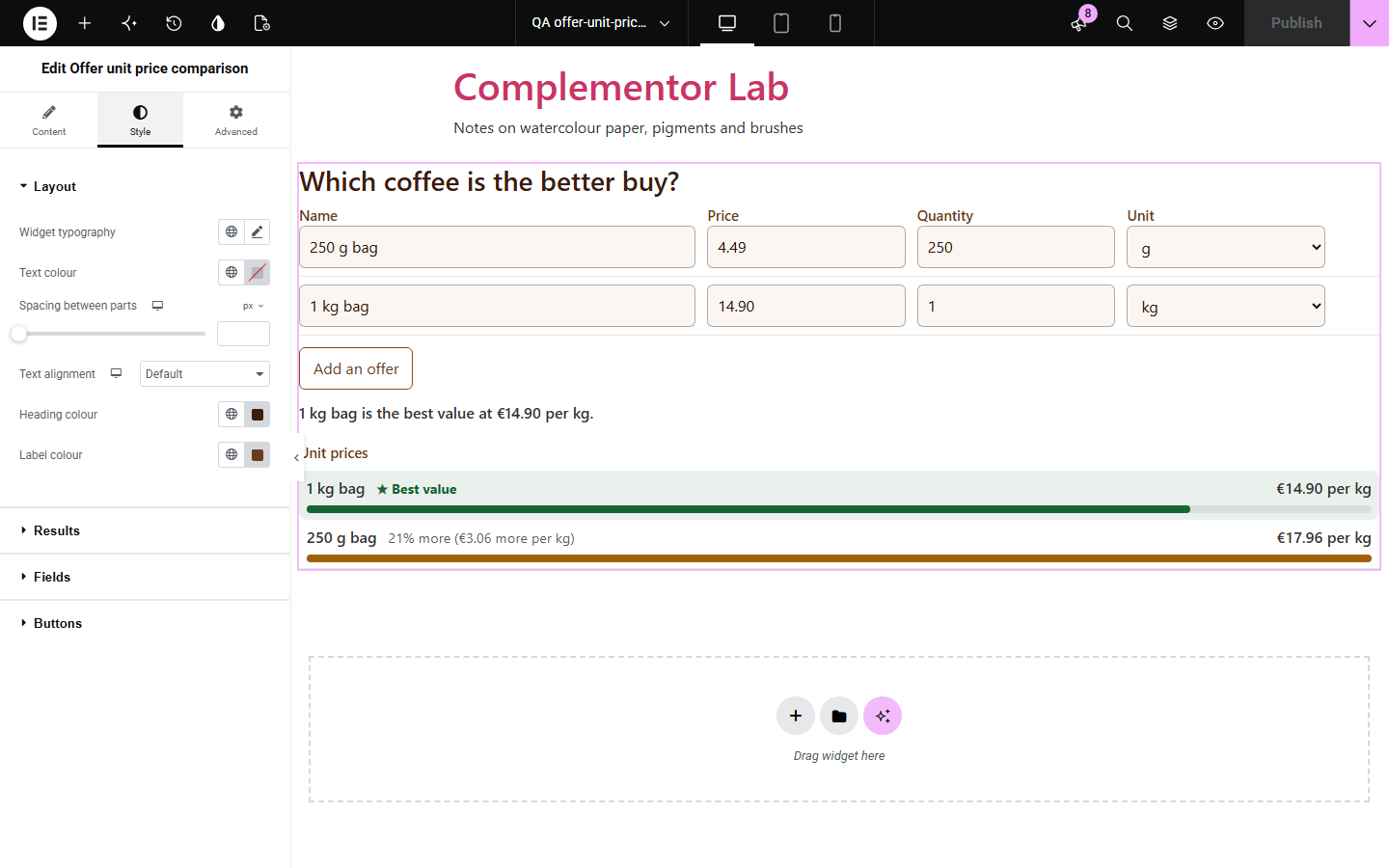
A bigger pack is not always cheaper, and comparing 250 g at one price with 1 kg at another, or a 1.5 litre bottle with six 330 ml cans, means converting units and dividing by hand. Offer unit price comparison does that for two or more offers, converts grams, kilograms, ounces, pounds, millilitres, litres and fluid ounces, ranks the offers by price per kilogram, litre or item, and shows how much more each one costs than the best value.
Show readers which pack size is the better buy.
Show the saving of a bigger size.
Compare brands and shops per kilogram.
Start with Complementor installed and your license connected. Enable this module in the WordPress library, then configure it in Elementor.
Install Complementor, connect your license and enable Offer unit price comparison in the Complementor library.
Add the widget to a shopping guide, blog post or product page.
Enter the first two offers as price and quantity, with their units and names.
Choose the currency and whether prices are shown per kilogram or per 100 g.
Style the best value and bars, then change a price to check it.
Configure the settings available for this module to suit the page you are building.
Two or more offers, each with a name, price, quantity and unit.
Grams, kilograms, ounces, pounds, millilitres, litres, fluid ounces, gallons and items, converted within each kind.
Prices per kilogram, litre or item, or per 100 g and 100 ml.
Offers ranked with the best value marked and how much more the others cost.
Bars to compare at a glance and a currency of your choice.
Decimal commas and pasted currency signs understood.
Compare the existing Elementor workflow with this Complementor module before choosing your setup.
Compares two lists of items.
Joins a list into one line.
Complementor uses classic Elementor APIs. Atomic-native controls are not implemented. Check your theme, cache and integrations on a staging site before release.
Check these settings if the published page behaves differently from the editor.
It is measured by a different kind of unit, such as litres against kilograms. Use units of the same kind for all offers.
Its price or quantity is missing or zero. The note above the ranking names it.
The unit is set to items. Choose g, kg, ml or l to compare by weight or volume.
No. It works with the free version of Elementor.
No. All prices stay in the visitor’s browser.
Yes. They can add offers up to the limit you set, up to eight.
Yes. Ounces, pounds and US fluid ounces and gallons are converted to grams and millilitres.
Any three-letter currency code, such as EUR, GBP or USD, or plain numbers.
This module is included with all 1007 current Complementor solutions. Choose your production website allowance; every plan includes the same modules.
Renews at $29 USD each year.
Renews at $49 USD each year.
Renews at $99 USD each year.
Applicable taxes extra. Annual subscriptions renew automatically unless canceled in your customer account. Elementor Pro is required for Exclude current post. Read the terms and 14-day technical-issue refund policy.