Shops
Warn shoppers before they try to pay without a connection.
 I Build Elementor.
Tell visitors when their browser goes offline and when it is back, as a status badge or a notice that only appears while offline.
These are the actual published outputs of the widget. Switch your device offline and back to see them change.
Content sets whether the indicator shows always or only when offline, an optional bar fixed to the bottom of the screen, the time the connection dropped, how long “Back online” stays, and every message. The Style tab covers typography, text and dot colours for each state, backgrounds, border, radius, padding and shadow.
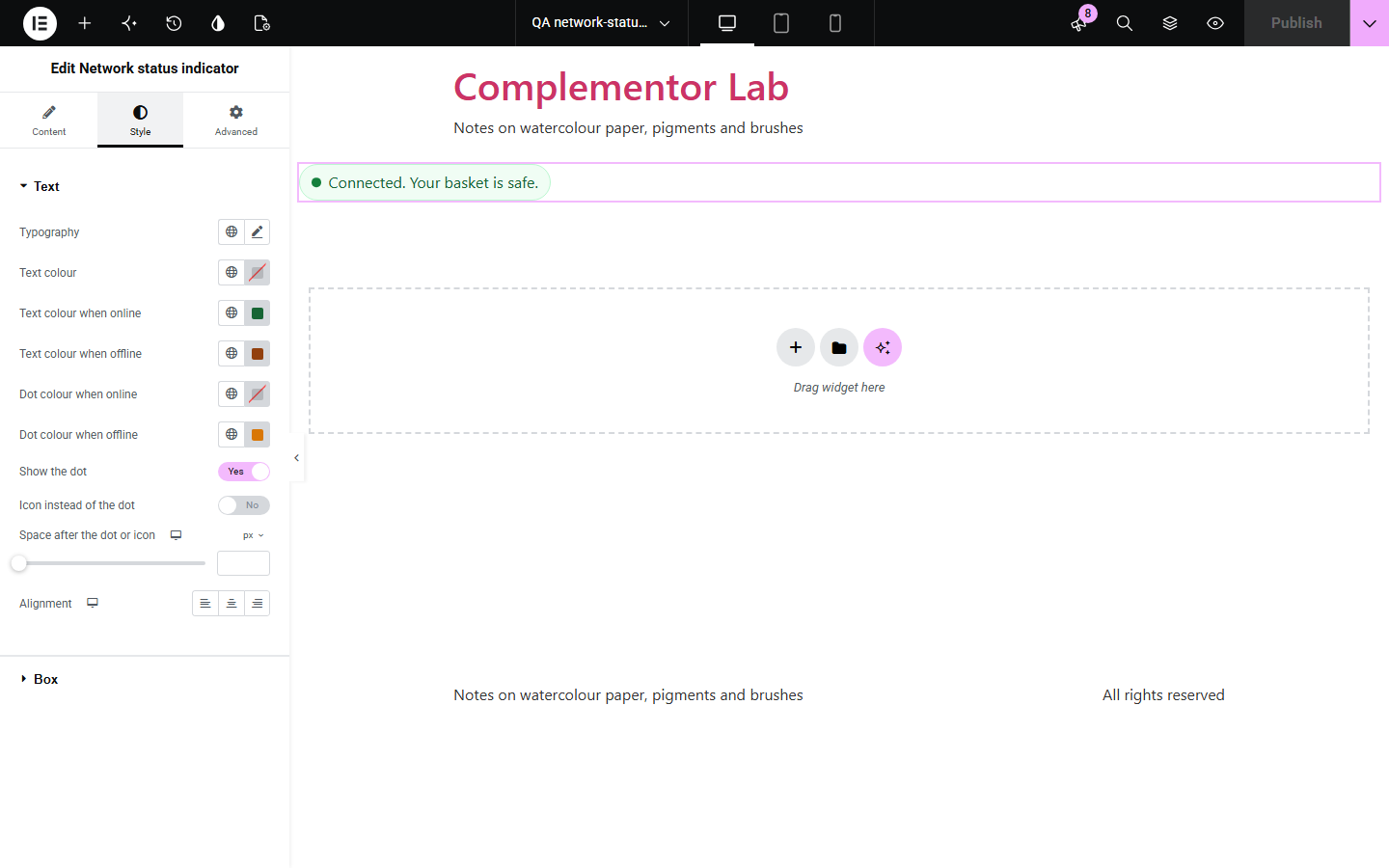
On trains, in shops and on patchy mobile data, visitors lose their connection without noticing, then wonder why a form will not send or a page will not load. Network status indicator shows what the browser reports: a calm badge while online, or a notice that only appears when the connection drops, says when it dropped, and confirms when it is back. It makes no requests of its own.
Warn shoppers before they try to pay without a connection.
Explain why a form cannot send right now.
Reassure visitors on patchy connections.
Start with Complementor installed and your license connected. Enable this module in the WordPress library, then configure it in Elementor.
Install Complementor, connect your license and enable Network status indicator in the Complementor library.
Add the widget to a page or a template.
Choose whether it shows always or only when offline.
Edit the messages.
Style it and switch your device offline to check it.
Configure the settings available for this module to suit the page you are building.
Always or only when offline.
Optional bar fixed to the bottom.
Time the connection dropped.
Brief “Back online” message.
Colours for each state.
No connectivity requests.
Compare the existing Elementor workflow with this Complementor module before choosing your setup.
Appear only after a link fails, and take the visitor off your page.
Need code and testing for each site.
Complementor uses classic Elementor APIs. Atomic-native controls are not implemented. Check your theme, cache and integrations on a staging site before release.
Check these settings if the published page behaves differently from the editor.
Browsers report whether the device has a network connection, not whether every site can be reached. The widget makes no test requests.
In Only when offline mode it is hidden while you are connected. Switch your device offline to see it.
It previews in place so you can style it. Visitors see it only while offline.
Browsers that do not report their connection state show nothing, rather than a guess.
No. It works with the free version of Elementor.
No. It only listens to what the browser reports.
Yes. The message sits in a status region, so changes are announced politely.
Yes. Choose Only when offline; it then appears when the connection drops and briefly when it returns.
Yes. Without it nothing shows, unless you add a no-JavaScript message.
This module is included with all 1007 current Complementor solutions. Choose your production website allowance; every plan includes the same modules.
Renews at $29 USD each year.
Renews at $49 USD each year.
Renews at $99 USD each year.
Applicable taxes extra. Annual subscriptions renew automatically unless canceled in your customer account. Elementor Pro is required for Exclude current post. Read the terms and 14-day technical-issue refund policy.