Webinars and launches
Let a worldwide audience see the start time in their own zone.
 I Build Elementor.
Show a meeting or event time in each visitor’s own time zone and a list of zones, with end times, offsets, day changes and working hours, ready to copy.
These are the actual published widgets running in your browser, so the own-time line shows your time zone; change the time to try them.
Meeting sets the date and time, the host time zone, the zones to show, the length, a name for the summary and what visitors can change. Behaviour sets the own-time line, working hours, the clock and live updates. Labels names every field and button. The Style tab covers the layout, the own-time line, working, early and night colours, table lines, fields and buttons.
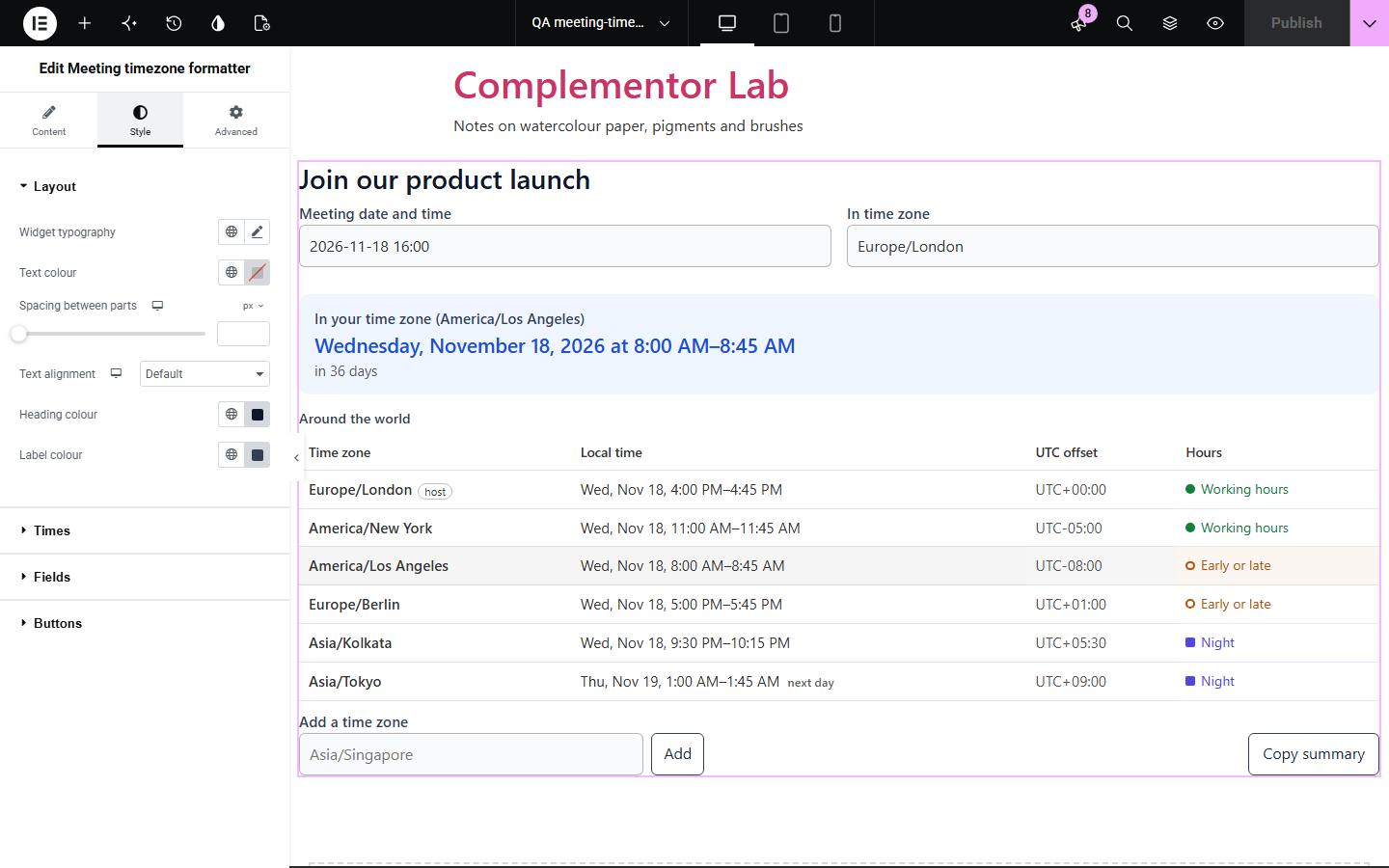
An event page that says 16:00 London time leaves every visitor elsewhere to work out what that means for them, and daylight saving changes on different dates in different countries. Meeting timezone formatter shows the time in each visitor’s own time zone automatically, lists any other zones you choose with their offsets, the day when it differs and whether it falls in working hours, and lets visitors add their own zones and copy a summary.
Let a worldwide audience see the start time in their own zone.
Check how a meeting falls across offices before sending it.
Show times for speakers and attendees in several countries.
Start with Complementor installed and your license connected. Enable this module in the WordPress library, then configure it in Elementor.
Install Complementor, connect your license and enable Meeting timezone formatter in the Complementor library.
Add the widget to an event, webinar or meeting page.
Enter the date and time and the host time zone, such as 2026-11-18 16:00 in Europe/London.
List the time zones your audience is in and set the length of the meeting.
Choose what visitors can change, then style the table.
Configure the settings available for this module to suit the page you are building.
The meeting in each visitor’s own time zone, with the end time and how soon it is.
Any list of IANA time zones with local time, UTC offset and the next or previous day marked.
Working, early or late, and night hours marked with symbols as well as colour.
Daylight saving handled, with a note when a time is skipped or repeated.
Visitors can change the time, add zones from a list of every zone and copy a summary.
A 24-hour, 12-hour or the visitor’s usual clock.
Compare the existing Elementor workflow with this Complementor module before choosing your setup.
Splits a total into dated payments.
Shows progress towards free shipping.
Complementor uses classic Elementor APIs. Atomic-native controls are not implemented. Check your theme, cache and integrations on a staging site before release.
Check these settings if the published page behaves differently from the editor.
The name is not a time zone the browser knows. Use an IANA name such as Europe/London or America/New_York; the add field suggests them.
The time does not exist in the host zone because the clocks go forward that night; the next valid time is used and a note says so.
It uses the time zone set on the visitor’s device.
No. It works with the free version of Elementor.
No. The conversion uses the time zone data in the visitor’s browser.
Yes. Each zone’s rules for the meeting date are used, and skipped or repeated times are noted.
Yes, if you allow it. They can pick from every zone the browser knows.
Yes. A time such as 2026-11-18T16:00+00:00 is used exactly, whatever the host zone.
This module is included with all 1007 current Complementor solutions. Choose your production website allowance; every plan includes the same modules.
Renews at $29 USD each year.
Renews at $49 USD each year.
Renews at $99 USD each year.
Applicable taxes extra. Annual subscriptions renew automatically unless canceled in your customer account. Elementor Pro is required for Exclude current post. Read the terms and 14-day technical-issue refund policy.