Works in progress
Show readers how a book is coming along.
 I Build Elementor.
Show a manuscript’s scenes as a numbered outline grouped by chapter, with each scene’s viewpoint character, location, purpose, status and length, a viewpoint key and a summary.
These are the actual published widgets with a short outline typed into them.
Scenes lists each scene with its chapter, title, viewpoint character, location, purpose, status and words, then numbering, the viewpoint key, the summary, showing purposes, the chapter heading tag, layout and spacing, text before and after each title, text when there are no scenes, the title tag and an icon. The Style tab covers the scene titles, card background and border, chapter headings and details, and the icon.
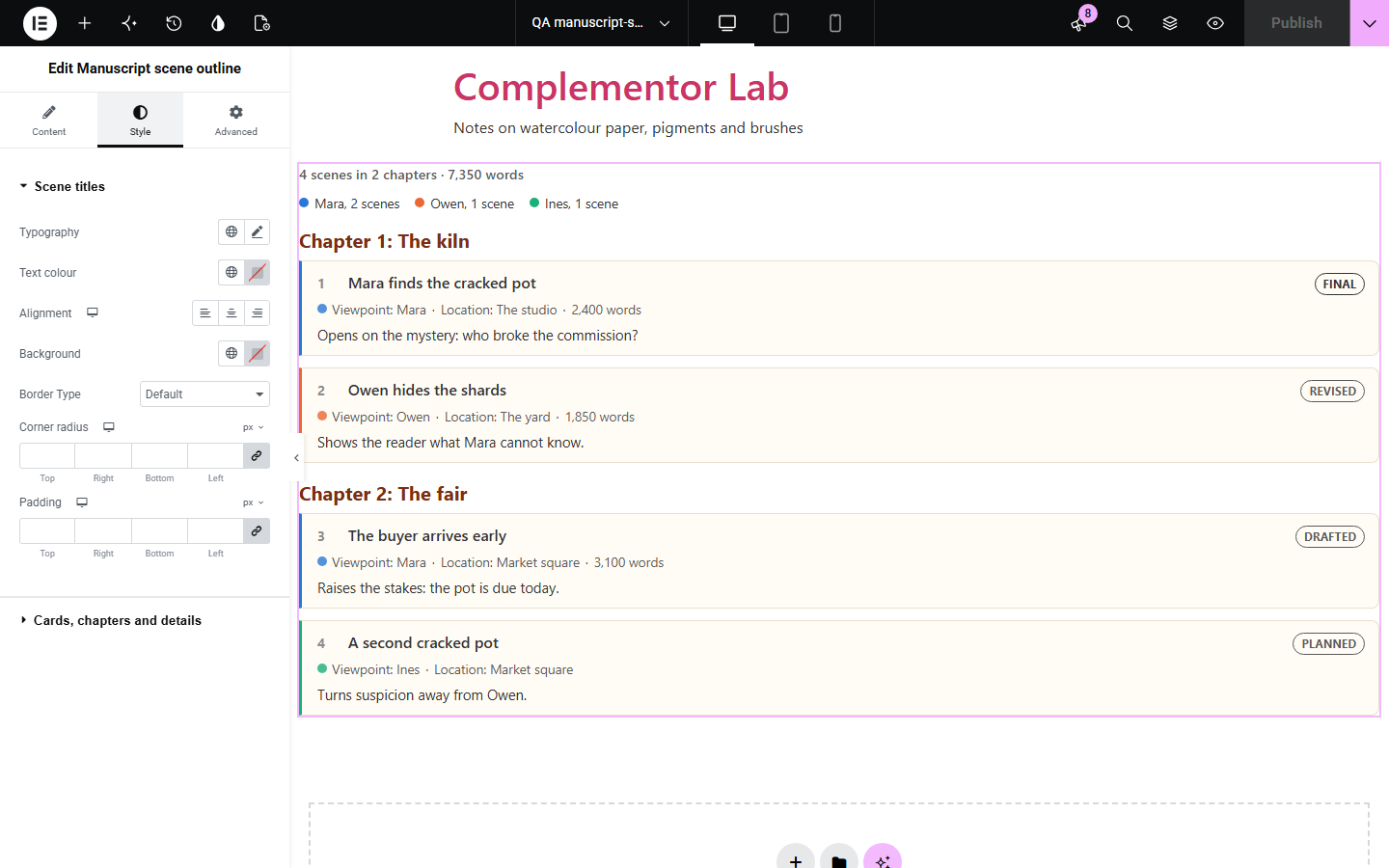
Authors sharing a work in progress, writing teachers and story bibles need to show how a book or script is built: which scenes, in which chapters, from whose point of view and where. This widget turns scenes typed into it into a numbered outline grouped by chapter, with each scene’s viewpoint character, location, what it does in the story, its status and length, a key of viewpoint characters with how many scenes each has, and a summary of the whole.
Show readers how a book is coming along.
Outline an example story.
Keep track of who sees what, where.
Start with Complementor installed and your license connected. Enable this module in the WordPress library, then configure it in Elementor.
Install Complementor, connect your license and enable Manuscript scene outline in the Complementor library.
Add the widget to your work-in-progress or course page.
Add a scene for each one, with its chapter, viewpoint character and location.
Note what each scene does, and its status and word count if you like.
Choose what to show and style the cards.
Configure the settings available for this module to suit the page you are building.
Scenes grouped by chapter in the order entered.
Viewpoint, location and purpose for each scene.
Status from planned to final, and word counts.
A key of viewpoint characters with scene counts.
A summary of scenes, chapters and words.
Numbered scene cards edged in the viewpoint’s colour.
Compare the existing Elementor workflow with this Complementor module before choosing your setup.
A question for readers to answer.
A few numbers as bars.
Complementor uses classic Elementor APIs. Atomic-native controls are not implemented. Check your theme, cache and integrations on a staging site before release.
Check these settings if the published page behaves differently from the editor.
It has no title, viewpoint, location or purpose.
Its scenes are not next to each other in the list; scenes stay in the order entered.
Only the first three viewpoint characters get their own colour so they stay easy to tell apart; every name is still written out.
No. It works with the free version of Elementor.
Up to 40.
Yes. Leave the word count empty and it is not shown.
No. You type the scenes into the widget.
Yes. Scenes are numbered lists, viewpoints are written out as well as coloured, and the key is a labelled list.
This module is included with all 1007 current Complementor solutions. Choose your production website allowance; every plan includes the same modules.
Renews at $29 USD each year.
Renews at $49 USD each year.
Renews at $99 USD each year.
Applicable taxes extra. Annual subscriptions renew automatically unless canceled in your customer account. Elementor Pro is required for Exclude current post. Read the terms and 14-day technical-issue refund policy.