About pages
Show the history of a business.
 I Build Elementor.
A list of dated events, such as a history or a project plan, on a vertical line with dots, with dates in the site’s format.
Each example below is the actual published output of the Manual event timeline widget.
Content holds the events (date, title, details), the order, the date format and the layout. The Style tab covers dates, events, details, spacing, and the line and dots.
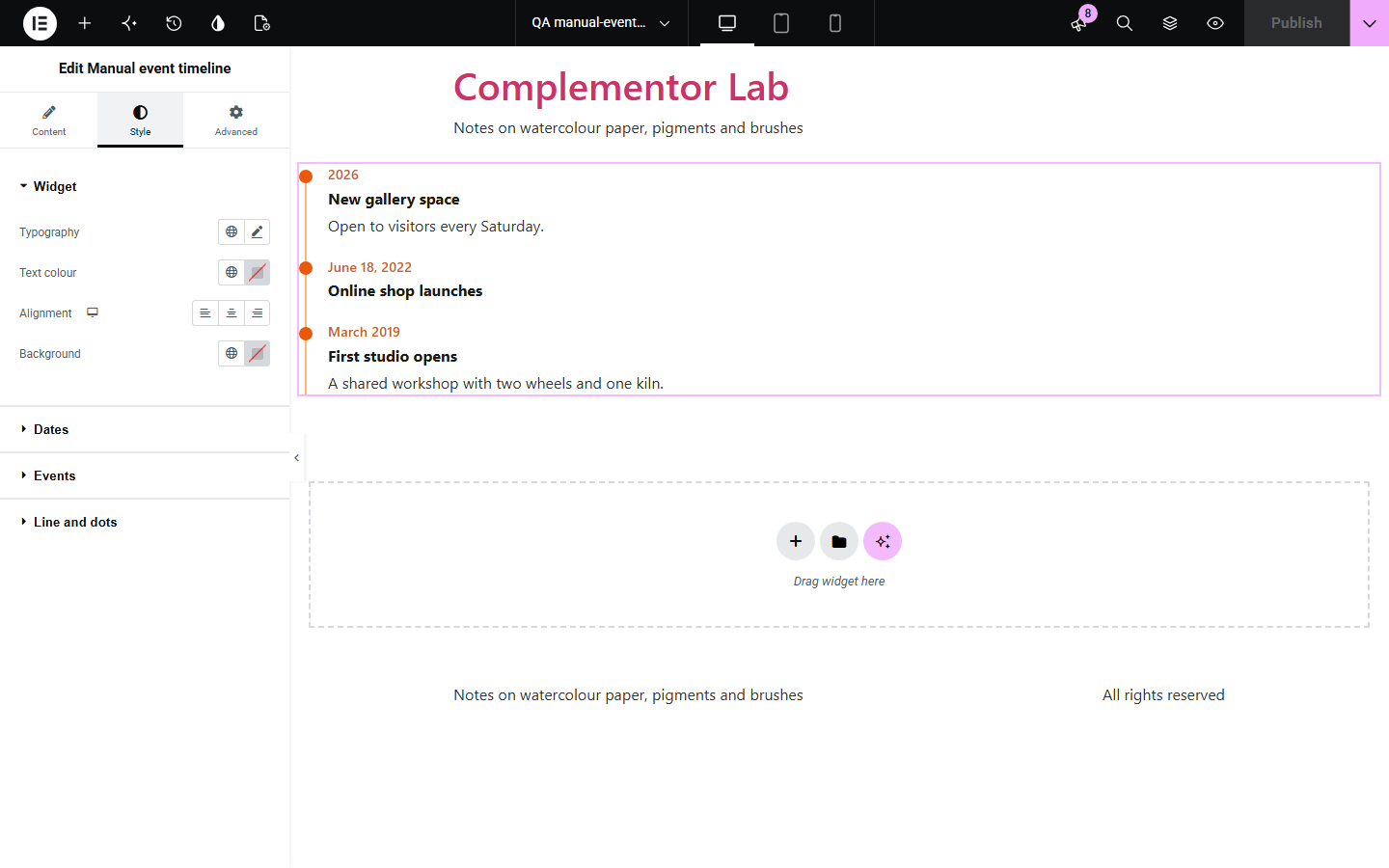
About pages, project plans and course schedules all need a simple list of what happened when. Manual event timeline lets you type each date, title and details, shows dates in the site’s format, sorts them if you like, and draws a clean vertical line with dots. It is an ordered list underneath, so it reads well without styles.
Show the history of a business.
List milestones and dates.
Show what happens each week.
Start with Complementor installed and your license connected. Enable this module in the WordPress library, then configure it in Elementor.
Install Complementor, connect your license and enable Manual event timeline in the Complementor library.
Add the widget to the page.
Add an event for each date with a title and optional details.
Choose the order, date format and layout.
Style the dates, events, line and dots.
Configure the settings available for this module to suit the page you are building.
Full dates, months, years or text.
Site date format.
Oldest or newest first.
Line with dots, columns or list.
Links in details.
No script.
Compare the existing Elementor workflow with this Complementor module before choosing your setup.
No dates as data and no line.
Often add scripts, animations and their own styles.
Complementor uses classic Elementor APIs. Atomic-native controls are not implemented. Check your theme, cache and integrations on a staging site before release.
Check these settings if the published page behaves differently from the editor.
Only 2026-10-11, 2026-10 and 2026 are recognised; other text is shown as written.
Its date is text, so sorting leaves it at the end.
It has no title.
Yes, in the details.
No. It works with the free version of Elementor.
Yes. Oldest first or newest first.
Yes. Text dates are shown as written.
Yes. It is an ordered list with real time elements for dates.
No. It is rendered by the server.
This module is included with all 1007 current Complementor solutions. Choose your production website allowance; every plan includes the same modules.
Renews at $29 USD each year.
Renews at $49 USD each year.
Renews at $99 USD each year.
Applicable taxes extra. Annual subscriptions renew automatically unless canceled in your customer account. Elementor Pro is required for Exclude current post. Read the terms and 14-day technical-issue refund policy.