Events
Show whether a talk or class is still to come.
 I Build Elementor.
Show a date with an upcoming, today, on now or past label and “in 3 days” text, worked out in the site’s time zone.
Each example below is the actual published output of the Manual date state marker widget.
Content sets the date, an optional end date, whether the date and the day count show, hiding once passed, and the four labels. The Style tab covers the box and a text and background colour for each state.
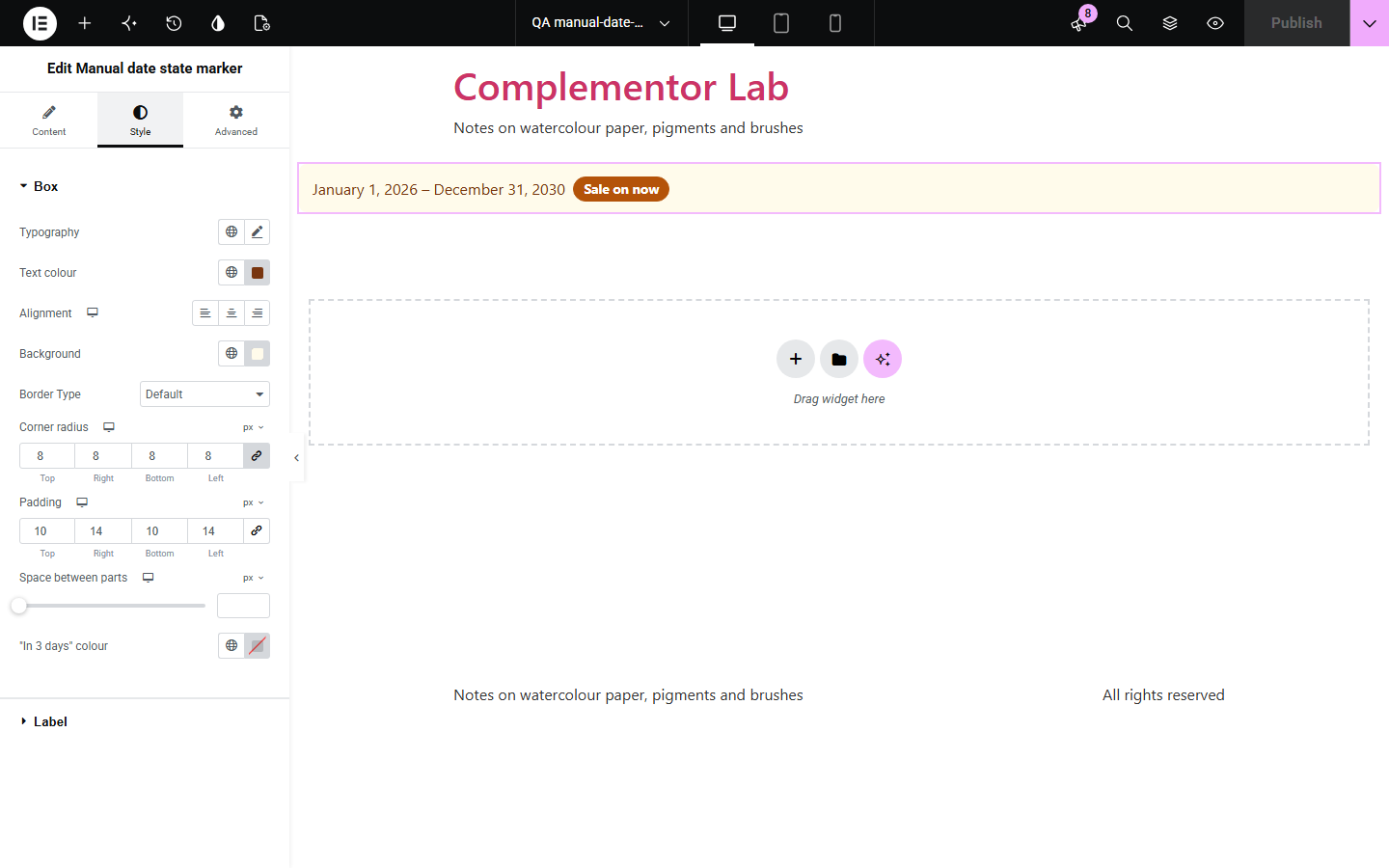
Dates on a page go stale: an event that says “coming soon” is still there weeks later. Manual date state marker shows the date with a label that changes by itself, upcoming, today, on now or past, and how many days away it is. It uses the site’s time zone and recalculates in the browser, so cached pages stay right.
Show whether a talk or class is still to come.
Mark a sale as on now, then ended.
Show how many days are left to apply.
Start with Complementor installed and your license connected. Enable this module in the WordPress library, then configure it in Elementor.
Install Complementor, connect your license and enable Manual date state marker in the Complementor library.
Add the widget to the page.
Type the date as YYYY-MM-DD, and an end date for something that lasts several days.
Change the labels if you like.
Style the box and the label colours.
Configure the settings available for this module to suit the page you are building.
Upcoming, today, on now and past.
Optional end date.
Site time zone.
“In 3 days” in the site language.
Hide once passed.
A colour for each state.
Compare the existing Elementor workflow with this Complementor module before choosing your setup.
Goes out of date as soon as the day passes.
Counts seconds when a day count is enough, and stops making sense afterwards.
Complementor uses classic Elementor APIs. Atomic-native controls are not implemented. Check your theme, cache and integrations on a staging site before release.
Check these settings if the published page behaves differently from the editor.
Use YYYY-MM-DD, such as 2026-10-14, and a date that exists.
The site’s, from Settings > General.
Hide once the date has passed is on.
Yes. The browser works the state out again when the page opens.
No. It works with the free version of Elementor.
Year, month and day as YYYY-MM-DD. It is shown in the site’s date format.
Yes. Add an end date; between the two it says “On now”.
Yes. The date is a real time element and the state is written as text, not shown by colour alone.
No. It works in the visitor’s browser and makes no requests of its own.
This module is included with all 1007 current Complementor solutions. Choose your production website allowance; every plan includes the same modules.
Renews at $29 USD each year.
Renews at $49 USD each year.
Renews at $99 USD each year.
Applicable taxes extra. Annual subscriptions renew automatically unless canceled in your customer account. Elementor Pro is required for Exclude current post. Read the terms and 14-day technical-issue refund policy.