Reports and case studies
Show results by channel or region with their shares.
 I Build Elementor.
Show a small table of categories and values typed in Elementor, with each row's share, bars and total, average or lowest and highest rows.
These are the actual published outputs of the widget with sample figures.
Data holds the rows (category and value), the table title and the unit. Display sets the layout (rows with totals or a summary), the order, shares and bars, total, average and lowest/highest rows, column headings, decimals, text around the title and an icon. Style covers the title surface, the table typography, colours, heading background, lines, stripes, bar colour and cell padding.
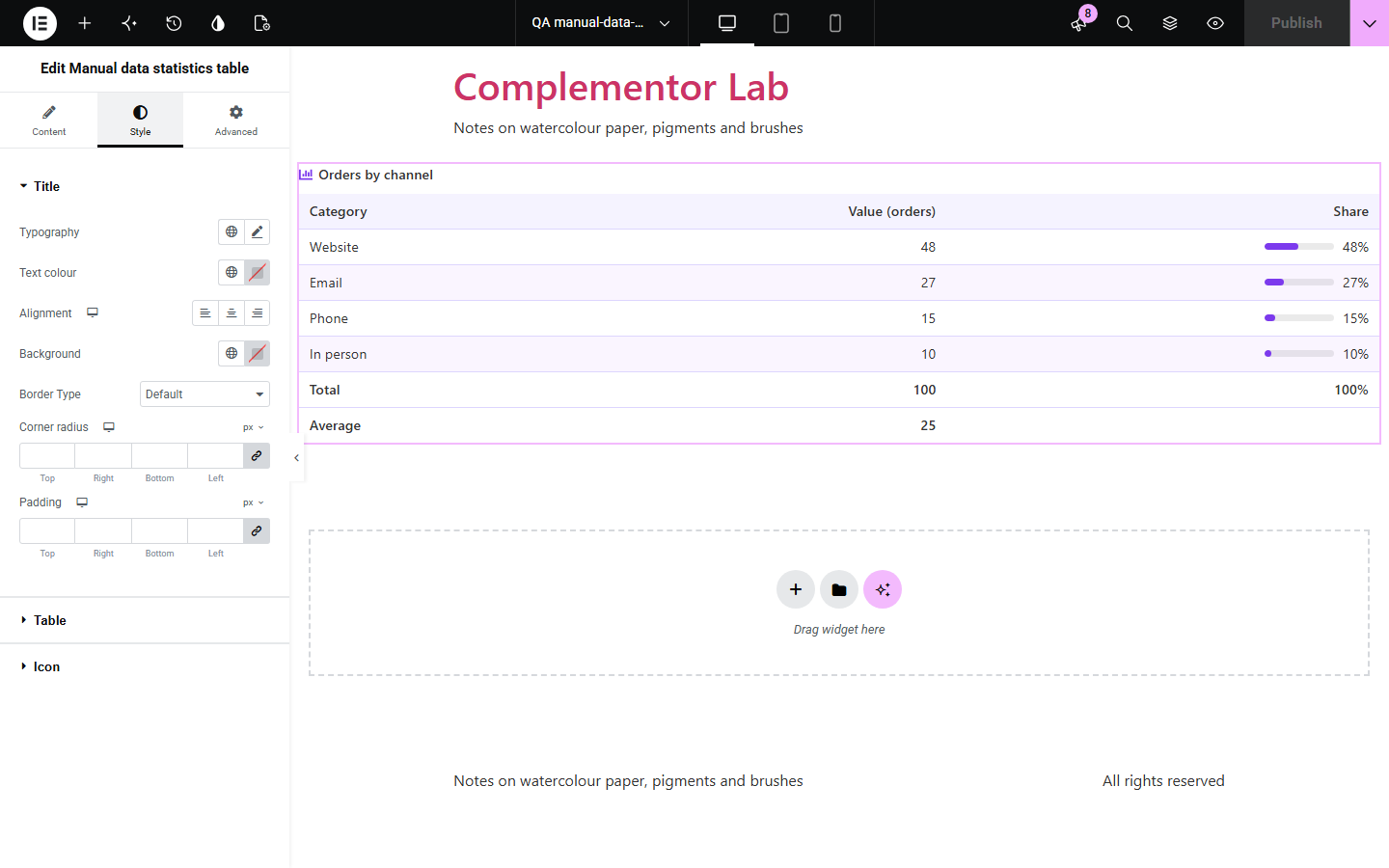
Reports, case studies and announcements often need a handful of figures — orders by channel, survey answers, a harvest — with their percentages and a total. Working those out by hand and building a table is slow and easy to get wrong. Manual data statistics table takes categories and values typed in Elementor and shows an accessible table with each row's share of the total, optional bars, and total, average or lowest and highest rows.
Show results by channel or region with their shares.
List answers with percentages and a total.
Show a season's figures with an average.
Start with Complementor installed and your license connected. Enable this module in the WordPress library, then configure it in Elementor.
Install Complementor, connect your license and enable Manual data statistics table in the Complementor library.
Add the widget and, under Data, add a row for each category with its value.
Give the table a title and, if needed, a unit.
Under Display, choose the order, shares and bars, and the total, average or lowest and highest rows.
Style the table under Style.
Configure the settings available for this module to suit the page you are building.
Up to 30 rows of category and value (0 or more), typed in Elementor.
Share of the total in percent with optional bars.
Total, average and lowest and highest rows in the table footer.
Order as entered, largest first or smallest first.
Unit in the Value heading or after each value, editable column headings, and at most 0–4 decimals.
A summary-only layout with rows, total, lowest and highest.
Title surface, table typography and colours, heading background, lines, stripes, bar colour and cell padding.
Compare the existing Elementor workflow with this Complementor module before choosing your setup.
Any table you build by hand; prefer it when the table is not about shares or totals.
Draws charts from data; prefer it when a graph matters more than the numbers.
Complementor uses classic Elementor APIs. Atomic-native controls are not implemented. Check your theme, cache and integrations on a staging site before release.
Check these settings if the published page behaves differently from the editor.
Rows with a negative or empty value are left out.
Each share is rounded to one decimal.
Its category is empty; the row number is used instead.
There are no rows with a value; the editor says so.
No. It works with the free version of Elementor.
No. The figures are typed into the widget.
Yes. As entered, largest first or smallest first.
Yes. It is a real table with a caption, column and row headings; the bars are hidden from screen readers.
Up to 30.
This module is included with all 1007 current Complementor solutions. Choose your production website allowance; every plan includes the same modules.
Renews at $29 USD each year.
Renews at $49 USD each year.
Renews at $99 USD each year.
Applicable taxes extra. Annual subscriptions renew automatically unless canceled in your customer account. Elementor Pro is required for Exclude current post. Read the terms and 14-day technical-issue refund policy.