Giveaways
Draw a set number of winners from a list of entrants in front of your audience.
 I Build Elementor.
Let visitors shuffle a list or draw random items, such as prize winners or a running order, with fair randomness right in the browser.
These are the actual published widgets. Press the button to shuffle or draw; the result changes each time and is worked out in your browser.
Content sets the heading and its tag, the input label and placeholder, an example list, the button and result labels and an optional icon. Behaviour sets trimming, duplicate removal, how many items to keep, numbering, the item count and the copy button. The Presentation tab styles text, gap, alignment, the input and its height, both buttons with hover states, and the result box.
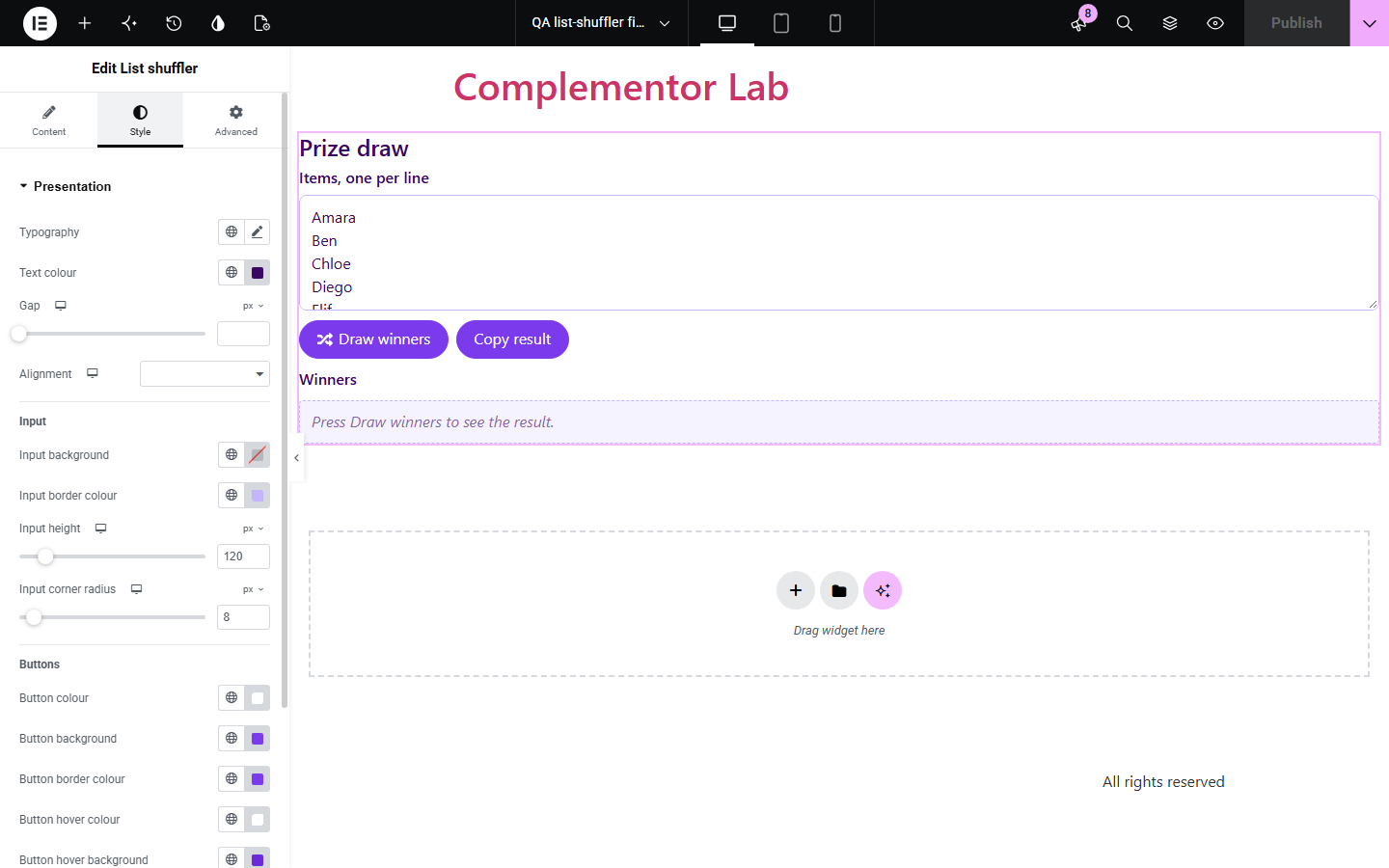
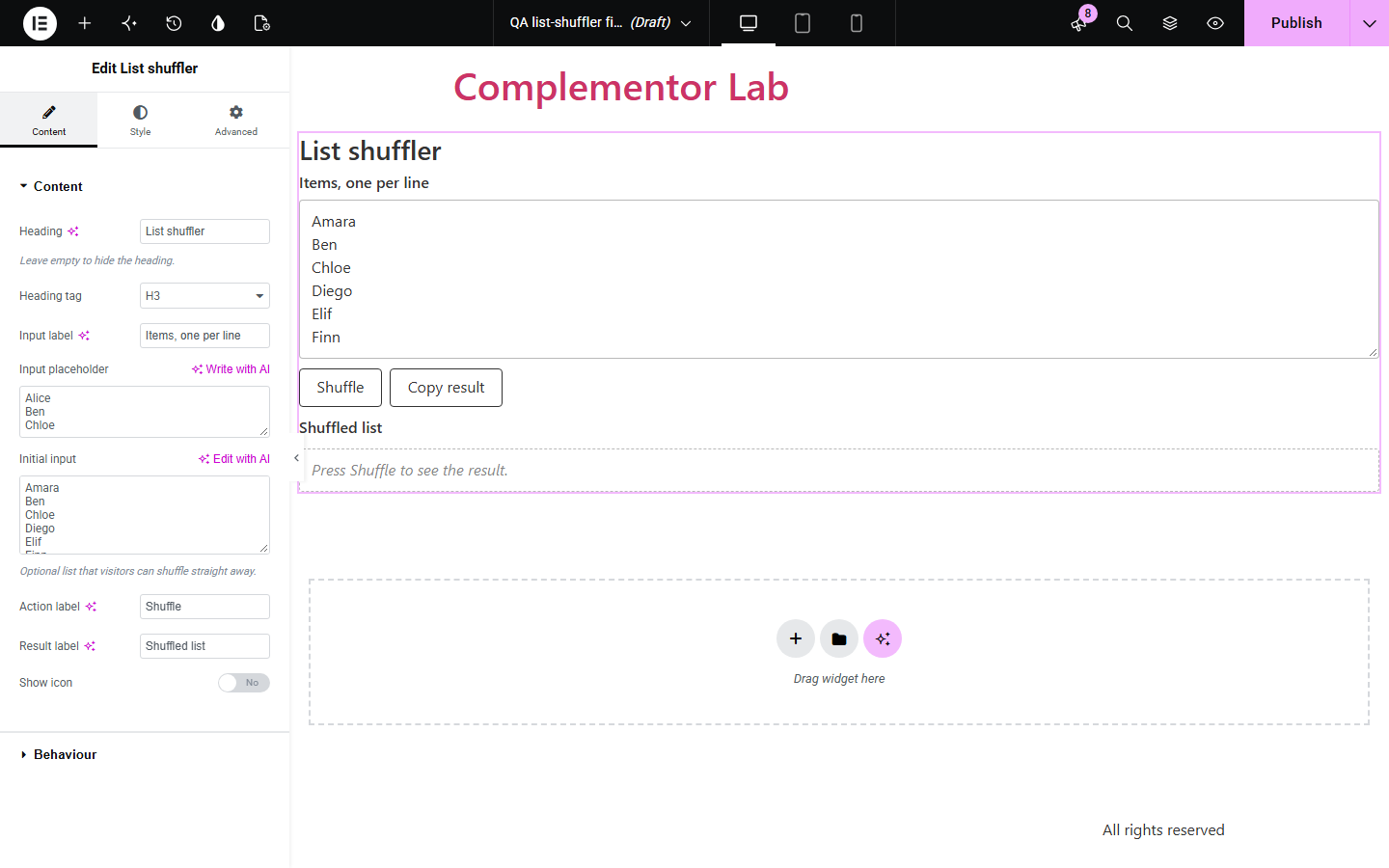
Teams, teachers and community sites often need a quick, fair way to shuffle names or draw a few winners, and end up using a separate website full of adverts. List shuffler puts the tool on your own page: paste one item per line, press Shuffle, and get a random order or a set number of picks, numbered if you like, ready to copy.
Draw a set number of winners from a list of entrants in front of your audience.
Shuffle a speaking order or split names into a random sequence.
Let visitors pick a random option, such as tonight's dinner.
Start with Complementor installed and your license connected. Enable this module in the WordPress library, then configure it in Elementor.
Install Complementor, connect your license and enable List shuffler in the Complementor library.
Drag the List shuffler widget onto the page in Elementor.
In Content, set the labels and an optional example list.
In Behaviour, choose how many items to keep, numbering and duplicate removal.
Style the input, buttons and result in Presentation, then publish and try it.
Configure the settings available for this module to suit the page you are building.
Fair Fisher–Yates shuffle using the browser's cryptographic random numbers.
Items to keep: 0 shuffles the whole list; 3 draws three random items.
Number the result as 1., 2., 3.
Remove duplicates and trim spaces; blank lines are skipped.
Shows “6 items shuffled.” or “3 of 6 items picked at random.”
Copy result button with a fallback for sites without the Clipboard API.
Style the input, buttons with hover colours and the result box.
Compare the existing Elementor workflow with this Complementor module before choosing your setup.
Spreadsheets can shuffle with a random column. Use them for private lists; use this widget when visitors need the tool on your site.
Contest plugins collect entries, enforce rules and record winners. Prefer them for formal promotions; this widget only shuffles a list it is given and keeps no record.
You can write your own shuffle in an HTML widget. This widget adds unbiased randomness, options, translations and native styling.
Complementor uses classic Elementor APIs. Atomic-native controls are not implemented. Check your theme, cache and integrations on a staging site before release.
Check these settings if the published page behaves differently from the editor.
There is nothing to shuffle with fewer than two non-blank lines.
Items to keep is set above 0, so only that many are drawn. Set it to 0 to shuffle the whole list.
Remove duplicates is on. Turn it off to keep repeated entries, for example extra entries for one person.
Yes. Every order is equally likely, so repeats happen by chance, especially with short lists.
No. It works with the free version of Elementor.
Yes. It uses an unbiased Fisher–Yates shuffle with the browser's cryptographic random number generator; 60,000 test shuffles of three items gave every order about equally often.
No. Shuffling and copying happen in the visitor's browser; nothing is submitted or stored.
No. It is for informal use and keeps no audit record of draws.
Yes. The list and result have labels, buttons work with the keyboard and show a focus outline, and the count is announced as a status message.
This module is included with all 1007 current Complementor solutions. Choose your production website allowance; every plan includes the same modules.
Renews at $29 USD each year.
Renews at $49 USD each year.
Renews at $99 USD each year.
Applicable taxes extra. Annual subscriptions renew automatically unless canceled in your customer account. Elementor Pro is required for Exclude current post. Read the terms and 14-day technical-issue refund policy.