Mailing lists
Find subscribers missing from another list.
 I Build Elementor.
Let visitors paste two lists and see what is only in the first, in both and only in the second, with counts, an overlap bar and Copy for each group.
These are the actual published widgets running in your browser; paste your own lists to try them.
Lists sets the starting lists, whether capitals are ignored and whether commas split items. Behaviour turns the overlap bar and live updates on or off. Labels names the lists and the three groups and sets every other label. The Style tab covers the layout, box height, group colours and background, fields and buttons.
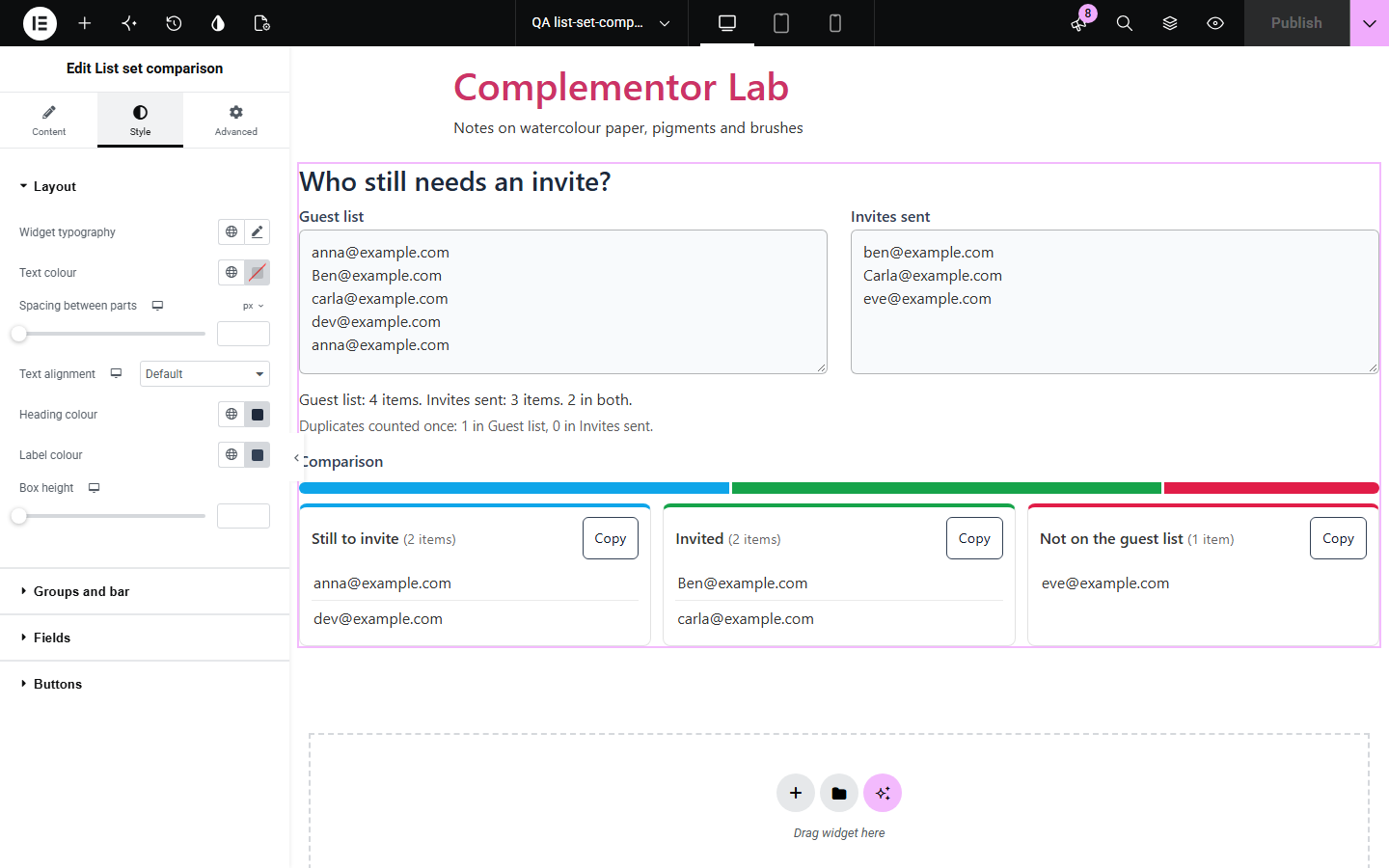
Checking which email addresses, product codes or names appear in one list but not another by eye is slow and easy to get wrong, especially when capitals, spaces and repeats differ. List set comparison puts the two lists side by side and sorts every item into only in the first list, in both and only in the second, ignoring capitals if you like, counting repeats once, and lets visitors copy each group.
Find subscribers missing from another list.
See which codes were added or removed.
Compare a guest list with who replied or arrived.
Start with Complementor installed and your license connected. Enable this module in the WordPress library, then configure it in Elementor.
Install Complementor, connect your license and enable List set comparison in the Complementor library.
Add the widget to a data, marketing or admin help page.
Paste starting lists to show an example, or leave both boxes empty.
Name the lists and the three groups to fit the task, such as Still to invite.
Choose the group colours, then paste two lists to check it.
Configure the settings available for this module to suit the page you are building.
Two lists, one item per line, optionally split at commas.
Capitals ignored or counted, spaces tidied and blank lines skipped.
Only in the first list, in both and only in the second, each with a count.
Repeats within a list counted once and reported.
An overlap bar and your own names for the lists and groups.
Copy for each group, and live updates or a Compare button.
Compare the existing Elementor workflow with this Complementor module before choosing your setup.
Joins a list into one line.
Removes common words from text.
Complementor uses classic Elementor APIs. Atomic-native controls are not implemented. Check your theme, cache and integrations on a staging site before release.
Check these settings if the published page behaves differently from the editor.
They differ in capitals while Ignore capital letters is off, or in characters such as accents. Turn Ignore capital letters on to match Ben and ben.
Items are split at line breaks. Turn on Also split items at commas for comma-separated lists.
Blank lines are skipped and repeats are counted once; the note under the summary says how many repeats there were.
No. It works with the free version of Elementor.
No. Both lists stay in the visitor’s browser.
Thousands of items; 5,000 against 5,000 compare in well under a second.
Yes. Name the lists and the three groups in the widget settings, such as Still to invite and Invited.
Yes. Each group has its own Copy button that copies its items one per line.
This module is included with all 1007 current Complementor solutions. Choose your production website allowance; every plan includes the same modules.
Renews at $29 USD each year.
Renews at $49 USD each year.
Renews at $99 USD each year.
Applicable taxes extra. Annual subscriptions renew automatically unless canceled in your customer account. Elementor Pro is required for Exclude current post. Read the terms and 14-day technical-issue refund policy.