Fractions
Find a common denominator for adding fractions.
 I Build Elementor.
Let visitors type two to 20 whole numbers and see their least common multiple live, with the steps and how many times each number fits.
These are the actual published outputs of the widget. Type whole numbers into any of them; the result updates as you type.
Content sets whether the steps and the times each number fits are shown, and every label, including the hint and the starting numbers. The Style tab covers the field, the result box, labels and messages, and the Copy and Clear buttons.
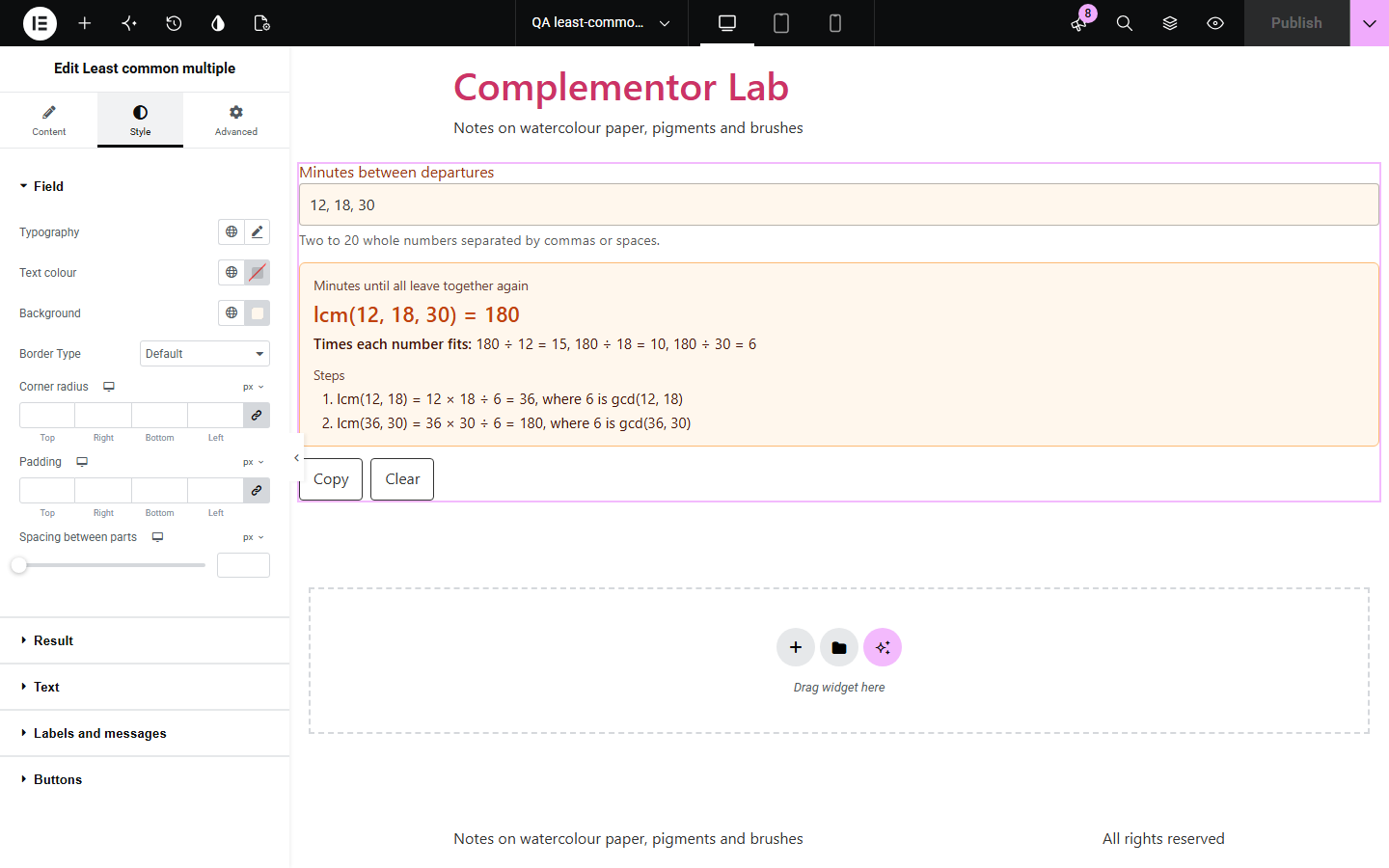
Adding fractions, planning repeating schedules and maths homework all need the least common multiple, also called the lowest common multiple. Least common multiple sits on your own page: visitors type two or more whole numbers and see the LCM, the steps that build it and how many times each number fits into it, all updated as they type. Nothing is sent anywhere.
Find a common denominator for adding fractions.
Work out when repeating events happen together again.
Show how the LCM is built from the GCD.
Start with Complementor installed and your license connected. Enable this module in the WordPress library, then configure it in Elementor.
Install Complementor, connect your license and enable Least common multiple in the Complementor library.
Add the widget to a page.
Choose whether to show the steps and how many times each number fits.
Optionally add starting numbers and adjust the labels.
Style it and type some numbers.
Configure the settings available for this module to suit the page you are building.
Two to 20 whole numbers.
Up to 30 digits each, exact.
Steps using the GCD.
How many times each number fits.
Negative numbers handled with a note.
Copy and Clear buttons.
Compare the existing Elementor workflow with this Complementor module before choosing your setup.
Slow for larger numbers and easy to get wrong.
They take visitors away from your page.
Complementor uses classic Elementor APIs. Atomic-native controls are not implemented. Check your theme, cache and integrations on a staging site before release.
Check these settings if the published page behaves differently from the editor.
0 has no multiples other than 0, so every number must be other than 0.
Commas separate numbers. Type numbers without thousands separators.
The LCM is never negative, so numbers are treated as positive.
There is no rounding. With 20 numbers of 30 digits the result can run to hundreds of digits, and it wraps in the result box.
No. It works with the free version of Elementor.
Yes. Least common multiple and lowest common multiple are the same thing.
From two to 20, each with up to 30 digits.
Yes. Whole-number maths is exact, with no rounding.
Yes. Without it a short message is shown instead.
This module is included with all 1007 current Complementor solutions. Choose your production website allowance; every plan includes the same modules.
Renews at $29 USD each year.
Renews at $49 USD each year.
Renews at $99 USD each year.
Applicable taxes extra. Annual subscriptions renew automatically unless canceled in your customer account. Elementor Pro is required for Exclude current post. Read the terms and 14-day technical-issue refund policy.