Software help centres
Document app shortcuts for Windows and macOS side by side.
 I Build Elementor.
List keyboard shortcuts as styled keycaps with descriptions and platform labels, with symbols like ⌘ read aloud by name.
These are the actual published outputs of the widget: the default sample list, styled keycaps with dividers, Mac symbols without plus signs, and a stacked list of key sequences.
Content › Shortcuts is a repeater of keys (such as Ctrl+Shift+P or G then H), description, optional platform label and icon. Behaviour sets the sequence word, built-in spoken names for symbols, your own spoken-name overrides, the spoken word between chord keys and a hidden platform prefix. Display sets an optional heading, the + between keys, the visible sequence word, item icons, empty text, side-by-side or stacked layout and alignment. The Style tab covers keycap typography, colours, border, radius, padding and gaps, separator colour, description and platform text, link colours and focus, icons, spacing, the keys column width, item borders and the heading.
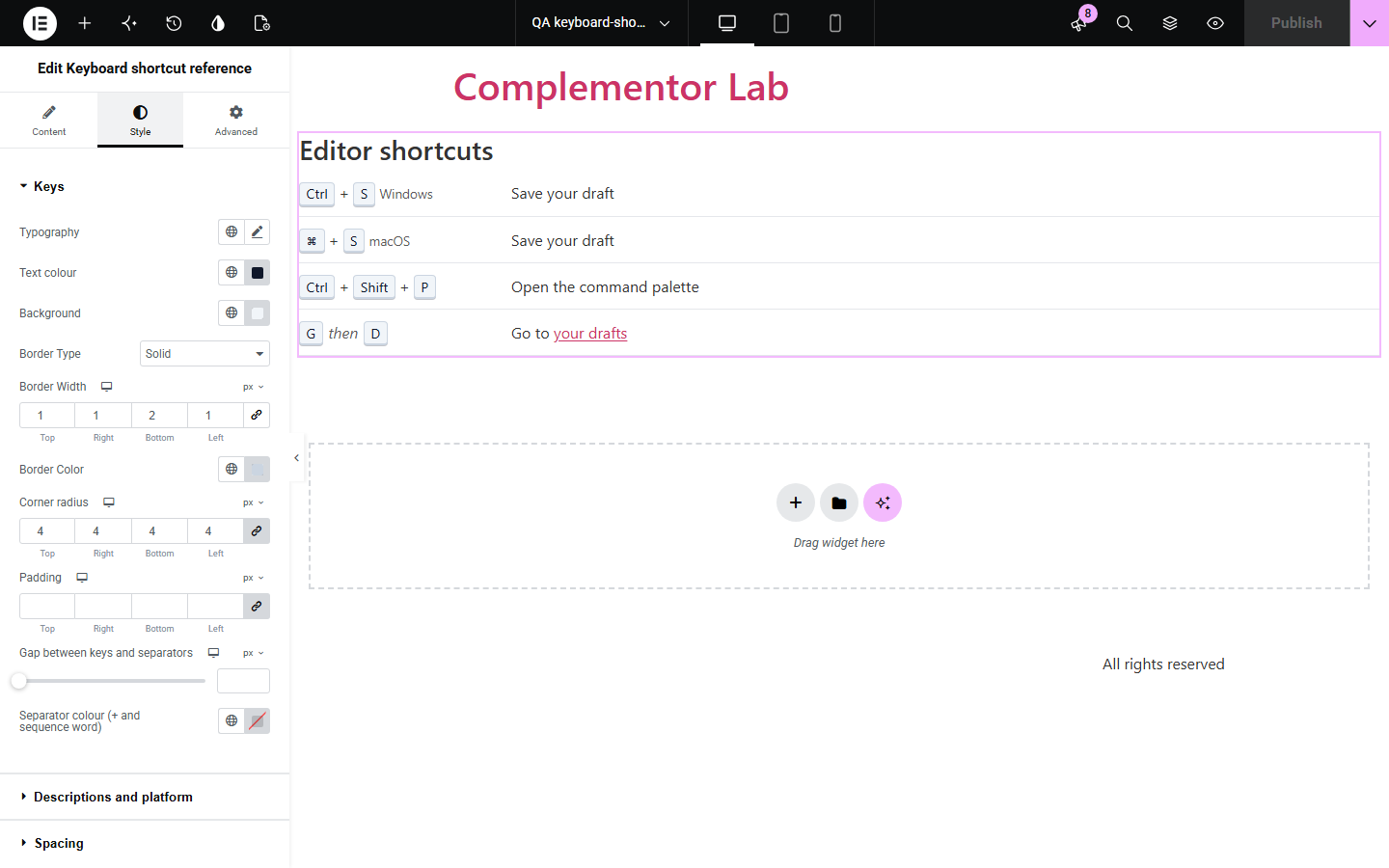
Help pages and app guides list shortcuts like Ctrl+Shift+P or ⌘+S, but typed as plain text they are hard to scan, and screen readers announce symbols such as ⌘ unpredictably. Keyboard shortcut reference turns each line you type into keycaps, separates chords from sequences, adds platform labels and gives every symbol a spoken name.
Document app shortcuts for Windows and macOS side by side.
List site keyboard shortcuts in a way screen reader users can follow.
Show the keys to press in each step with clear keycaps.
Start with Complementor installed and your license connected. Enable this module in the WordPress library, then configure it in Elementor.
Install Complementor, connect your license and enable Keyboard shortcut reference in the Complementor library.
Add the widget and type each shortcut, for example Ctrl+Shift+P, with its description.
Write key sequences with the sequence word, for example G then H, and add platform labels such as macOS.
Check the spoken names for symbols and add overrides for any custom keys.
Style the keycaps and layout, publish, and test the list with a screen reader.
Configure the settings available for this module to suit the page you are building.
Repeater of shortcuts: keys, description (bold, links, code allowed), platform label and icon.
Chords with + and sequences with a word such as 'then'; write \+ for a literal plus key.
Built-in spoken names for symbols such as ⌘, ⌥, ⇧ and arrows, plus your own overrides.
Visible + between chord keys can be hidden; screen readers still hear 'plus'.
Optional heading, empty text, side-by-side or stacked layout and alignment.
Style: keycaps, separators, descriptions, platform labels, links, icons, spacing, keys column width and item borders.
Compare the existing Elementor workflow with this Complementor module before choosing your setup.
You can type kbd tags by hand in a Text Editor, but spoken names, platform labels and consistent styling must be added for every key. This widget does that for each line you type.
Icon List shows items with icons, not keycaps or chords. Use this widget for keyboard shortcuts.
Complementor uses classic Elementor APIs. Atomic-native controls are not implemented. Check your theme, cache and integrations on a staging site before release.
Check these settings if the published page behaves differently from the editor.
Items need both keys and a description. Lines missing either are left out.
Write \+ in the keys text, for example Ctrl+\+ for Ctrl and plus.
Add a spoken name override in Behaviour for that key as written.
The keys column has a minimum width; very long chords or platform labels push the description over. Increase Keys column minimum width.
No. It only displays them; no keys are listened for or intercepted.
No. It works with the free version of Elementor.
No. Add platform labels and list both versions where they differ.
Yes. Keys are kbd elements, symbols have spoken names, and the list is a description list labelled by its heading.
No. It is static HTML and CSS.
This module is included with all 1007 current Complementor solutions. Choose your production website allowance; every plan includes the same modules.
Renews at $29 USD each year.
Renews at $49 USD each year.
Renews at $99 USD each year.
Applicable taxes extra. Annual subscriptions renew automatically unless canceled in your customer account. Elementor Pro is required for Exclude current post. Read the terms and 14-day technical-issue refund policy.