API documentation
Let developers try paths against a sample response.
 I Build Elementor.
Let visitors paste JSON and read a value by its path, such as products[0].price, with clear messages when the path or JSON is wrong.
These are the actual published widgets running in your browser; change the JSON or the path to read another value.
Reading sets live or button reading, showing text values without quotes, indentation and the largest JSON allowed. Labels sets the heading, the JSON and path labels and starting values, the path hint and every button and message. The Style tab covers the layout, fields, the value panel and the buttons.
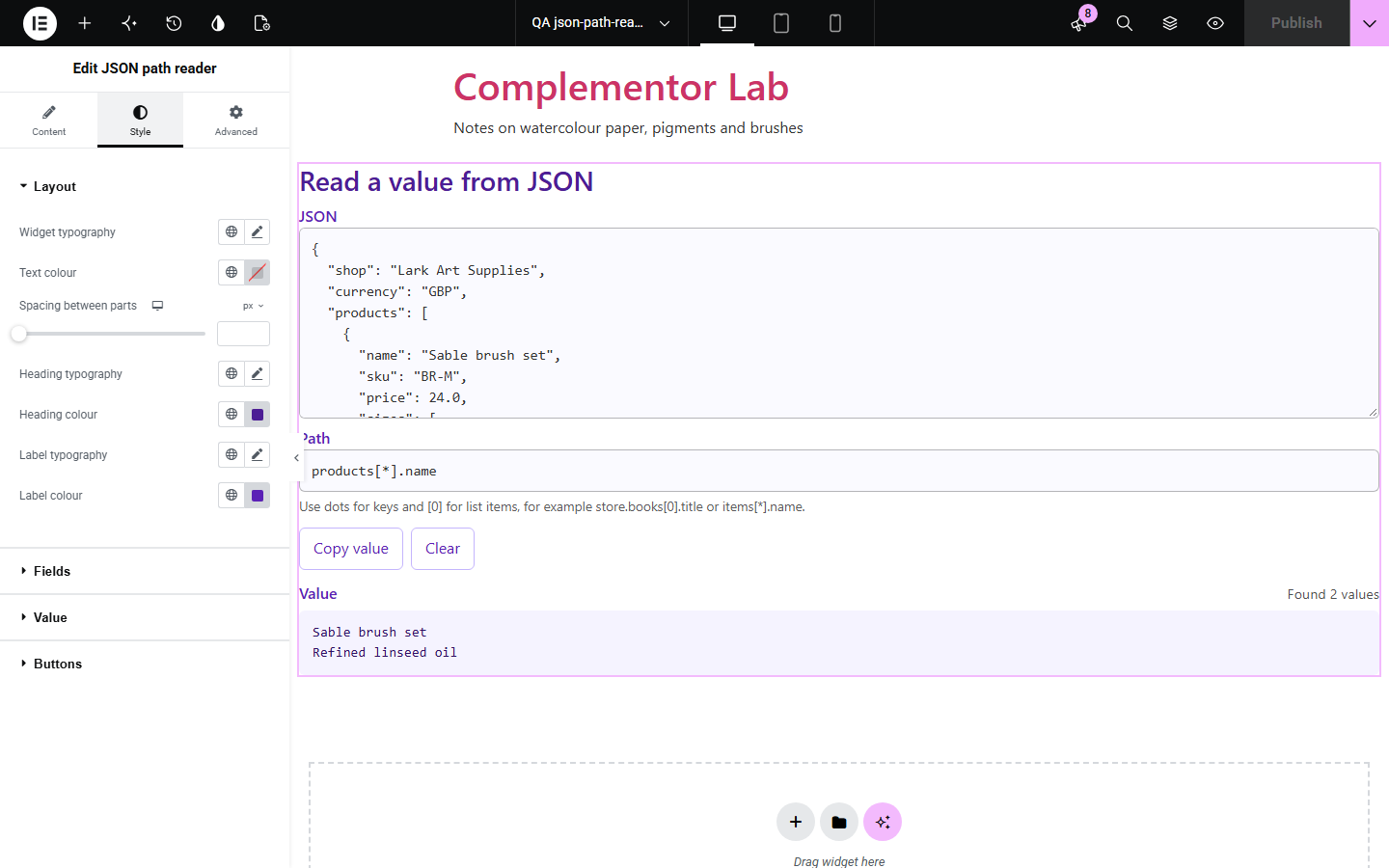
Finding one value in a long API response or settings file by scrolling is slow and error-prone. JSON path reader lets visitors paste the JSON and type a path such as products[0].price to see the value straight away, with a plain message when a key is missing or the JSON is broken.
Let developers try paths against a sample response.
Help customers find a value in an exported settings file.
Teach how JSON paths and nesting work with a live example.
Start with Complementor installed and your license connected. Enable this module in the WordPress library, then configure it in Elementor.
Install Complementor, connect your license and enable JSON path reader in the Complementor library.
Add the widget to a documentation or tools page.
Optionally fill a starting JSON and path so visitors see an example straight away.
Choose whether text values show without quotes and how values are indented.
Style the fields and value panel, then try a few paths.
Configure the settings available for this module to suit the page you are building.
Paths with dots and brackets: store.books[0].title, ["first name"], items[*].name.
Live reading as visitors type, or a Read button; Enter also reads.
Text values without quotes, or as JSON.
Indent of 2 or 4 spaces, a tab, or one line.
Messages naming the missing key and listing the keys that exist.
Invalid JSON reported with its line and column.
Copy value and Clear buttons.
Compare the existing Elementor workflow with this Complementor module before choosing your setup.
Can inspect JSON but need technical know-how; this widget works on any page.
Send data to another site; this widget keeps it in the visitor’s browser.
Complementor uses classic Elementor APIs. Atomic-native controls are not implemented. Check your theme, cache and integrations on a staging site before release.
Check these settings if the published page behaves differently from the editor.
JSON needs double quotes around keys and text and no trailing commas. The message gives the line and column where it stops being valid.
Keys are case-sensitive. The message lists the keys that exist at that point.
Use brackets and quotes, such as ["first name"].
Use [*], such as products[*].name.
No. It works with the free version of Elementor.
No. It is read in the visitor’s browser and never sent anywhere.
No. Paths only follow keys and list items; nothing is evaluated.
It supports keys, list items and [*] wildcards, which cover most lookups; filters and recursive search are not included.
Up to 2 million characters; the default limit is 500,000.
This module is included with all 1007 current Complementor solutions. Choose your production website allowance; every plan includes the same modules.
Renews at $29 USD each year.
Renews at $49 USD each year.
Renews at $99 USD each year.
Applicable taxes extra. Annual subscriptions renew automatically unless canceled in your customer account. Elementor Pro is required for Exclude current post. Read the terms and 14-day technical-issue refund policy.