API documentation
Show which fields a response contains.
 I Build Elementor.
Let visitors paste JSON and see every key path in it as a table, with types and example values, list items merged and a filter.
These are the actual published widgets running in your browser; change the JSON to see the table update.
Listing sets live or button listing, merging list items into [*], including objects and lists, example values, visitor options and the limits. Labels sets the heading, JSON label and starting JSON, filter and column labels and every button and message. The Style tab covers the layout, fields, the table and the buttons.
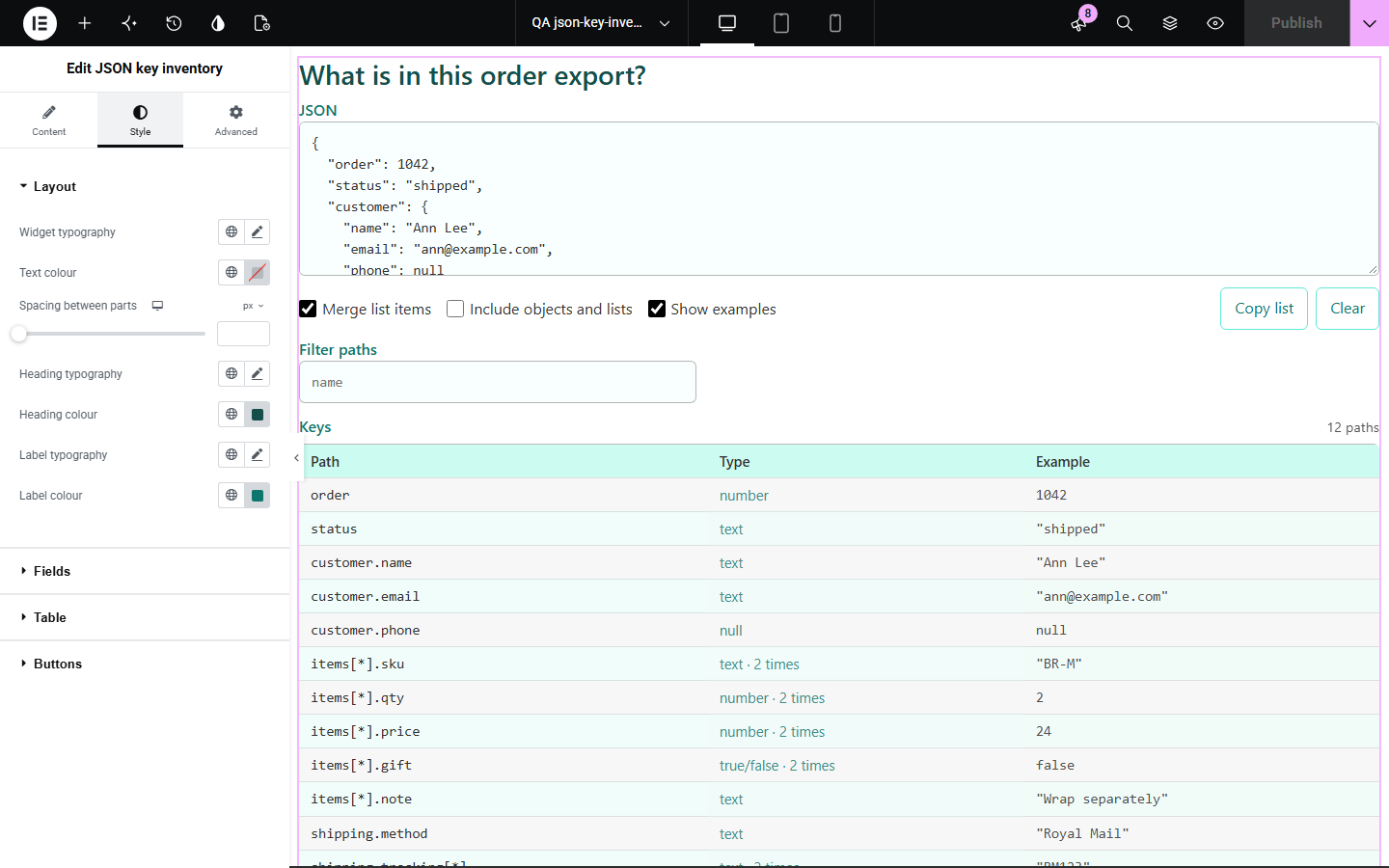
Before using an API response, export or settings file, people need to know what is in it: which keys exist, how they nest and what kind of values they hold. JSON key inventory turns pasted JSON into a table of every path with its type and an example, merging list items so a thousand orders read as one set of keys.
Show which fields a response contains.
Let customers check an export has the fields an import needs.
Show how nested JSON breaks down into paths.
Start with Complementor installed and your license connected. Enable this module in the WordPress library, then configure it in Elementor.
Install Complementor, connect your license and enable JSON key inventory in the Complementor library.
Add the widget to a documentation or tools page.
Optionally fill a starting JSON so visitors see an example table straight away.
Choose whether list items are merged and whether examples show.
Style the table header and stripes, then paste some JSON to check.
Configure the settings available for this module to suit the page you are building.
A table of every path with its type and an example value.
List items merged into [*] with a count, or listed one by one.
Objects and lists included as rows if you like.
A filter field that narrows the paths as visitors type.
Invalid JSON reported with its line and column.
Copy list as tab-separated text, and Clear.
Paths work in the JSON path reader widget.
Compare the existing Elementor workflow with this Complementor module before choosing your setup.
Reads the value at one path; this widget lists every path.
Describe data formally; this widget gives a quick table from a sample.
Complementor uses classic Elementor APIs. Atomic-native controls are not implemented. Check your theme, cache and integrations on a staging site before release.
Check these settings if the published page behaves differently from the editor.
JSON needs double quotes around keys and text and no trailing commas. The message gives the line and column.
Different list items hold different kinds of value, such as a number in one and null in another.
The table shows at most the Most rows shown setting, and nesting deeper than 64 levels is not listed.
Every item of a list; turn off Merge list items to see each item’s own paths.
No. It works with the free version of Elementor.
No. It is read in the visitor’s browser and never sent anywhere.
Up to 2 million characters; the default limit is 500,000.
Yes. Copy list gives path, type and example separated by tabs, ready for a spreadsheet.
Yes. It is a real table with column headers, and a short summary is announced.
This module is included with all 1007 current Complementor solutions. Choose your production website allowance; every plan includes the same modules.
Renews at $29 USD each year.
Renews at $49 USD each year.
Renews at $99 USD each year.
Applicable taxes extra. Annual subscriptions renew automatically unless canceled in your customer account. Elementor Pro is required for Exclude current post. Read the terms and 14-day technical-issue refund policy.