Careers pages
Put the essential facts at the top of every job advert.
 I Build Elementor.
Show a job's key facts, salary and closing date in a tidy box with an Apply button, and optionally add JobPosting structured data.
These are the actual published outputs of the widget for a sample role.
Content sets the job title, employer, location, where the work is done, contract, salary, closing date, reference, extra facts, the Apply link and the layout. A separate section adds JobPosting structured data with the full description, date posted and address. The Style tab covers the box, labels, values and the Apply button.
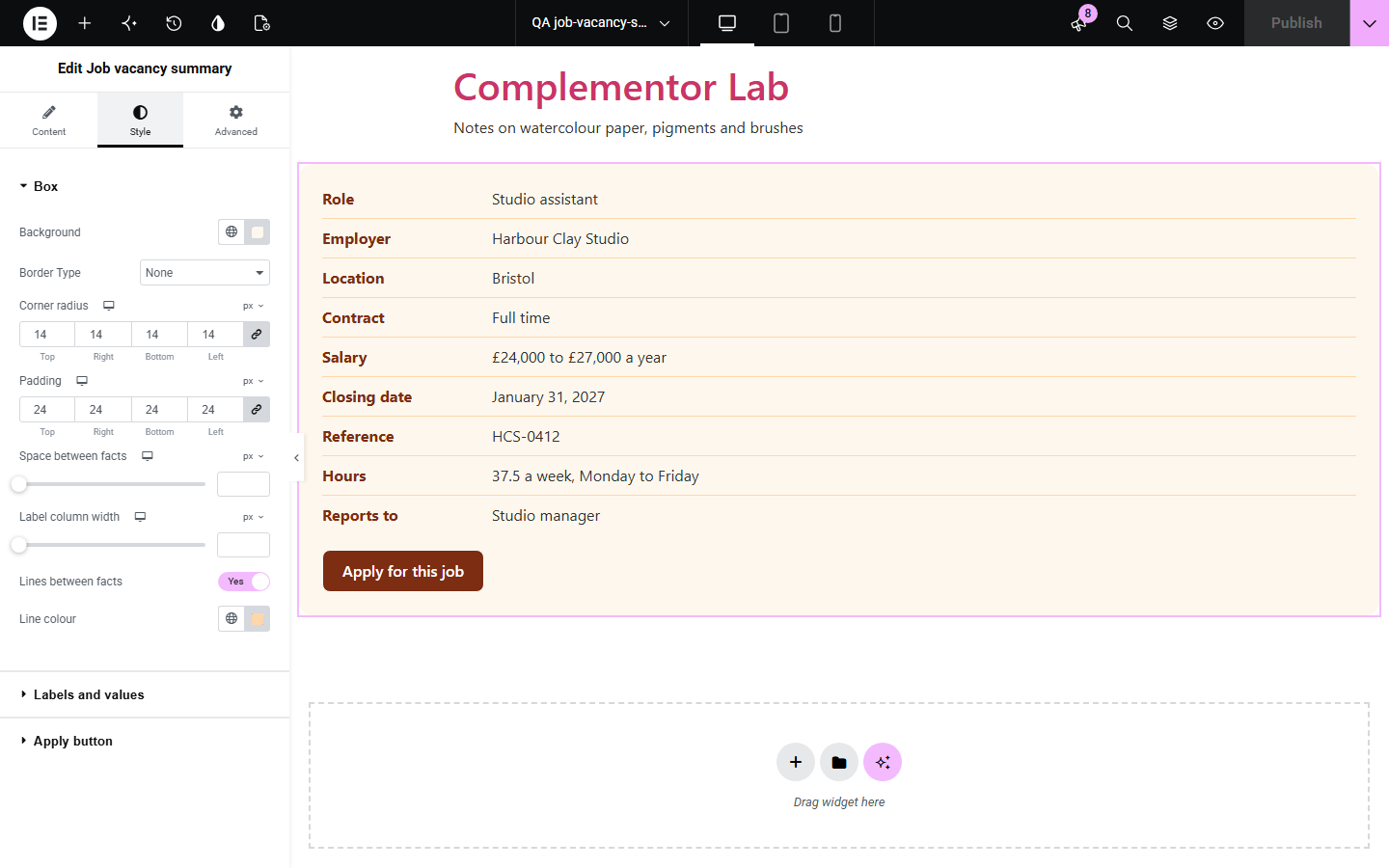
Applicants want the salary, location, contract and closing date before they read a long advert, and search engines need the same facts in a set format. Job vacancy summary shows those facts in a clear box with an Apply button, says when the vacancy has closed, and can add JobPosting structured data. That data is printed only when you have filled in every required field, so nothing is guessed.
Put the essential facts at the top of every job advert.
Publish jobs on your own site without a job board plugin.
Show salary, hours and closing date clearly for each post.
Start with Complementor installed and your license connected. Enable this module in the WordPress library, then configure it in Elementor.
Install Complementor, connect your license and enable Job vacancy summary in the Complementor library.
Add the widget to the page for one job.
Fill in the job title, salary, contract and closing date.
Add the Apply link and any extra facts.
Turn on structured data and fill in the required fields if you want it.
Configure the settings available for this module to suit the page you are building.
Key facts as a definition list.
Salary from amounts or your own text.
Closed notice after the closing date.
Apply button.
Optional JobPosting structured data.
Editor lists missing required fields.
Compare the existing Elementor workflow with this Complementor module before choosing your setup.
Easy to write but hard for applicants to scan.
Manages many listings and applications when you only need one advert.
Complementor uses classic Elementor APIs. Atomic-native controls are not implemented. Check your theme, cache and integrations on a staging site before release.
Check these settings if the published page behaves differently from the editor.
Every required field must be filled in. In the editor the widget lists what is missing.
Add an Apply link that starts with http:// or https://, or a path on your site. The button is also hidden after the closing date.
The closing date has passed in your site's time zone. Change or clear the closing date to reopen it.
Symbols are shown for GBP, EUR and USD. Other currencies show their three-letter code, or use the salary text field.
No. It works with the free version of Elementor.
The structured data makes the job eligible, but search engines decide what they show.
No. Structured data uses only what you type, and is not printed until the required fields are filled in.
Use it on the page for one job. Structured data is meant for a single job's own page.
No. The summary and structured data come from the server.
This module is included with all 1007 current Complementor solutions. Choose your production website allowance; every plan includes the same modules.
Renews at $29 USD each year.
Renews at $49 USD each year.
Renews at $99 USD each year.
Applicable taxes extra. Annual subscriptions renew automatically unless canceled in your customer account. Elementor Pro is required for Exclude current post. Read the terms and 14-day technical-issue refund policy.