Job adverts
Show the person specification in a form applicants can scan.
 I Build Elementor.
Show a job's essential and desirable criteria as clear lists, optionally numbered, with how each one is assessed.
These are the actual published outputs of the widget for a sample studio assistant role.
Content sets the requirements in a repeater (text, essential or desirable, and how it is assessed), two lists or one tagged list, the labels and their tag, numbering, the marker and the assessment text. The Style tab covers requirement, label, tag and assessment typography and colours, and spacing.
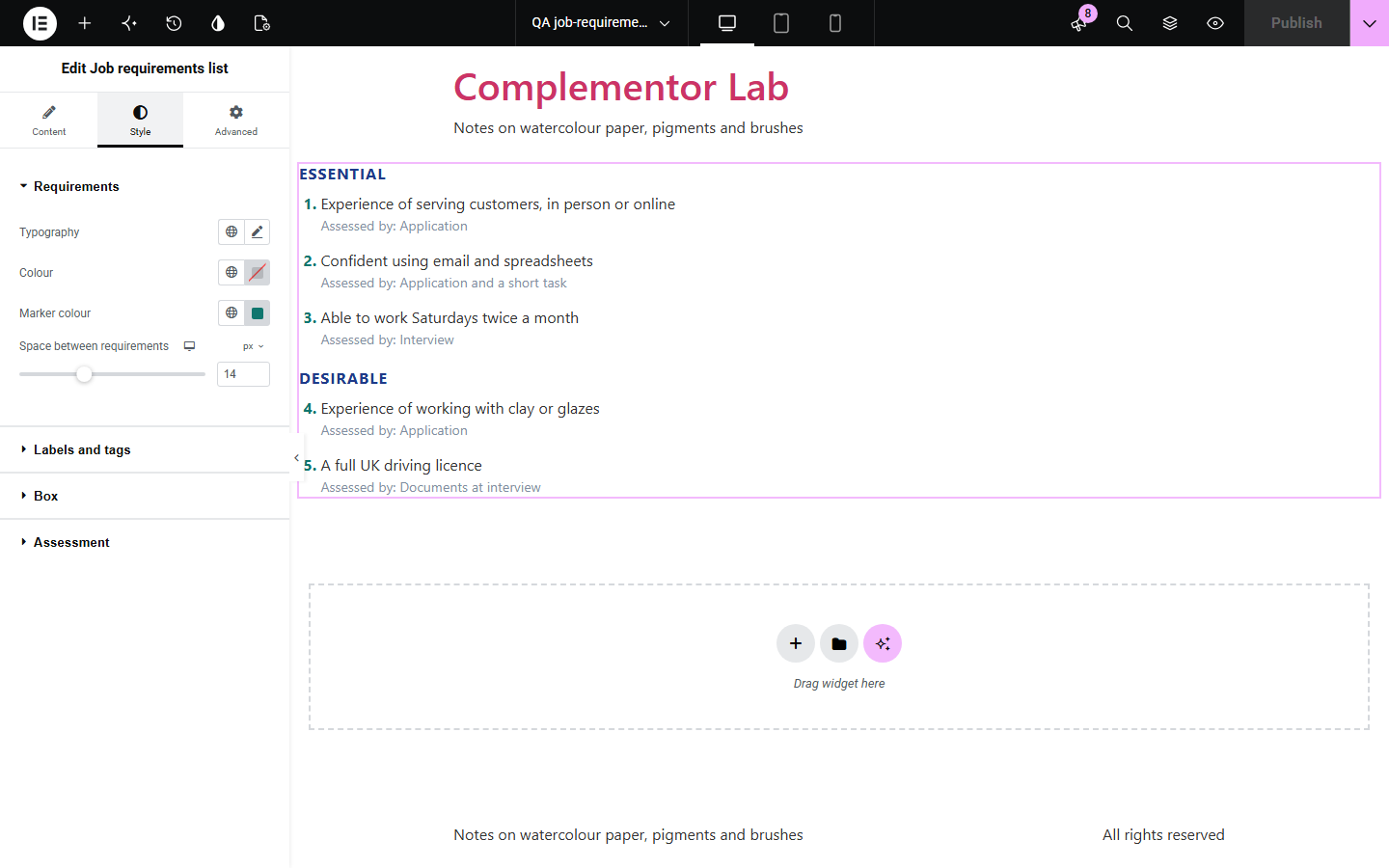
Job adverts often bury the person specification in a long paragraph, so applicants cannot tell what is essential, what is only desirable, or how each point will be checked. Job requirements list keeps each criterion as its own row, shows essential and desirable criteria as two clear lists, can number them so applicants can refer to “criterion 4”, and adds how each one is assessed.
Show the person specification in a form applicants can scan.
Number criteria so applicants can answer each one in turn.
Make clear what is needed and what is a bonus.
Start with Complementor installed and your license connected. Enable this module in the WordPress library, then configure it in Elementor.
Install Complementor, connect your license and enable Job requirements list in the Complementor library.
Add the widget to a job page.
Add each requirement and mark it essential or desirable.
Choose two lists or one, and numbering.
Style the labels, markers and assessment notes.
Configure the settings available for this module to suit the page you are building.
Essential and desirable lists.
Or one list with tags.
Numbering across both lists.
How each is assessed.
Tick, bullet or no marker.
Real lists for screen readers.
Compare the existing Elementor workflow with this Complementor module before choosing your setup.
Works, but mixes essential and desirable points together.
Suits many columns but reads poorly on phones.
Complementor uses classic Elementor APIs. Atomic-native controls are not implemented. Check your theme, cache and integrations on a staging site before release.
Check these settings if the published page behaves differently from the editor.
Rows without text are skipped. Add the requirement text.
With numbering on, the numbers run on from the essential list so each criterion has its own number.
A list is shown only when it has items. Mark at least one row as essential.
Turn off “Show how each is assessed”, or clear the text before the assessment.
No. It works with the free version of Elementor.
Yes. The requirement text accepts dynamic tags.
No. Use the Job vacancy summary widget for that.
Yes. Each group is a real list named by its label, and the ticks are hidden from screen readers.
No. The lists are plain HTML.
This module is included with all 1007 current Complementor solutions. Choose your production website allowance; every plan includes the same modules.
Renews at $29 USD each year.
Renews at $49 USD each year.
Renews at $99 USD each year.
Applicable taxes extra. Annual subscriptions renew automatically unless canceled in your customer account. Elementor Pro is required for Exclude current post. Read the terms and 14-day technical-issue refund policy.