Writing product copy
Turn a list of features or materials into a sentence.
 I Build Elementor.
Let visitors join items, one per line, into one line with commas and “and” or “or” in their language, commas only or their own separator, then copy it.
These are the actual published widgets running in your browser; paste your own items to try them.
Items sets the starting items, comma splitting and whether visitors can change the joining and order. Behaviour sets how items are joined, the separator, the language, what goes around each item, the order, duplicate removal and live updates. Labels sets the heading and every label and button. The Style tab covers the layout, box height, fields, result and buttons.
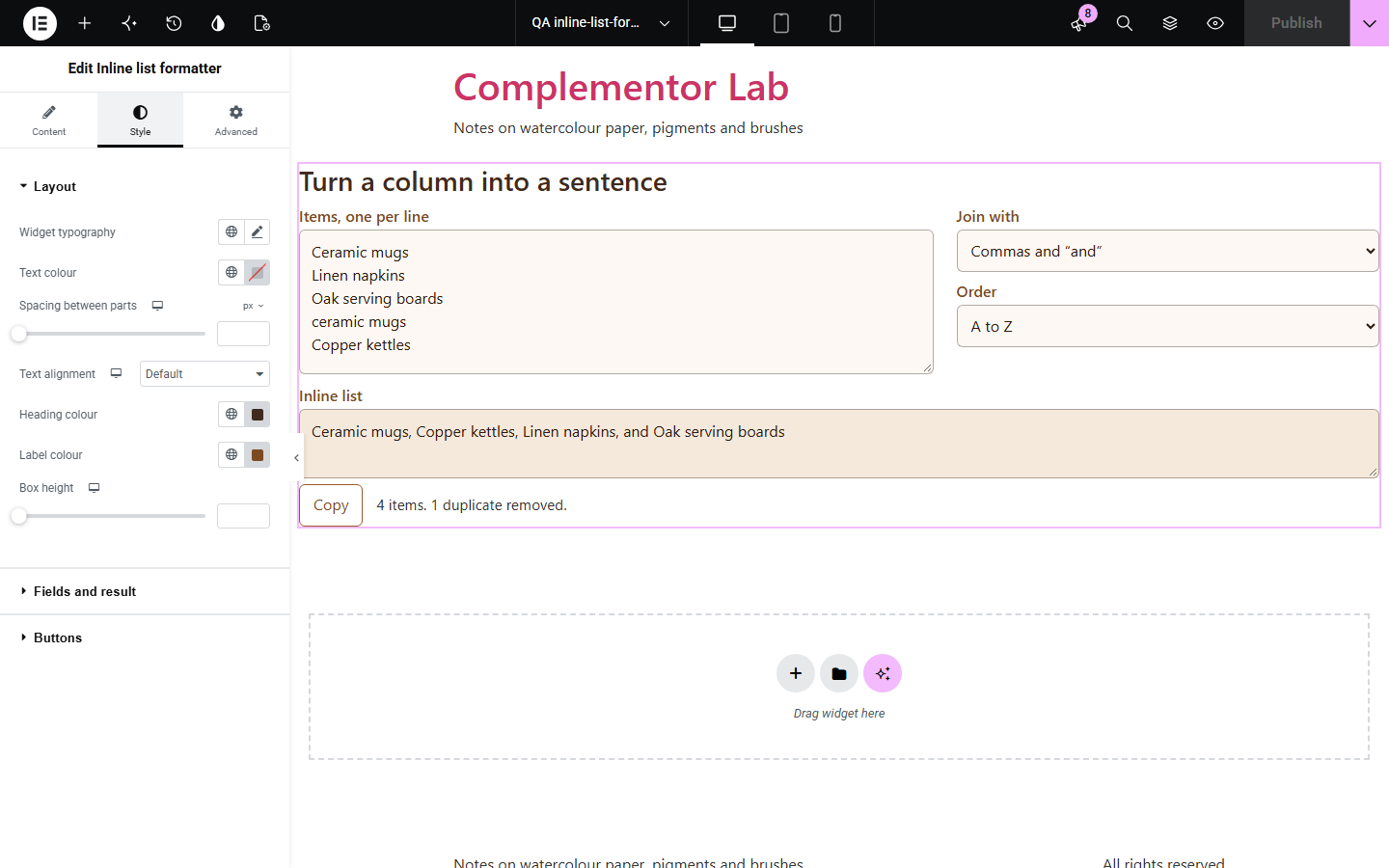
Turning a column of items into a sentence means typing commas by hand, remembering whether the style guide wants a serial comma, and dropping repeats. Inline list formatter joins the lines with the browser’s own list rules for the language, so “a, b, and c” in US English, “a, b and c” in British English and “a, b und c” in German, or with commas only or any separator, with duplicates removed, optional sorting and quotes around each item.
Turn a list of features or materials into a sentence.
Join field names or values with backticks or quotes.
Remove repeats and sort a pasted column.
Start with Complementor installed and your license connected. Enable this module in the WordPress library, then configure it in Elementor.
Install Complementor, connect your license and enable Inline list formatter in the Complementor library.
Add the widget to a writing, data or developer page.
Paste starting items, one per line, or leave the box empty.
Choose how items are joined, the language and the order.
Style the fields and result, then paste items to check it.
Configure the settings available for this module to suit the page you are building.
Commas and “and”, commas and “or”, commas only or your own separator.
The language’s own list words and commas, with the page language by default.
Duplicates removed, ignoring capital letters.
As typed, A to Z or Z to A, with numbers in natural order.
Quotes, curly quotes or backticks around each item.
Items split at commas as well as lines, Copy, and live updates or a Join button.
Compare the existing Elementor workflow with this Complementor module before choosing your setup.
Splits text into sentences.
Removes common words from text.
Complementor uses classic Elementor APIs. Atomic-native controls are not implemented. Check your theme, cache and integrations on a staging site before release.
Check these settings if the published page behaves differently from the editor.
The language decides. US English uses one and British English does not; set the language to en-US or en-GB.
It was a duplicate of an earlier item, ignoring capital letters. Turn off Remove duplicates to keep it.
My own separator is chosen with an empty separator. Type a separator such as a comma and space.
No. It works with the free version of Elementor.
No. Everything runs in the visitor’s browser.
Any language the visitor’s browser supports for lists, such as English, German, French and Japanese.
Yes. Choose My own separator and type any separator, such as a pipe or a semicolon.
Yes. A to Z or Z to A, with numbers in natural order so item 2 comes before item 10.
This module is included with all 1007 current Complementor solutions. Choose your production website allowance; every plan includes the same modules.
Renews at $29 USD each year.
Renews at $49 USD each year.
Renews at $99 USD each year.
Applicable taxes extra. Annual subscriptions renew automatically unless canceled in your customer account. Elementor Pro is required for Exclude current post. Read the terms and 14-day technical-issue refund policy.