App migrations
Move old INI settings into a JSON-based tool.
 I Build Elementor.
Let visitors turn INI and .conf settings into JSON in the browser, with nested sections, typed values and clear notes for lines that cannot be read.
These are the actual published widgets running in your browser; change the INI text and copy or download the JSON.
Conversion sets live or button conversion, reading numbers, true/false and null, nesting dotted sections, repeated keys, comments after values, indent, visitor options, the download file name and the size limit. Labels sets the heading, INI label and starting text and every button and message. The Style tab covers the layout, the INI area, the JSON panel and the buttons.
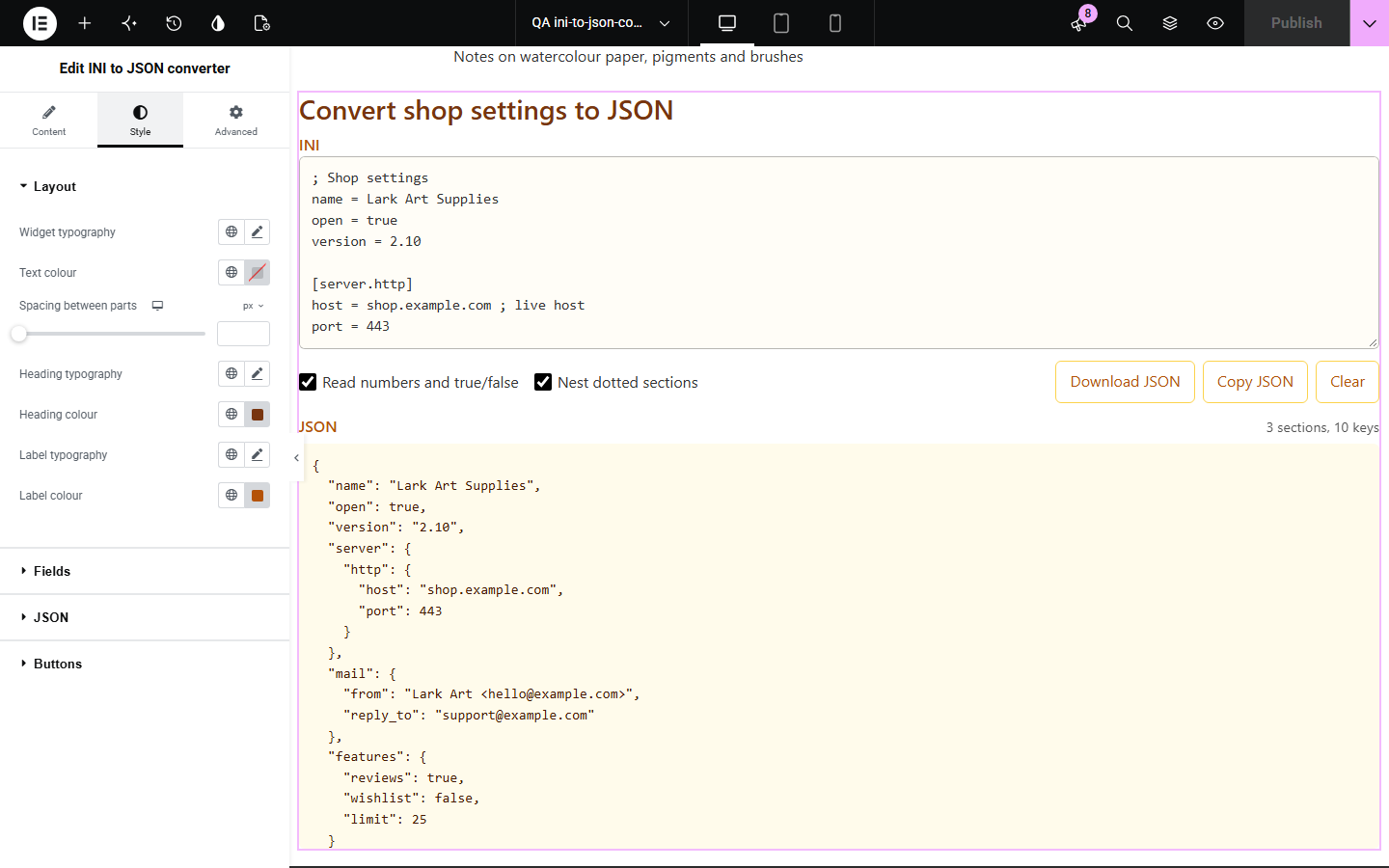
Older apps and servers keep settings in INI files, while newer tools expect JSON. Converting by hand means handling sections, comments, quotes and types. INI to JSON converter does it as visitors paste, nests dotted sections, reads numbers and true/false, and names every line it could not read instead of failing.
Move old INI settings into a JSON-based tool.
Show how a config file looks as JSON.
Let customers convert a settings export before sending it.
Start with Complementor installed and your license connected. Enable this module in the WordPress library, then configure it in Elementor.
Install Complementor, connect your license and enable INI to JSON converter in the Complementor library.
Add the widget to a tools or documentation page.
Choose whether values are typed, dotted sections nested and repeated keys collected.
Set the download file name, such as settings.json.
Paste an INI file and check the JSON and any notes.
Configure the settings available for this module to suit the page you are building.
[section] headings as objects; [server.http] nested as server → http.
Numbers, true/yes/on, false/no/off and null read as JSON values, or kept as text.
Comments with ; or #, on their own line or after a value; quoted text is kept.
Repeated keys: keep the last or collect all; key[] always collects.
A note for every line that could not be read, with its line number.
Indent of 2 or 4 spaces, a tab or one line.
Download JSON, Copy JSON and Clear.
Compare the existing Elementor workflow with this Complementor module before choosing your setup.
Turns JSON records into a spreadsheet.
Need installing; this widget works on any page.
Complementor uses classic Elementor APIs. Atomic-native controls are not implemented. Check your theme, cache and integrations on a staging site before release.
Check these settings if the published page behaves differently from the editor.
It has no = or :, an empty key, an unclosed [section], or a name used for both a key and a section. The note gives the line number.
Only numbers that read back exactly are typed, so versions such as 1.10 and codes such as 007 keep their form.
A ; or # after a space starts a comment. Put the value in quotes, or turn off Remove comments after values.
Repeated keys keep the last value by default; choose Collect all values in a list.
No. It works with the free version of Elementor.
No. The conversion and download happen in the visitor’s browser.
Yes, when they use key = value lines and [section] headings.
Yes. They become top-level keys of the JSON.
Yes. Names such as __proto__ are refused with a note, so nothing reaches JavaScript internals.
This module is included with all 1007 current Complementor solutions. Choose your production website allowance; every plan includes the same modules.
Renews at $29 USD each year.
Renews at $49 USD each year.
Renews at $99 USD each year.
Applicable taxes extra. Annual subscriptions renew automatically unless canceled in your customer account. Elementor Pro is required for Exclude current post. Read the terms and 14-day technical-issue refund policy.