Photo galleries
Show progress on large galleries.
 I Build Elementor.
Tell visitors how many images have loaded, which failed, and let them try the failed ones again.
Each example below is the actual published output of the Image load status widget on a page with images.
Content sets what to watch, the progress bar, Try again, hiding when done and the messages. The Style tab covers the message box, the state colours, the bar and the button.
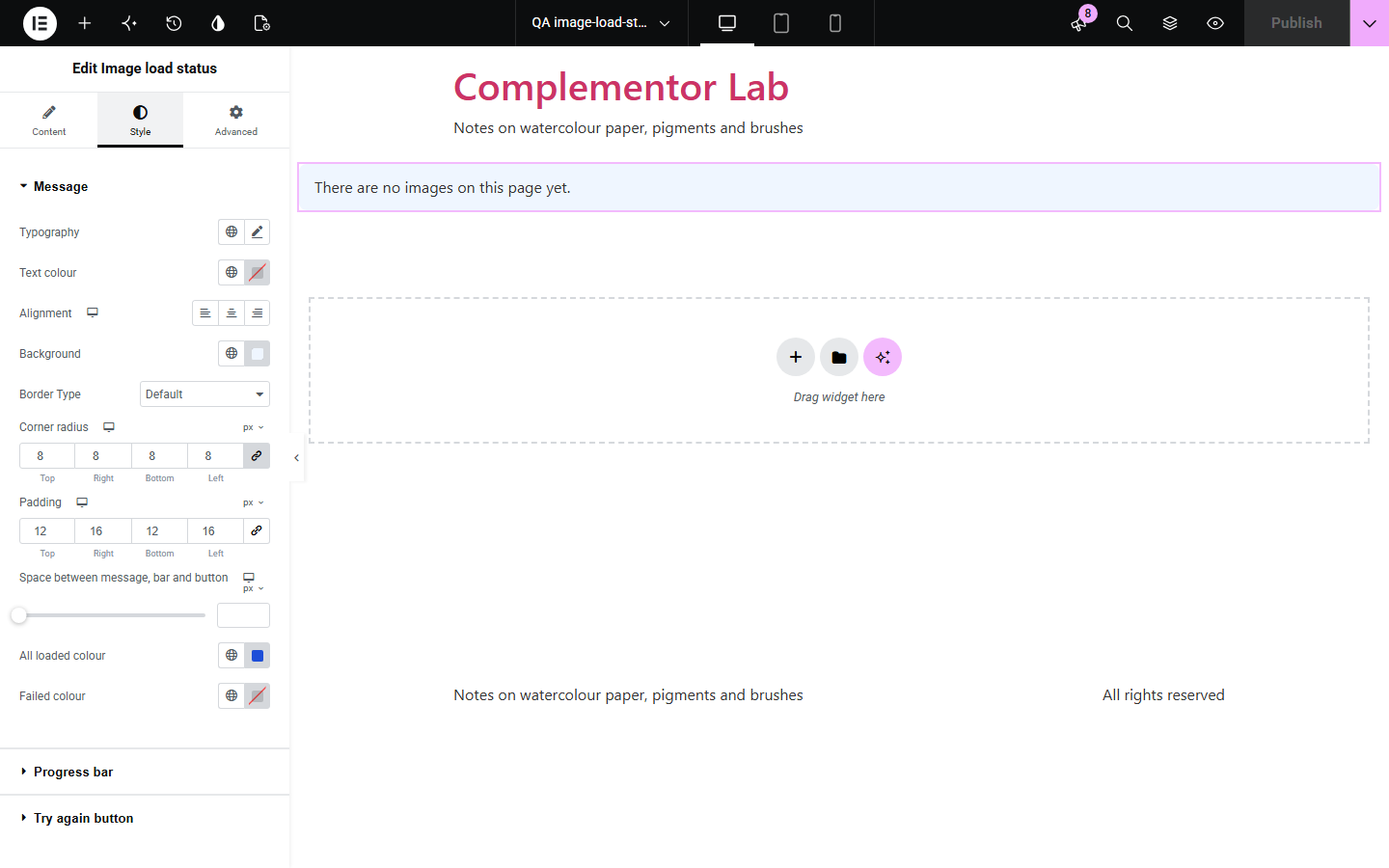
On slow connections, big galleries and maps can sit half-loaded with no sign of what is happening, and a broken image just stays broken. Image load status counts the images on the page or in one gallery, shows progress, tells visitors which could not load, and offers Try again for only those images.
Show progress on large galleries.
Explain why images are still appearing.
Offer Try again when a big image fails.
Start with Complementor installed and your license connected. Enable this module in the WordPress library, then configure it in Elementor.
Install Complementor, connect your license and enable Image load status in the Complementor library.
Add the widget to the page.
Choose every image on the page, or give the gallery or section a CSS ID and enter it.
Adjust the messages if you like.
Style the message, bar and button.
Configure the settings available for this module to suit the page you are building.
Page or one CSS ID.
Loaded, failed and waiting.
Progress bar.
Try again for failed images.
Quiet for screen readers.
Hide when done.
Compare the existing Elementor workflow with this Complementor module before choosing your setup.
Visitors cannot tell loading from broken.
Downloads everything again to fix one image.
Complementor uses classic Elementor APIs. Atomic-native controls are not implemented. Check your theme, cache and integrations on a staging site before release.
Check these settings if the published page behaves differently from the editor.
They load lazily when scrolled into view.
The CSS ID matches nothing on the page. The editor explains this.
No. It asks again only for the images that failed.
The CSS ID from Advanced on the image, widget or section.
No. It works with the free version of Elementor.
No. It only listens to images the browser is already loading.
Yes. Give the gallery a CSS ID and choose that option.
Yes. Progress has a label, Try again is a real button, and screen readers hear only the final message.
No. Try again asks the browser for the same images again; nothing else is requested.
This module is included with all 1007 current Complementor solutions. Choose your production website allowance; every plan includes the same modules.
Renews at $29 USD each year.
Renews at $49 USD each year.
Renews at $99 USD each year.
Applicable taxes extra. Annual subscriptions renew automatically unless canceled in your customer account. Elementor Pro is required for Exclude current post. Read the terms and 14-day technical-issue refund policy.