Product pages
Show what each payment of a pay-later plan would be.
 I Build Elementor.
Let visitors see how a total splits into installments: an optional upfront amount, payments to the cent, dates and the balance left, as an illustration.
These are the actual published widgets running in your browser; enter your own amounts to try them.
Plan sets the starting total, payments and upfront amount, how often, the currency and which fields visitors see. Behaviour sets where leftover cents go, the most payments, the bar, the balance column, the note and live updates. Labels names every field and the schedule. The Style tab covers the layout, summary, payment and upfront colours, table lines, the note, fields and the Show button.
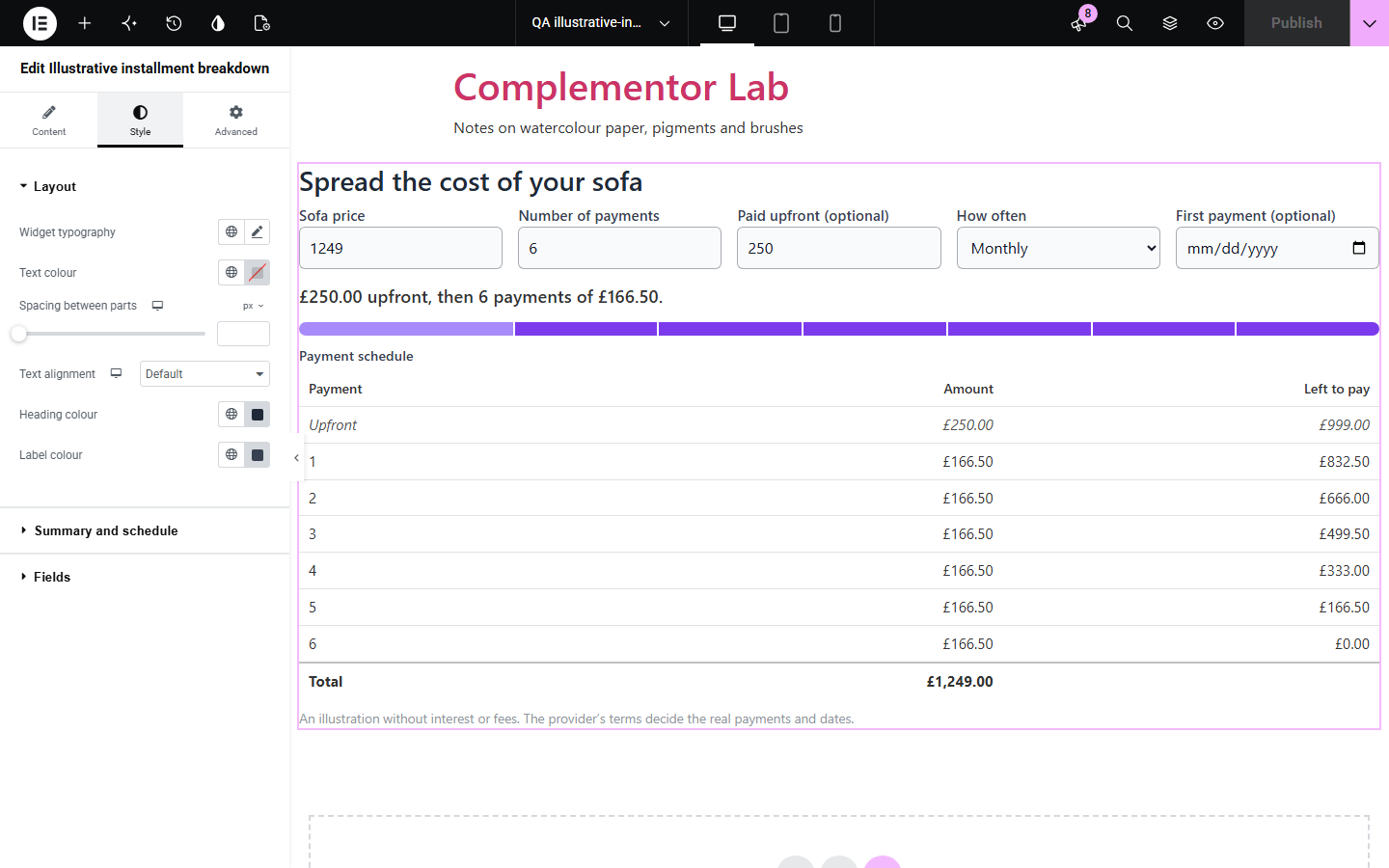
Shoppers considering paying in installments want to know what each payment will be and when, but a total rarely splits evenly and month ends do not all have the same days. Illustrative installment breakdown splits a total, after an optional upfront amount, into equal payments to the cent with the leftover cents on the first or last, adds dates weekly, every two weeks or monthly from a chosen day, and shows what is left to pay after each, clearly marked as an illustration without interest or fees.
Show what each payment of a pay-later plan would be.
Show a deposit followed by the remaining payments.
Spread a bill over weeks or months.
Start with Complementor installed and your license connected. Enable this module in the WordPress library, then configure it in Elementor.
Install Complementor, connect your license and enable Illustrative installment breakdown in the Complementor library.
Add the widget to a product, checkout help or finance page.
Enter a starting total, the number of payments and an optional upfront amount.
Choose how often payments fall, the currency and which fields visitors can change.
Keep or edit the note about interest and fees, then style the schedule.
Configure the settings available for this module to suit the page you are building.
A total, the number of payments and an optional upfront amount.
Payments to the cent, with leftover cents on the first or last payment.
Weekly, every two weeks or monthly dates from a first payment date, keeping the day of the month.
A schedule table with the balance left after each payment and a total row.
A bar showing the upfront amount and each payment.
Any currency, and a note that the schedule is an illustration.
Compare the existing Elementor workflow with this Complementor module before choosing your setup.
Compares offers per kilogram, litre or item.
Compares two lists of items.
Complementor uses classic Elementor APIs. Atomic-native controls are not implemented. Check your theme, cache and integrations on a staging site before release.
Check these settings if the published page behaves differently from the editor.
The total does not split evenly, so the leftover cents go on the last payment. Choose the first payment instead in the settings.
The first payment is on a day that some months do not have, such as the 31st, so those payments fall on the last day of the month.
The widget illustrates how a total splits. Interest, fees and the real dates depend on the provider’s terms.
No. It works with the free version of Elementor.
No. All amounts stay in the visitor’s browser.
No. It is an illustration of how a total splits, and the note under the schedule says so.
Up to the limit you set, at most 120.
Yes. They can pick how often payments fall and the date of the first one, or you can fix how often.
This module is included with all 1007 current Complementor solutions. Choose your production website allowance; every plan includes the same modules.
Renews at $29 USD each year.
Renews at $49 USD each year.
Renews at $99 USD each year.
Applicable taxes extra. Annual subscriptions renew automatically unless canceled in your customer account. Elementor Pro is required for Exclude current post. Read the terms and 14-day technical-issue refund policy.