Long articles and guides
Let readers share a link to the exact step or chapter.
 I Build Elementor.
Add a small copy-link button after each heading so readers can share a link that opens the page at that section.
These are the actual outputs of the widget on the headings of a sample watercolour kit guide: the default link icons, purple icons on H2 headings only, and icons that appear on hover.
Content › Headings chooses this page's Elementor content or a container you name with a CSS selector, and which heading levels get buttons. Behaviour shows the buttons always or only on hover and focus, and sets the screen reader label and the copied and failed messages. Display picks the icon. The Style tab sets the icon size, the space after the heading text, colour, opacity, hover and focus colours, the focus outline and the copied message colours.
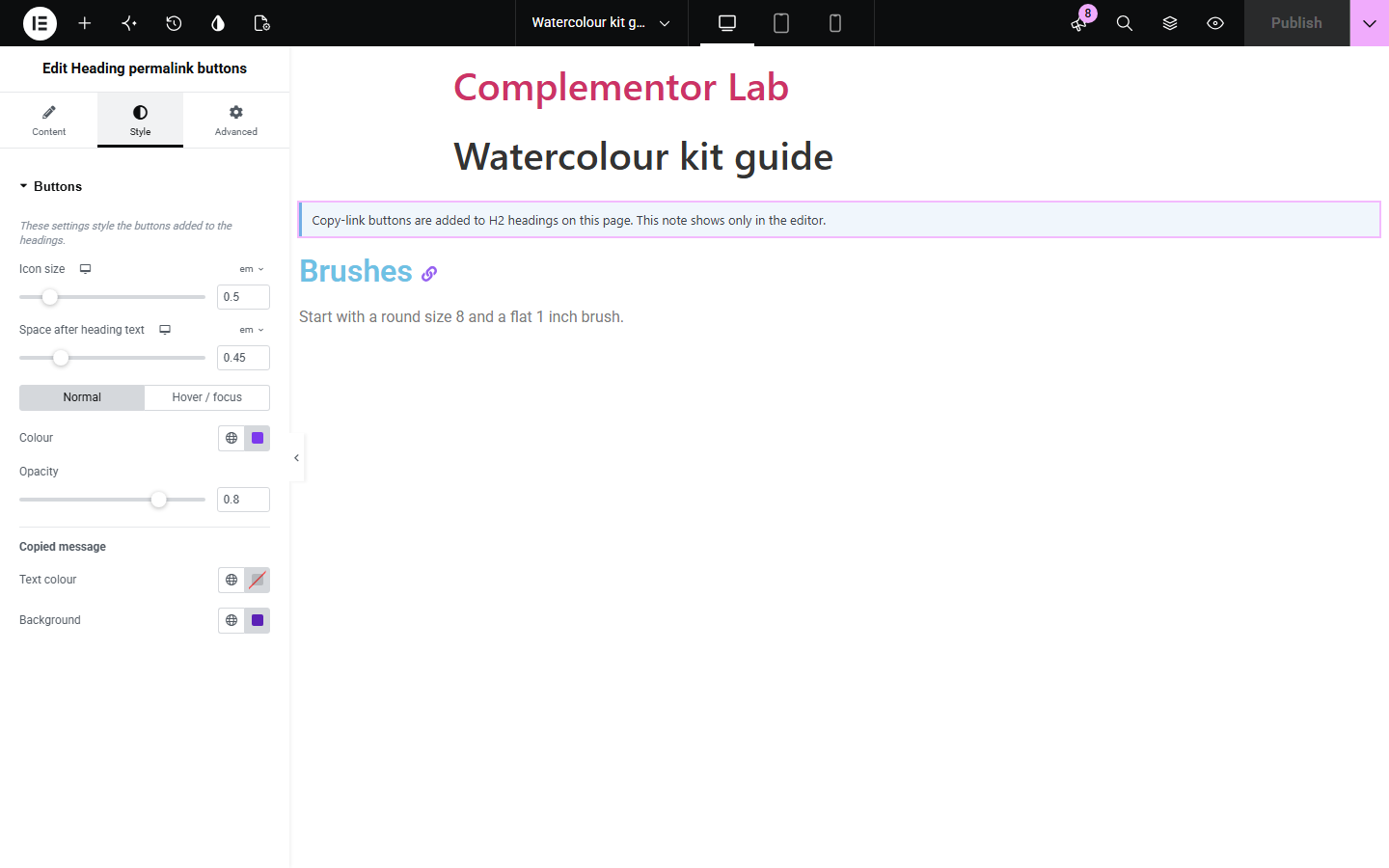
Readers who want to point someone at one part of a long article have to share the whole page and say where to scroll. Heading permalink buttons adds a small link icon after the headings you choose; clicking it copies a link that opens the page at that heading, with a short confirmation for everyone, including screen reader users.
Let readers share a link to the exact step or chapter.
Support teams can send a link that opens at the right answer.
Point people straight to the clause that matters.
Start with Complementor installed and your license connected. Enable this module in the WordPress library, then configure it in Elementor.
Install Complementor, connect your license and enable Heading permalink buttons in the Complementor library.
Add the widget anywhere on a long page; it adds nothing visible where it sits.
Choose the heading levels, H2 and H3 by default.
Pick an icon and whether buttons always show or appear on hover.
Publish, click an icon and paste the link to check it opens at that heading.
Configure the settings available for this module to suit the page you are building.
Buttons on chosen heading levels, H2 to H6, in this page's content or a container you choose.
Copies a link to the heading, adding an anchor ID when the heading has none.
Short visible confirmation plus a spoken message for screen readers.
Always visible or shown on hover and focus, always visible on touch screens.
Your own icon, or a built-in link symbol.
Style: icon size, gap, colour, opacity, hover and focus colours, focus outline and message colours.
Compare the existing Elementor workflow with this Complementor module before choosing your setup.
Table of Contents lists links to your headings at the top of the page. This widget adds a copy-link button on each heading instead.
You can set a CSS ID on each heading and share #links by hand. This widget adds the IDs and the copy button for you.
Complementor uses classic Elementor APIs. Atomic-native controls are not implemented. Check your theme, cache and integrations on a staging site before release.
Check these settings if the published page behaves differently from the editor.
The chosen heading levels are not on the page, or a typed container selector matches nothing. In the editor a note shows which levels are used.
By default only this page's own Elementor content is used. Choose a container selector to include other areas.
Another element already uses that ID, so a number is added to keep each link unique.
Some browsers block the clipboard in embedded frames. The failure message is shown and the heading still has its link.
No. It works with the free version of Elementor.
Yes. Each button is a real button named Copy link to and the heading text, reachable by keyboard, and the result is announced.
It adds a button after the heading text and an ID if the heading has none. The heading text is unchanged.
Yes. Set Show buttons to When the heading is hovered or focused.
Yes. Choose A container I choose and enter the content area's selector, such as .entry-content.
This module is included with all 1007 current Complementor solutions. Choose your production website allowance; every plan includes the same modules.
Renews at $29 USD each year.
Renews at $49 USD each year.
Renews at $99 USD each year.
Applicable taxes extra. Annual subscriptions renew automatically unless canceled in your customer account. Elementor Pro is required for Exclude current post. Read the terms and 14-day technical-issue refund policy.