Hosting and support
Help customers read the headers their site sends.
 I Build Elementor.
Let visitors paste HTTP headers and see each one explained, problems flagged, a security header checklist and the headers as JSON.
These are the actual published widgets running in your browser; paste your own headers to try them.
Headers sets the starting header block, the output format and whether visitors can change it. Behaviour turns the explanations, the security checklist, the output and live updates on or off. Labels sets the heading and every label and button. The Style tab covers the layout, box height, table, checklist and output colours, fields and buttons.
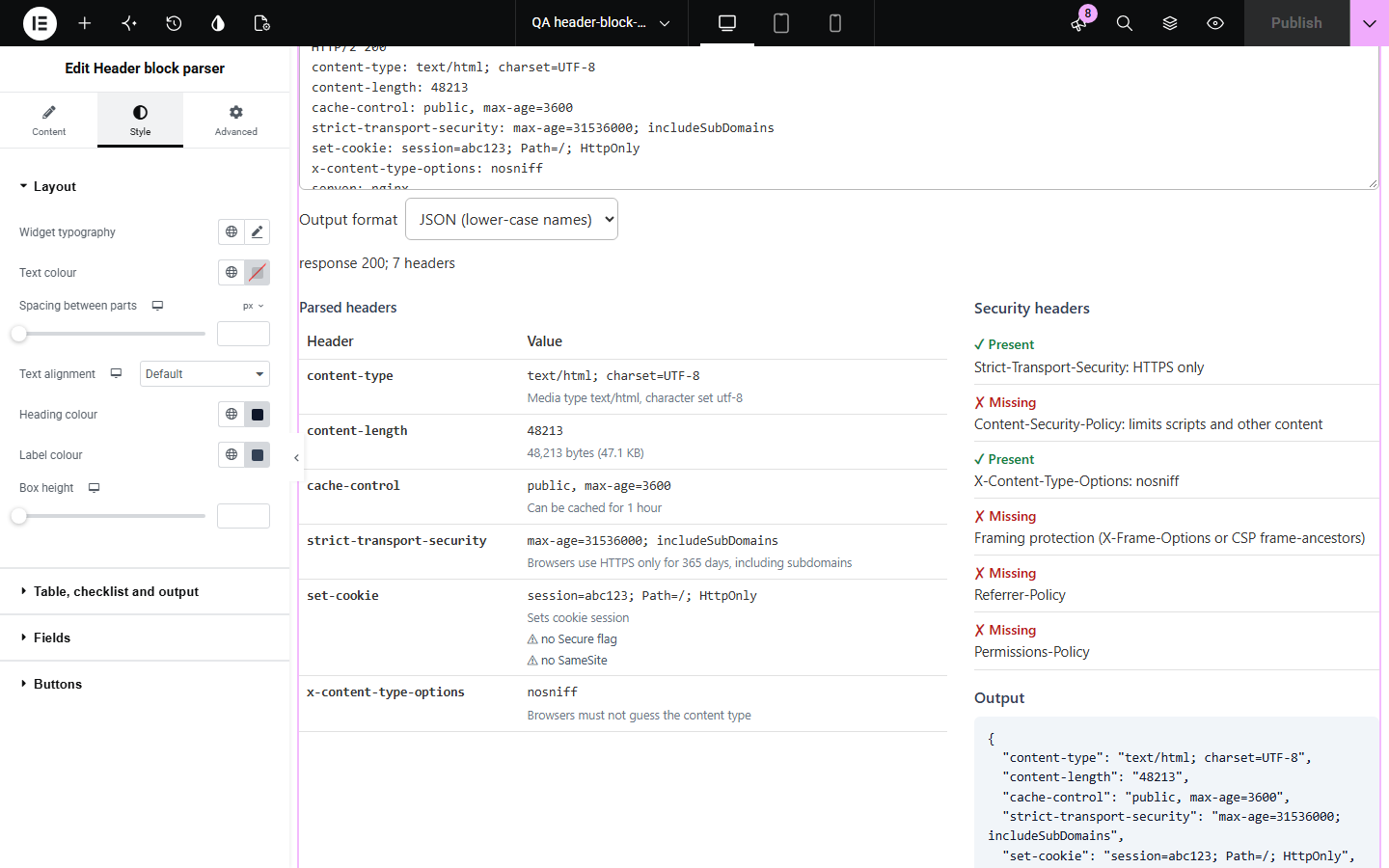
Response headers decide caching, cookies and much of a page’s security, but a raw header block is hard to read. Header block parser explains each common header in plain language, flags cookies without Secure, HttpOnly or SameSite and other problems, lists which security headers are present or missing, and turns the block into JSON, all without making a request.
Help customers read the headers their site sends.
See at a glance which security headers are missing.
Read how long a page or file can be cached.
Start with Complementor installed and your license connected. Enable this module in the WordPress library, then configure it in Elementor.
Install Complementor, connect your license and enable Header block parser in the Complementor library.
Add the widget to a developer, hosting or support page.
Paste a starting header block from developer tools or curl -I to show an example.
Choose the output format and whether the checklist and explanations show.
Style the table and checklist, then paste your own headers to check them.
Configure the settings available for this module to suit the page you are building.
Reads the status or request line, HTTP/2 :status and :method, and folded lines.
A table of headers with repeats marked and plain-language notes.
Notes for content type and length, caching, HSTS, cookies, redirects, compression, dates, Vary and server disclosure.
Cookie warnings for a missing Secure, HttpOnly or SameSite.
A checklist of six common security headers for responses.
Lines that are not headers listed with the reason.
JSON with lower-case names and repeats as arrays, or cleaned lines, and Copy output.
Compare the existing Elementor workflow with this Complementor module before choosing your setup.
Reads the parts of a link.
Decodes the parameters in a link.
Complementor uses classic Elementor APIs. Atomic-native controls are not implemented. Check your theme, cache and integrations on a staging site before release.
Check these settings if the published page behaves differently from the editor.
Each header needs a name, a colon and a value; names cannot contain spaces or symbols such as < or ( and there can be no space before the colon.
It only applies to responses; a pasted request shows no checklist.
Not on its own; it lists common protective headers so you can decide which your site needs.
Open developer tools, choose the page in the Network panel and copy the response headers, or run curl -I with the address.
No. It works with the free version of Elementor.
No. It reads what visitors paste; nothing is requested or sent.
Strict-Transport-Security, Content-Security-Policy, X-Content-Type-Options, framing protection, Referrer-Policy and Permissions-Policy.
As separate rows marked repeated, and as an array in JSON.
Yes. Lower-case names and :status or :method lines are read.
This module is included with all 1007 current Complementor solutions. Choose your production website allowance; every plan includes the same modules.
Renews at $29 USD each year.
Renews at $49 USD each year.
Renews at $99 USD each year.
Applicable taxes extra. Annual subscriptions renew automatically unless canceled in your customer account. Elementor Pro is required for Exclude current post. Read the terms and 14-day technical-issue refund policy.