Travel and sport
Average speeds over equal distances.
 I Build Elementor.
Let visitors paste numbers such as speeds or rates and see their harmonic mean, with zeros left out and explained, live in the browser.
These are the actual published outputs of the widget. Type or paste numbers into any of them; the result updates as you type.
Content sets the decimal places and whether visitors can change them, the decimal separator, the most numbers used, whether to show the working, and every label and message. The Style tab covers the text area, the result box, labels and help text, and the Copy and Clear buttons.
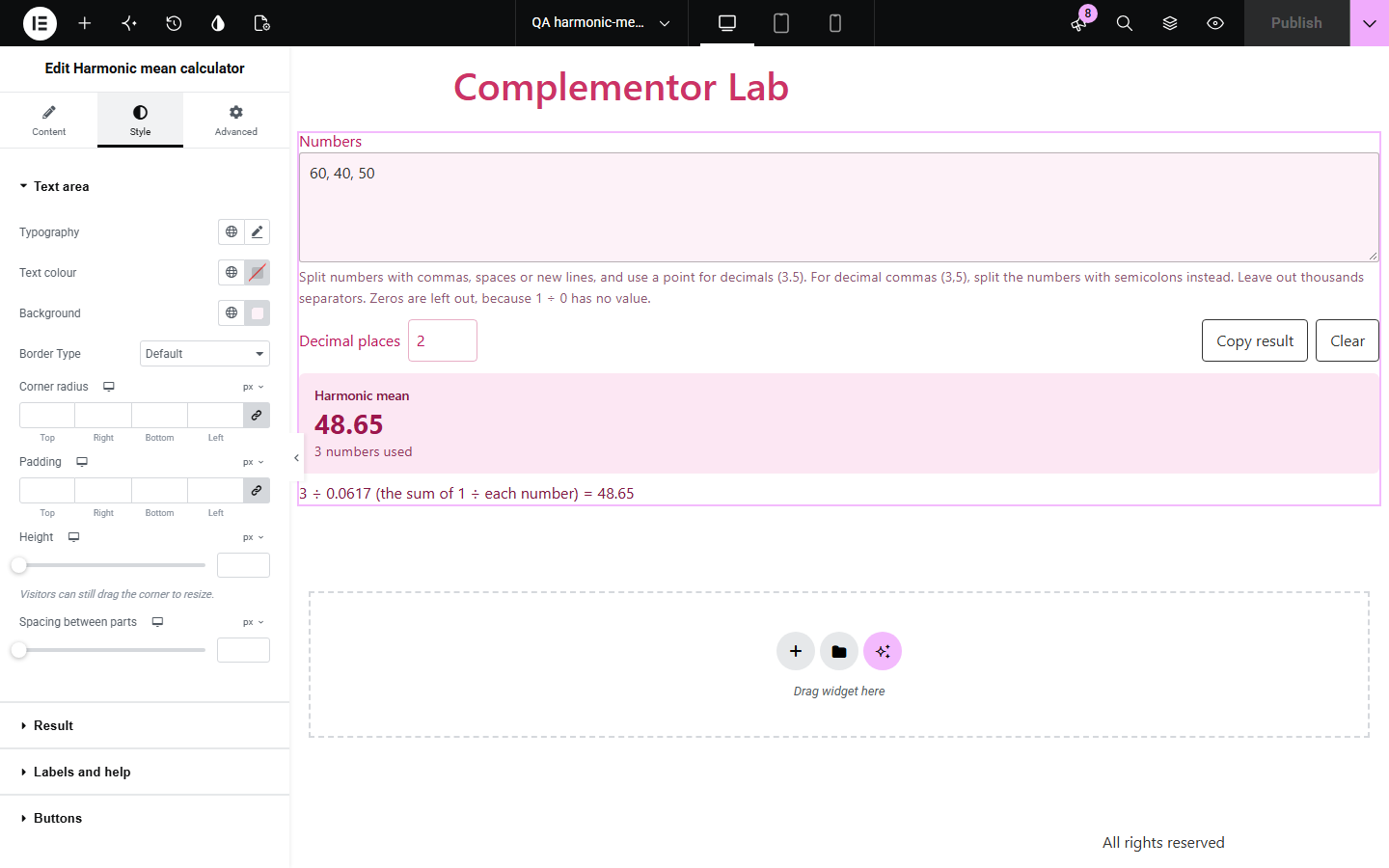
Averaging speeds over equal distances, or rates such as price per item, needs the harmonic mean; the ordinary average gives the wrong answer. Harmonic mean calculator runs on your own page: visitors paste numbers and see the result with the working, updated as they type. Zeros are left out with a plain reason, and lists with no harmonic mean get a clear message instead of a wrong number.
Average speeds over equal distances.
Average price-to-earnings ratios or unit costs.
Compare harmonic, geometric and arithmetic means.
Start with Complementor installed and your license connected. Enable this module in the WordPress library, then configure it in Elementor.
Install Complementor, connect your license and enable Harmonic mean calculator in the Complementor library.
Add the widget to a page.
Choose the decimal places and the decimal separator.
Optionally add starting numbers and adjust the labels.
Style it and paste some speeds or rates.
Configure the settings available for this module to suit the page you are building.
Live harmonic mean while typing.
Zeros left out and explained.
Working shown as count ÷ sum of 1 ÷ x.
Ignored entries listed by name.
Decimal places, visitor adjustable.
Numbers never leave the browser.
Compare the existing Elementor workflow with this Complementor module before choosing your setup.
HARMEAN works but visitors must leave your page.
Overstates the average speed when distances are equal.
Complementor uses classic Elementor APIs. Atomic-native controls are not implemented. Check your theme, cache and integrations on a staging site before release.
Check these settings if the published page behaves differently from the editor.
1 ÷ 0 has no value, so zero cannot be part of a harmonic mean.
With negative numbers, the values of 1 ÷ each number can add up to zero.
Over equal distances, more time is spent at the slower speed. The harmonic mean accounts for that.
Commas split numbers. Leave out thousands separators.
No. It works with the free version of Elementor.
No. The calculation happens in the visitor's browser and nothing is saved.
Yes, with a note. The harmonic mean is normally used for positive values such as speeds or rates.
Yes. The input is labelled, the format and rules are explained under it, and the result is announced to screen readers.
Yes. Without it a short message is shown instead.
This module is included with all 1007 current Complementor solutions. Choose your production website allowance; every plan includes the same modules.
Renews at $29 USD each year.
Renews at $49 USD each year.
Renews at $99 USD each year.
Applicable taxes extra. Annual subscriptions renew automatically unless canceled in your customer account. Elementor Pro is required for Exclude current post. Read the terms and 14-day technical-issue refund policy.