Word games and puzzles
Make mirror text and check palindromes.
 I Build Elementor.
Let visitors reverse text, word order, the letters in each word or line order, keeping emoji, flags and accented letters whole, and copy the result.
These are the actual published widgets running in your browser; paste your own text to try them.
Text and mode sets the starting text, what is reversed and whether visitors can choose. Behaviour turns the naive comparison, the palindrome note, Use as input and live updates on or off. Labels sets the heading and every label and button. The Style tab covers the layout, box height, note colours, fields and buttons.
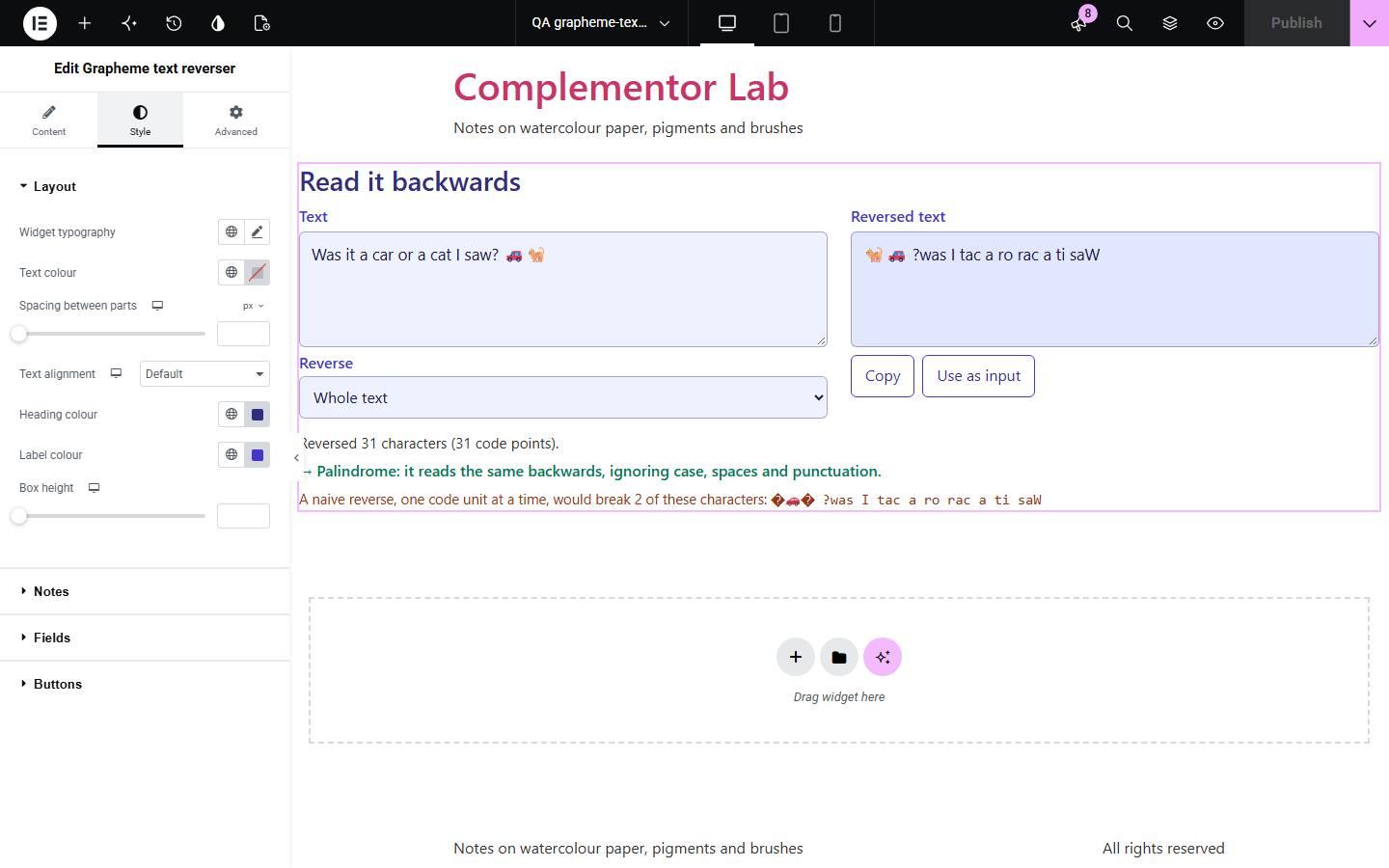
Most text reversers flip the text one code unit at a time, which breaks anything built from more than one piece: emoji turn into question marks, flags turn into two letters and accents land on the wrong letter. Grapheme text reverser reverses the characters people actually see, so emoji, flags and accented letters come out whole, and it can also reverse word order, the letters in each word or line order.
Make mirror text and check palindromes.
Show why emoji and accents need more than one code point.
Make reversed strings for checking layouts and inputs.
Start with Complementor installed and your license connected. Enable this module in the WordPress library, then configure it in Elementor.
Install Complementor, connect your license and enable Grapheme text reverser in the Complementor library.
Add the widget to a puzzle, classroom or developer page.
Paste starting text to show an example, such as a palindrome or a line with emoji.
Choose what is reversed and whether visitors can change it.
Style the fields, notes and buttons, then type text to check it.
Configure the settings available for this module to suit the page you are building.
Reverse the whole text, the word order, the letters in each word or the line order, chosen by the visitor or fixed.
Emoji with skin tones, family emoji, flags and accented letters kept whole.
A comparison with a naive reverse that shows what it would break.
A note when the text is a palindrome, ignoring case, spaces and punctuation.
Copy and Use as input buttons.
Live updates or a Reverse button.
Compare the existing Elementor workflow with this Complementor module before choosing your setup.
Lists every code point with its category and script.
Converts text to NFC, NFD, NFKC or NFKD.
Complementor uses classic Elementor APIs. Atomic-native controls are not implemented. Check your theme, cache and integrations on a staging site before release.
Check these settings if the published page behaves differently from the editor.
It flips the text one code unit at a time, splitting emoji, flags and accents into pieces. The widget shows it only to explain the difference.
Punctuation stays attached to the word it was next to, so a comma after the first word moves with it.
Letters and digits must read the same both ways. Case, spaces and punctuation are ignored, but accented and plain letters count as different.
No. It works with the free version of Elementor.
No. Everything runs in the visitor’s browser.
Yes. Emoji with skin tones, family emoji and flags are reversed as single characters.
The whole text, the word order, the letters in each word or the line order.
Yes. Where the browser cannot split text into characters itself, the widget uses its own rules for marks, joined emoji and flags.
This module is included with all 1007 current Complementor solutions. Choose your production website allowance; every plan includes the same modules.
Renews at $29 USD each year.
Renews at $49 USD each year.
Renews at $99 USD each year.
Applicable taxes extra. Annual subscriptions renew automatically unless canceled in your customer account. Elementor Pro is required for Exclude current post. Read the terms and 14-day technical-issue refund policy.