Galleries
Let visitors view photos at full size.
 I Build Elementor.
Add a button that shows its container, an element by CSS ID or the whole page full screen, for galleries, menus, slides or reading.
These are the actual published outputs of the widget. Try each one on this page.
Content sets what goes full screen, the CSS ID, the background used in full screen, the icon, what happens where full screen is not available, and every label. The Style tab covers the button in its normal, hover and focus states, and the message.
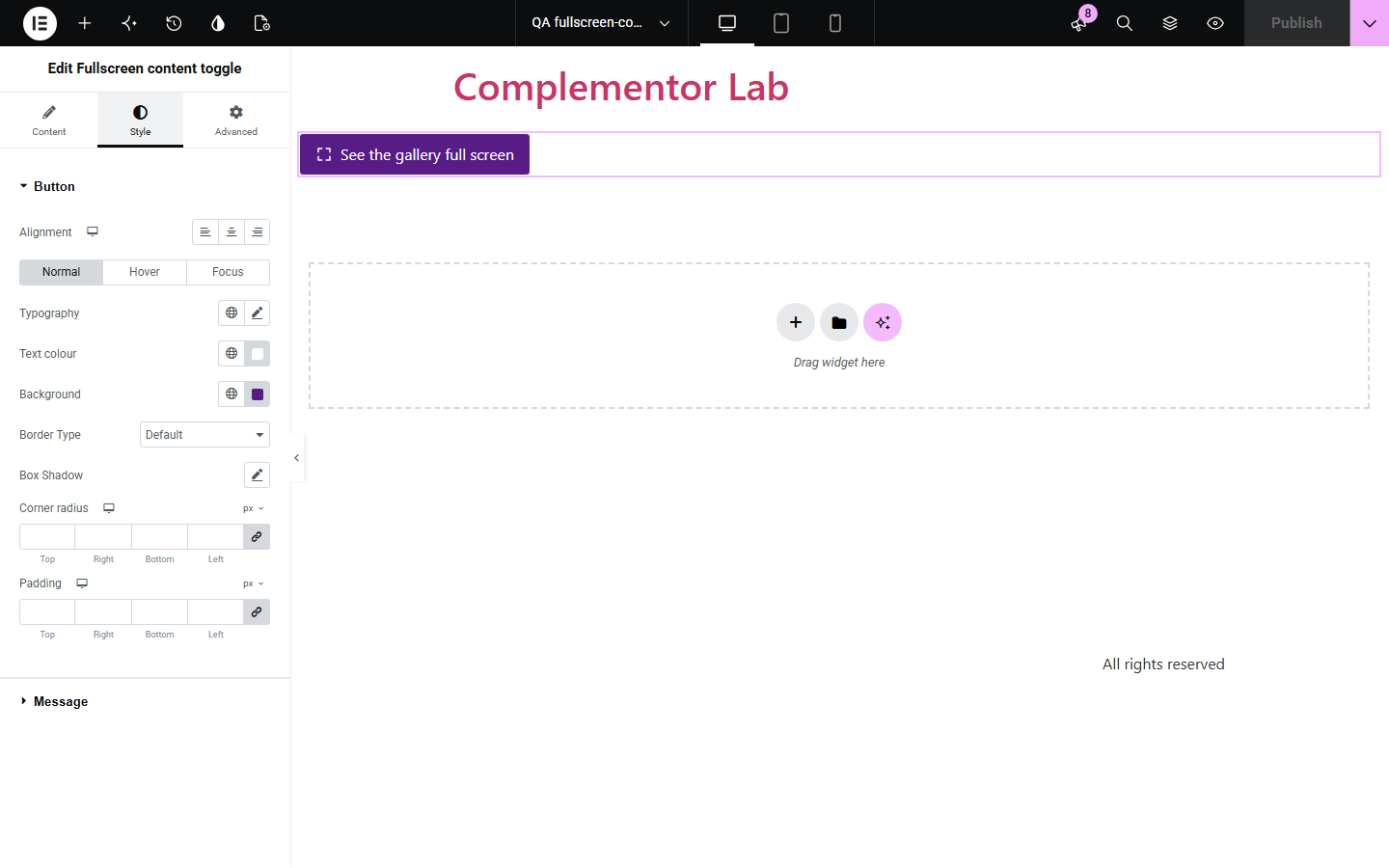
Galleries, menus, slides and long reads look cramped inside a page, and visitors do not know their browser can show them full screen. Fullscreen content toggle adds a button that shows its own container, an element by CSS ID or the whole page full screen, keeps the content readable on the black backdrop, and announces how to leave. Where the browser cannot do it, the button hides or explains instead of failing silently.
Let visitors view photos at full size.
Show a menu full screen on a tablet at the counter.
Show a slide or chart full screen.
Start with Complementor installed and your license connected. Enable this module in the WordPress library, then configure it in Elementor.
Install Complementor, connect your license and enable Fullscreen content toggle in the Complementor library.
Add the widget inside the section or container to show full screen.
Or choose an element by CSS ID, or the whole page.
Adjust the labels and style the button.
Publish the page and try it.
Configure the settings available for this module to suit the page you are building.
Container, CSS ID or whole page.
Label switches to Exit full screen.
Readable background in full screen.
Hidden or explained where unavailable.
Status message with how to leave.
Standard and webkit Fullscreen API.
Compare the existing Elementor workflow with this Complementor module before choosing your setup.
Good for single images, not for a whole section.
Shows the whole window, including your header and footer.
Complementor uses classic Elementor APIs. Atomic-native controls are not implemented. Check your theme, cache and integrations on a staging site before release.
Check these settings if the published page behaves differently from the editor.
That browser has no full screen for page elements, so the button is hidden. Choose Show a message to explain instead.
The editor preview may not allow full screen. Check it on the published page.
It had no background. Set Background in full screen, or give the section a background.
No element on the page has that ID. Set it under Advanced, CSS ID.
No. It works with the free version of Elementor.
Press Esc, or press the button again when it is inside the full-screen content.
Yes. It is a real button, the label states what it will do, and changes are announced.
Yes. Without it the button is not shown.
Yes. Each copy works on its own.
This module is included with all 1007 current Complementor solutions. Choose your production website allowance; every plan includes the same modules.
Renews at $29 USD each year.
Renews at $49 USD each year.
Renews at $99 USD each year.
Applicable taxes extra. Annual subscriptions renew automatically unless canceled in your customer account. Elementor Pro is required for Exclude current post. Read the terms and 14-day technical-issue refund policy.