Resource and download pages
List guides, worksheets or templates with their real size and format.
 I Build Elementor.
Show a Media Library file's real name, type and size with a download link, read from the file itself so the details never go stale.
These are the actual published outputs of the widget for a sample PDF: the default details and link, a styled PDF button, a stacked layout with short labels, a compact size-and-link line, and the text shown before a file is chosen.
Content › Source picks a file from the Media Library. Behaviour opens the link in a new tab and suggests a browser download. Display turns the icon, file name, type, size and download link on or off, edits their labels and sets the text shown when the file is unavailable. The Style tab covers text typography and surface, direction and gaps, icon position, gap, colour and size, and the download link's typography, colours, underline, border, radius, padding, hover and focus.
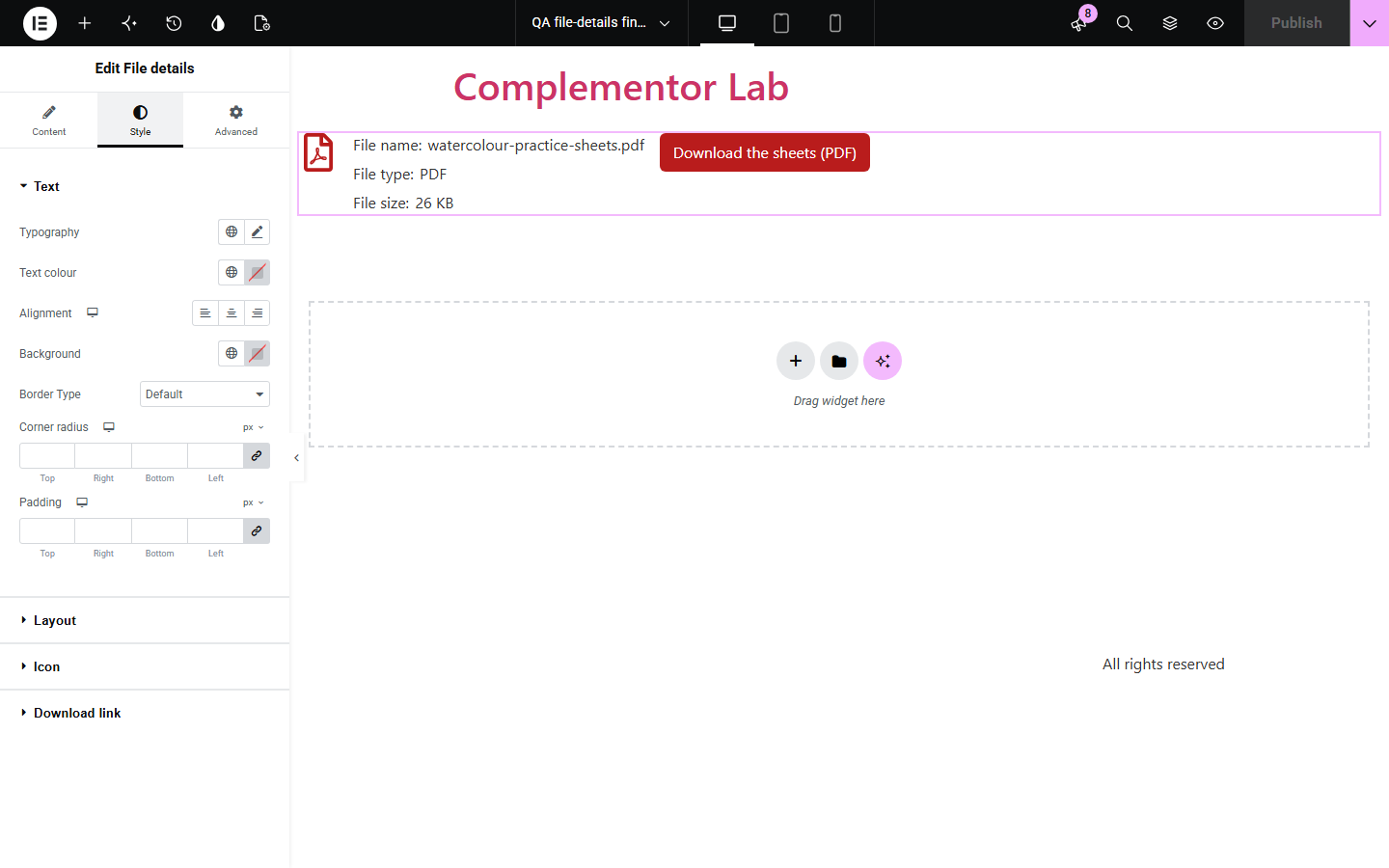
Visitors want to know what they are downloading, such as a 26 KB PDF or a 40 MB ZIP, before they click, but typing file sizes by hand goes out of date when the file is replaced. File details reads the name, type and size from the actual Media Library file on every page load and shows them beside a download link you can style as text or a button.
List guides, worksheets or templates with their real size and format.
Show the size of logo packs and press releases before journalists download them.
Give students the file type and size of each handout.
Start with Complementor installed and your license connected. Enable this module in the WordPress library, then configure it in Elementor.
Install Complementor, connect your license and enable File details in the Complementor library.
Upload the file (PDF, ZIP, DOCX and so on) to the Media Library.
Add the widget and choose the file in Content › Source.
Choose which details to show, edit the labels and the download link text.
Style the link as text or a button, publish, and click it to check the download.
Configure the settings available for this module to suit the page you are building.
One file from the Media Library; nothing is fetched from other sites.
File name, type from the extension and real size, each with an editable label or no label.
Download link with your text, optional new tab and a download attribute hint.
Optional icon before or after the details.
Text shown when the file is unavailable, or nothing; the editor always explains why.
Style: text, layout direction and gaps, icon, and link typography, colours, underline, border, radius, padding, hover and focus.
Compare the existing Elementor workflow with this Complementor module before choosing your setup.
A Button can link to a file, but the name, type and size must be typed and kept up to date by hand. This widget reads them from the file.
The block editor's File block shows a file name and download button in posts. This widget adds type and size and works inside Elementor layouts.
Complementor uses classic Elementor APIs. Atomic-native controls are not implemented. Check your theme, cache and integrations on a staging site before release.
Check these settings if the published page behaves differently from the editor.
No file is chosen, or the file no longer exists, or it is attached to a post visitors cannot see. Set the unavailable text if you want visitors to see a message.
Sizes use WordPress's format, where 1 KB is 1,024 bytes, so they can differ slightly from some operating systems.
Suggest browser download adds a download hint, but browsers decide. PDFs often open in the browser's viewer.
No. Only files in this site's Media Library are used, so the details can be checked.
No. It shows details and a normal link; it does not restrict, count or track downloads.
No. It works with the free version of Elementor.
No. Only the file's name is shown, never its location on the server.
Yes. Details are read from the file each time the page is generated.
Yes. It is a real underlined link by default with a visible focus outline.
This module is included with all 1007 current Complementor solutions. Choose your production website allowance; every plan includes the same modules.
Renews at $29 USD each year.
Renews at $49 USD each year.
Renews at $99 USD each year.
Applicable taxes extra. Annual subscriptions renew automatically unless canceled in your customer account. Elementor Pro is required for Exclude current post. Read the terms and 14-day technical-issue refund policy.