Editorial teams
Remind writers to describe featured images.
 I Build Elementor.
An editing aid that checks the featured image's alternative text while you edit in Elementor, with a link to fix it. Visitors never see it.
The hint appears only while editing; the screenshot below is from the Elementor editor.
Content sets the message for missing text, whether fine results are shown and whether to link to the image's edit screen. The Style tab covers the note's text, surface and the problem and fine colours.
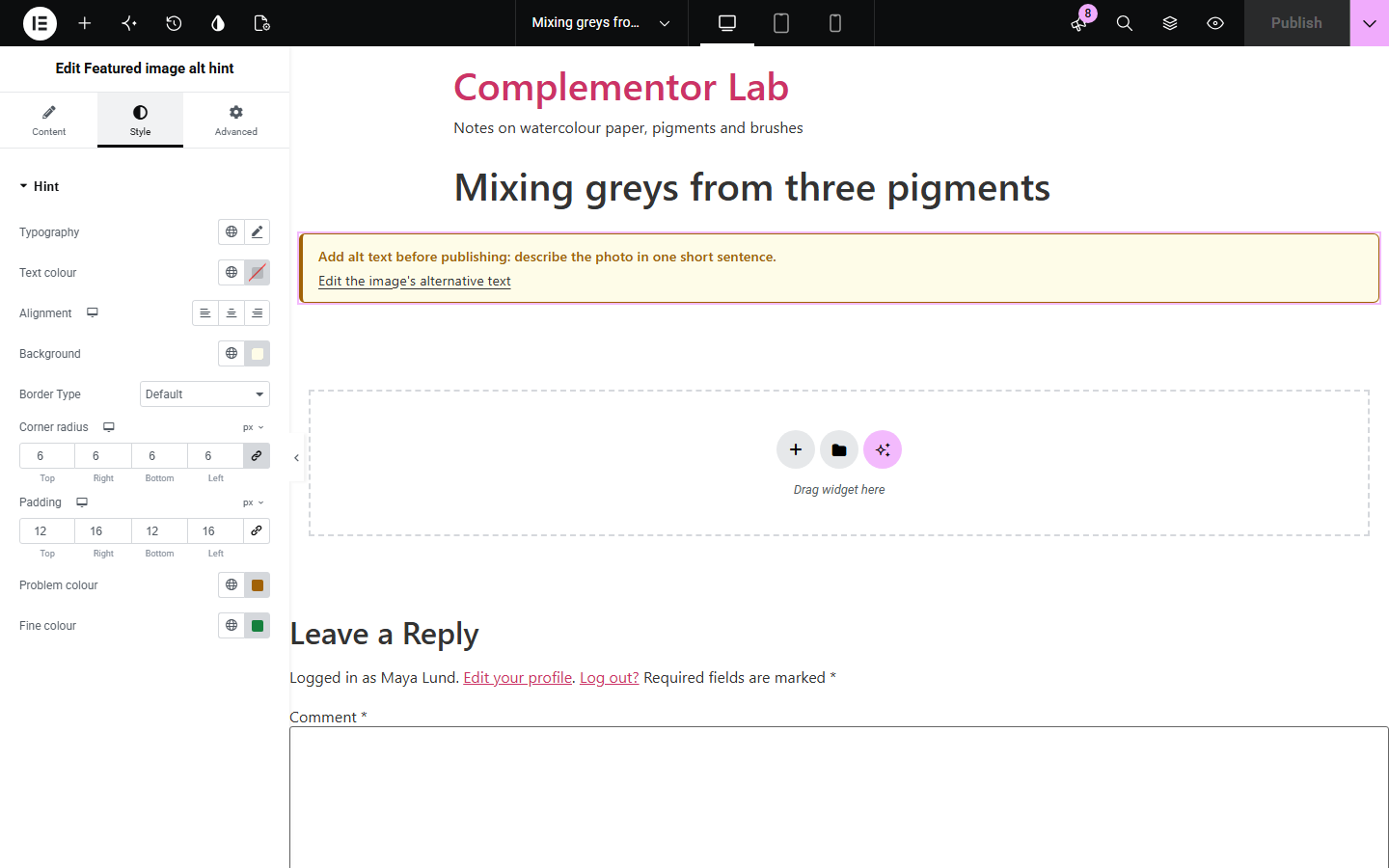
Featured images often go out with no alternative text, a camera file name such as IMG_2041.jpg, or "image of..." in front, which makes them harder to use with a screen reader. Featured image alt hint checks the current post's featured image while you edit in Elementor, says what to improve and links to the image's edit screen. It prints nothing on the live site, so visitors never see it.
Remind writers to describe featured images.
Check post images before a campaign goes live.
Spot weak alt text while editing templates.
Start with Complementor installed and your license connected. Enable this module in the WordPress library, then configure it in Elementor.
Install Complementor, connect your license and enable Featured image alt hint in the Complementor library.
Add the widget to a page or template.
Place it near the featured image in a post template.
Edit the missing-text message if you like.
Open posts in Elementor and fix any text it flags.
Configure the settings available for this module to suit the page you are building.
Shown only while editing.
Never visible to visitors.
Flags missing alt text.
Flags file names and "image of".
Flags very long text.
Link to the image edit screen.
Compare the existing Elementor workflow with this Complementor module before choosing your setup.
Scan whole pages; heavier for one reminder.
Easy to forget for every featured image.
Complementor uses classic Elementor APIs. Atomic-native controls are not implemented. Check your theme, cache and integrations on a staging site before release.
Check these settings if the published page behaves differently from the editor.
It is an editing aid and never prints anything for visitors.
You need permission to edit the post.
It matches the image file name or a camera name such as IMG_2041.
No. It checks English wording only.
No. It works with the free version of Elementor.
No. It is printed only in the Elementor editor and preview for people who can edit the post.
No. It checks the featured image's alternative text only.
It helps you write better alternative text; the note itself is marked as a note for screen readers while editing.
No. The output is plain HTML made by WordPress when the page loads.
This module is included with all 1007 current Complementor solutions. Choose your production website allowance; every plan includes the same modules.
Renews at $29 USD each year.
Renews at $49 USD each year.
Renews at $99 USD each year.
Applicable taxes extra. Annual subscriptions renew automatically unless canceled in your customer account. Elementor Pro is required for Exclude current post. Read the terms and 14-day technical-issue refund policy.