Venue and room hire
Seats for each layout.
 I Build Elementor.
Work out the seats available in a room laid out in rows after blocked seats, and how many are left for the guests you expect.
Each example below is the actual published output of the Event seat capacity planner widget for a sample venue. Visitors can change every value.
Content sets the starting numbers, which fields visitors see, live updates and labels. The Style tab covers the layout, answer, fill bar, fields and button.
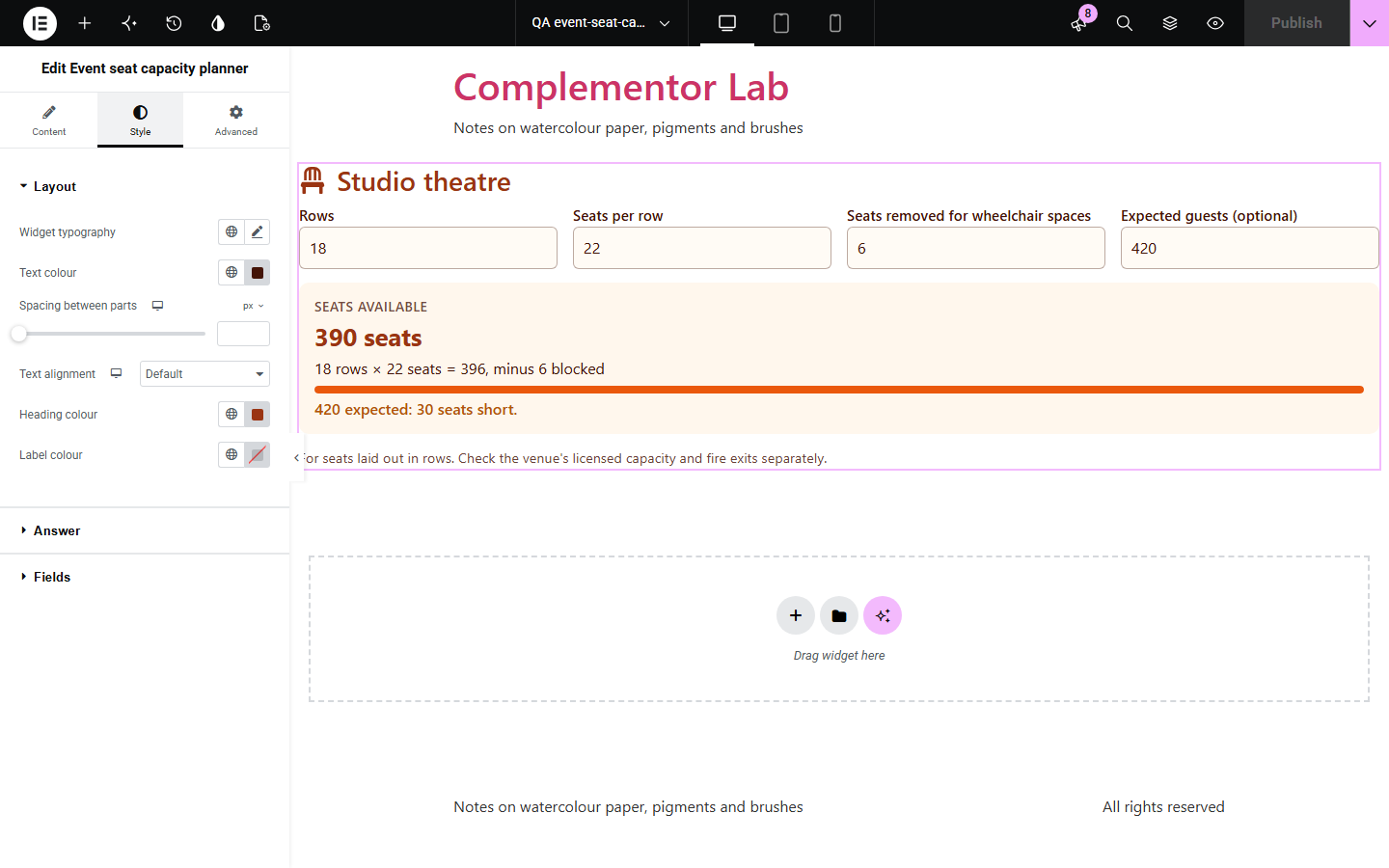
Venues, churches and event planners are often asked how many people a room seats and whether it is enough. The answer depends on the rows, the seats per row and the seats lost to sound desks, cameras or wheelchair spaces. Event seat capacity planner lets visitors enter those numbers and shows the seats available and how many are left for their guests.
Seats for each layout.
Chairs for the guest list.
Seats after cameras and access.
Start with Complementor installed and your license connected. Enable this module in the WordPress library, then configure it in Elementor.
Install Complementor, connect your license and enable Event seat capacity planner in the Complementor library.
Add the widget to a venue, room hire or event page.
Enter the starting rows, seats per row and blocked seats.
Choose whether visitors enter blocked seats and expected guests.
Style the answer, fill bar and fields.
Configure the settings available for this module to suit the page you are building.
Rows and seats per row.
Blocked seats.
Expected guests.
Seats to spare or short.
Live or button.
Your own labels.
Compare the existing Elementor workflow with this Complementor module before choosing your setup.
Assigns seats; heavy for a quick count.
Cannot adapt to the visitor.
Complementor uses classic Elementor APIs. Atomic-native controls are not implemented. Check your theme, cache and integrations on a staging site before release.
Check these settings if the published page behaves differently from the editor.
Rows and seats must be whole numbers from 1 to 1000.
They cannot be more than the seats in the room.
It shows when expected guests are entered.
No. Check the venue's licence and fire exits.
No. It works with the free version of Elementor.
No. It counts seats laid out in rows.
Yes. Blocked seats and expected guests can be set by you instead.
No. It runs in the browser.
Yes. Every field has a label and the answer is announced.
This module is included with all 1007 current Complementor solutions. Choose your production website allowance; every plan includes the same modules.
Renews at $29 USD each year.
Renews at $49 USD each year.
Renews at $99 USD each year.
Applicable taxes extra. Annual subscriptions renew automatically unless canceled in your customer account. Elementor Pro is required for Exclude current post. Read the terms and 14-day technical-issue refund policy.