Help and contact pages
Let visitors check an address before they send it.
 I Build Elementor.
Let visitors check that an email address is well formed, see exactly what is wrong and fix likely typos, or check a whole list and copy the valid addresses.
These are the actual published widgets running in your browser; type an address or paste a list to try them.
Checking sets one address or a list, the starting text, whether "Name <address>" is read, international domains, letters outside A to Z before the @, whether the domain needs a dot, typo suggestions and your own domains. Behaviour sets live checking or a Check button. Labels names the field, the suggestion, the list results, the copy button and the note. The Style tab covers the layout, the result colours, the field and the buttons.
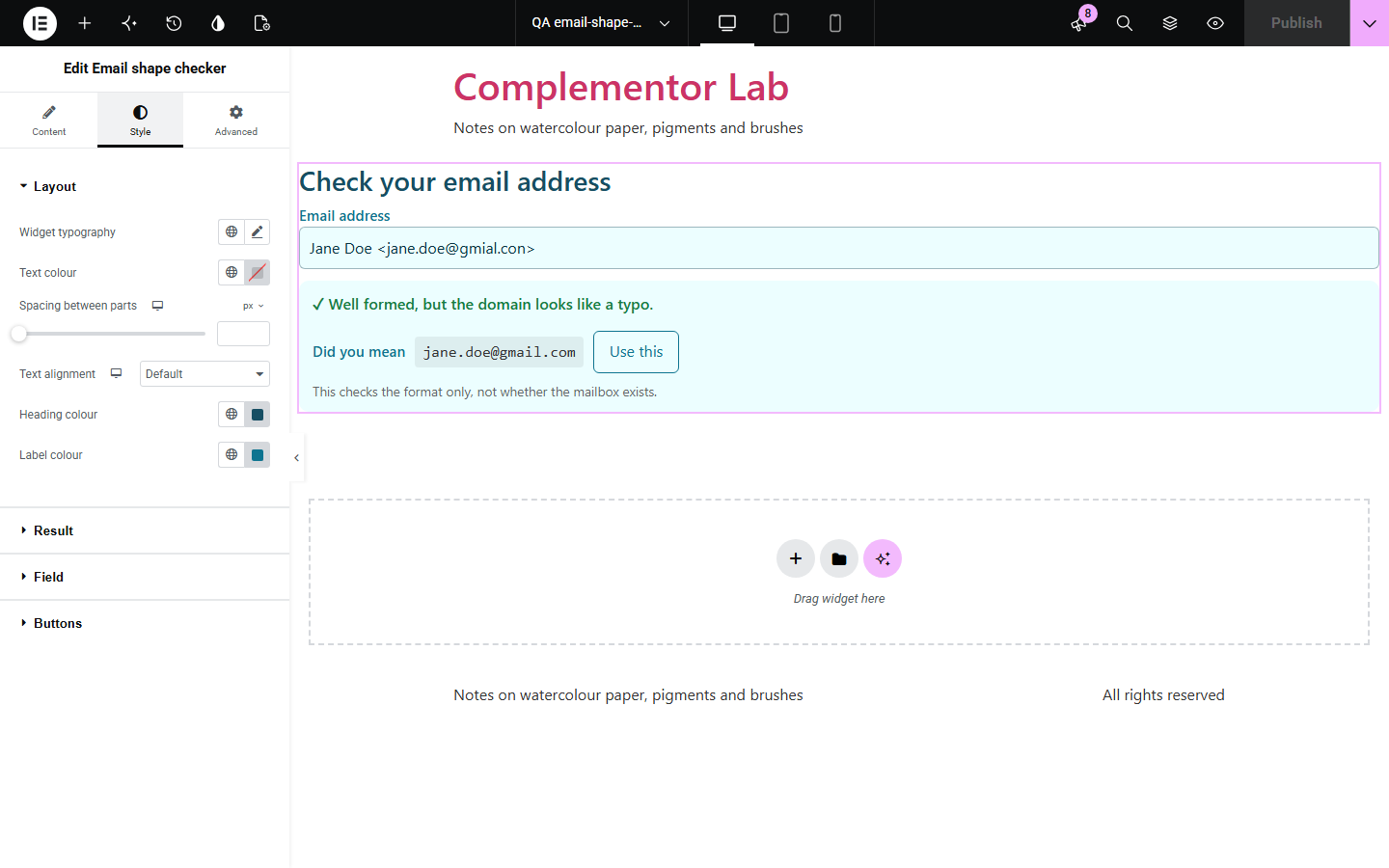
A mistyped email address means a lost order confirmation, a newsletter that never arrives or a contact that cannot be reached, and most forms only say the address is invalid without saying why. Email shape checker reads an address the way mail systems expect it, explains each problem in plain words, suggests a fix for likely typos such as gmial.com or gmail.con, and can check a pasted list, flagging repeats and keeping the valid addresses ready to copy.
Let visitors check an address before they send it.
Paste a list to find problems, repeats and typos and copy the clean list.
Give support staff a quick way to check an address from a customer.
Start with Complementor installed and your license connected. Enable this module in the WordPress library, then configure it in Elementor.
Install Complementor, connect your license and enable Email shape checker in the Complementor library.
Add the widget to a contact, help or admin page.
Choose whether it checks one address or a list.
Choose which address forms to accept and add your own domains for typo suggestions.
Set the labels and style the result.
Configure the settings available for this module to suit the page you are building.
One address, or a list pasted one per line or separated by commas.
Each problem explained, such as a missing @, two dots together or a character that is not allowed.
Typo suggestions for common providers and your own domains, with a button to use the fix.
"Name <address>" and mailto: read as the address.
International domains, and letters outside A to Z before the @ with a warning.
Repeats flagged in lists, with the valid addresses ready to copy.
Compare the existing Elementor workflow with this Complementor module before choosing your setup.
Checks a username against your rules.
Shows hidden Unicode characters in text.
Complementor uses classic Elementor APIs. Atomic-native controls are not implemented. Check your theme, cache and integrations on a staging site before release.
Check these settings if the published page behaves differently from the editor.
Its domain is one or two letters from a common provider. The address still passes; add the domain to your own domains to stop the suggestion.
The domain has no dot. Turn off the dot requirement for internal addresses.
Quoted text before the @, such as "jane doe"@example.com, is allowed by the standard but rarely accepted by forms, so it is flagged.
No. It works with the free version of Elementor.
No. It checks the format only and contacts no mail server. Nothing is sent anywhere.
Yes, such as müller.de, by default. You can turn them off.
Yes. Choose a list, paste addresses one per line or separated by commas, and copy the valid ones.
Yes. Add your domains and typos of them are suggested along with common providers.
This module is included with all 1007 current Complementor solutions. Choose your production website allowance; every plan includes the same modules.
Renews at $29 USD each year.
Renews at $49 USD each year.
Renews at $99 USD each year.
Applicable taxes extra. Annual subscriptions renew automatically unless canceled in your customer account. Elementor Pro is required for Exclude current post. Read the terms and 14-day technical-issue refund policy.