Policies and terms
Show when your privacy policy or terms were last changed and what changed.
 I Build Elementor.
Keep a dated, versioned list of changes on a guide or policy page, with optional source links and your choice of order.
These are the actual published outputs of the widget for a sample guide: the default log, a timeline style with markers, oldest first with visible labels, and a description with bold and code formatting.
Content › Entries is a repeater of date, version, description, source link and link text. Behaviour sets the order (as entered, newest or oldest first) and allows bold, italic, code and line breaks. Display sets the heading and level, date format, visible or screen-reader labels, default link text, empty text and an optional marker icon. The Style tab covers the list spacing, entry padding, background, border and radius, heading, date and version, description, source link states and marker.
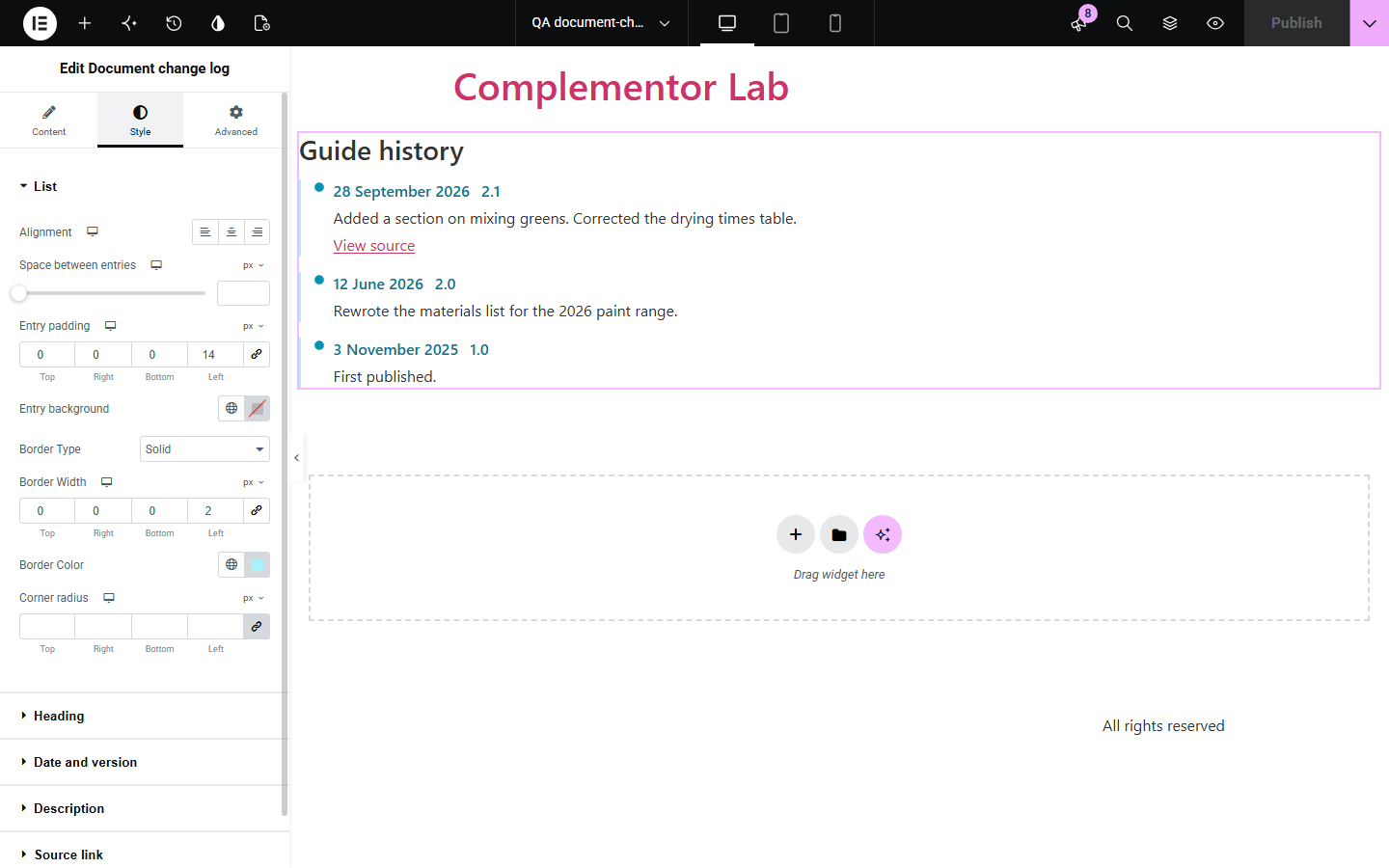
Guides, policies and documentation change over time, and readers want to know what changed and when. Typing the history into a text box gets messy and inconsistent. Document change log keeps each change as a dated entry with an optional version and source link, formats dates consistently and can sort newest or oldest first.
Show when your privacy policy or terms were last changed and what changed.
Keep readers informed about updates to a long guide.
List version history for a downloadable product or template.
Start with Complementor installed and your license connected. Enable this module in the WordPress library, then configure it in Elementor.
Install Complementor, connect your license and enable Document change log in the Complementor library.
Add the widget to the end of your guide or policy page.
Add an entry for each change with its date, version and a short description.
Choose the order and date format, and link entries to their source if you have one.
Style the log, publish, and add an entry whenever the page changes.
Configure the settings available for this module to suit the page you are building.
Repeater of entries: date, version, description, source link and link text (up to 50).
Order as entered, newest first or oldest first; same-date entries keep your order.
Date format from the site setting, presets or your own PHP format.
Labels for date and version shown visibly or only to screen readers.
Optional bold, italic, code and line breaks in descriptions; everything else shown as text.
Style: spacing, padding, background, border, radius, heading, date and version, description, link states and marker icon.
Compare the existing Elementor workflow with this Complementor module before choosing your setup.
Revisions record every save for editors but are not shown to readers. This widget is a short public history you write yourself.
Typed lists drift in format over time. This widget keeps dates, versions and links consistent.
Complementor uses classic Elementor APIs. Atomic-native controls are not implemented. Check your theme, cache and integrations on a staging site before release.
Check these settings if the published page behaves differently from the editor.
The date is not a valid YYYY-MM-DD date. The entry is still shown, without a date.
Descriptions are plain text unless Allow bold, italic, code and line breaks is on, and then only those tags are kept.
Entries without a valid date are listed after dated ones when sorting by date.
Only http, https and site-relative links are used; other link types are ignored.
No. You write each entry; nothing is read from revisions or the modified date.
No. It works with the free version of Elementor.
No. Dates are calendar days and are shown exactly as entered.
Yes. It is an ordered list named by its heading, with time elements, labels for screen readers and context on source links.
Up to 50 entries are shown.
This module is included with all 1007 current Complementor solutions. Choose your production website allowance; every plan includes the same modules.
Renews at $29 USD each year.
Renews at $49 USD each year.
Renews at $99 USD each year.
Applicable taxes extra. Annual subscriptions renew automatically unless canceled in your customer account. Elementor Pro is required for Exclude current post. Read the terms and 14-day technical-issue refund policy.