Delivery cut-offs
Tell shoppers when orders ship.
 I Build Elementor.
Show a short notice with a real close button that stays closed for the browser session, without cookies or server storage.
These are the actual published outputs of the widget; close one and reload the page.
Content sets the text, an optional link, the tone, how long it stays closed, a name to close notices together, the region and button names, the button style and the message after closing. The Style tab covers the notice's typography, colours, border, radius, padding and link colour, and the close button's states and shape.
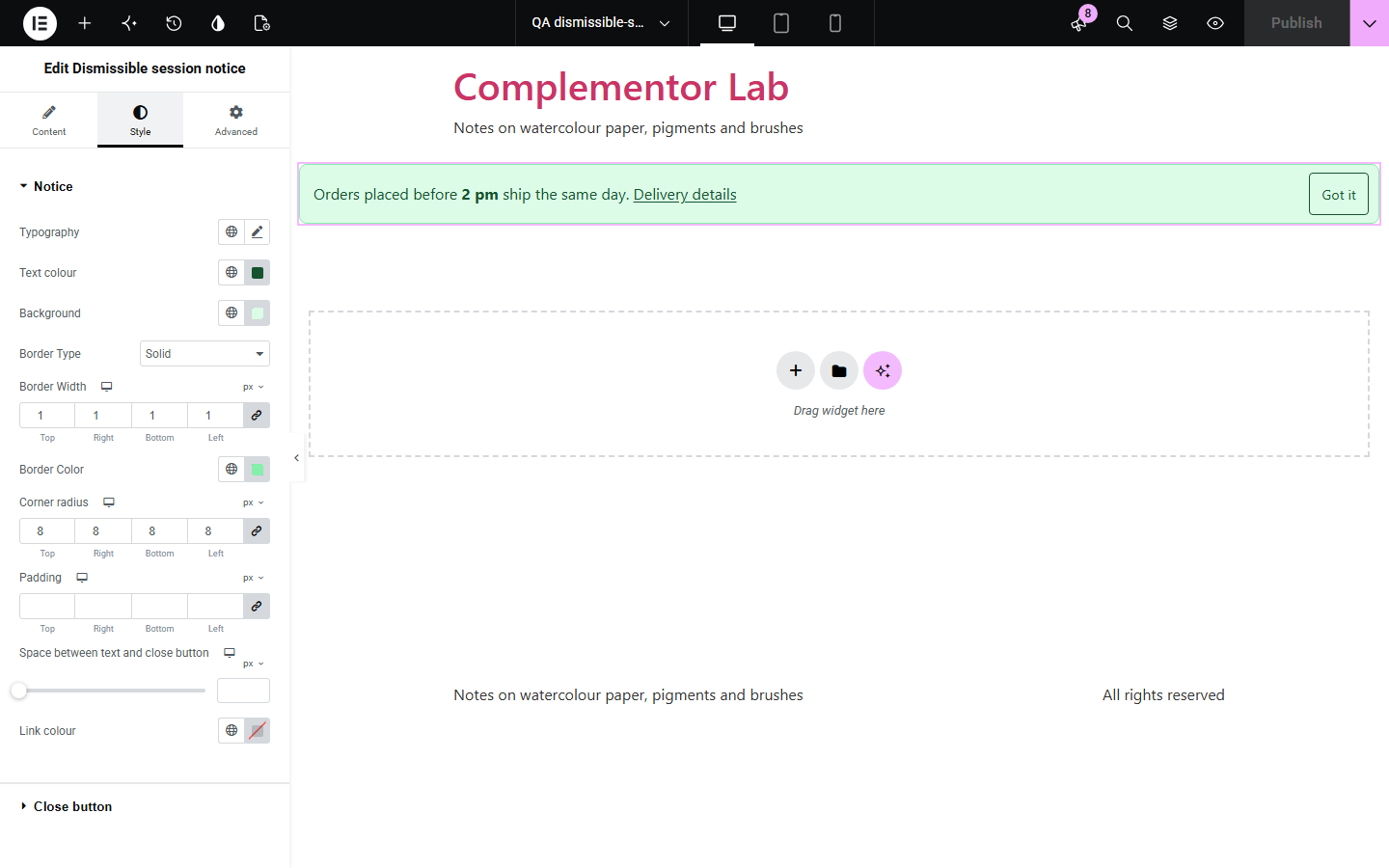
Announcements such as delivery cut-offs, holiday closures or new features help once, then get in the way, and many banner tools use cookies or reappear on every page. Dismissible session notice shows your message with a real close button and keeps it closed for the rest of the session using the browser's session storage, with no cookie and nothing sent anywhere. Change the text and it shows again.
Tell shoppers when orders ship.
Announce closed days once per visit.
Introduce a change and let visitors close it.
Start with Complementor installed and your license connected. Enable this module in the WordPress library, then configure it in Elementor.
Install Complementor, connect your license and enable Dismissible session notice in the Complementor library.
Add the widget to a page or a header template.
Write the notice and an optional link.
Choose the tone and how long it stays closed.
Style it, close it and reload the page.
Configure the settings available for this module to suit the page you are building.
Real close button with a name.
Stays closed for the session.
No cookies, nothing sent.
Shows again when the text changes.
Four tones plus full styling.
Reduced-motion friendly.
Compare the existing Elementor workflow with this Complementor module before choosing your setup.
Set cookies that may need consent.
Cannot be closed and repeats on every page.
Complementor uses classic Elementor APIs. Atomic-native controls are not implemented. Check your theme, cache and integrations on a staging site before release.
Check these settings if the published page behaves differently from the editor.
Closing lasts until the browser tab or window is closed, or only until the next load if set so.
The text changed, so visitors see the new notice. Set a notice name to keep it closed.
It could not close anything, so it is not shown; the notice stays readable.
So you can edit it.
No. It works with the free version of Elementor.
No. Closing is remembered only in the visitor's own browser, for that session.
Yes. The visitor-specific part is done in the browser, so a cached page stays correct.
Yes, for the live part. Without it the widget falls back gracefully, as described above.
It sets no cookie; it uses the browser's session storage, cleared when the session ends.
This module is included with all 1007 current Complementor solutions. Choose your production website allowance; every plan includes the same modules.
Renews at $29 USD each year.
Renews at $49 USD each year.
Renews at $99 USD each year.
Applicable taxes extra. Annual subscriptions renew automatically unless canceled in your customer account. Elementor Pro is required for Exclude current post. Read the terms and 14-day technical-issue refund policy.