FAQ pages
Let visitors open every answer to read or search the page.
 I Build Elementor.
Add an Expand all and Collapse all control for the native details sections on a page or inside one block, kept in sync as visitors open sections themselves.
These are the actual published outputs of the widget. Press a button, or open a section yourself and watch the label follow.
Content sets whether every details section on the page or only those inside one element are toggled, one switching button or a pair, an optional open count, and every label. The Style tab covers the buttons in their Normal, Hover and Focus states, spacing and the count.
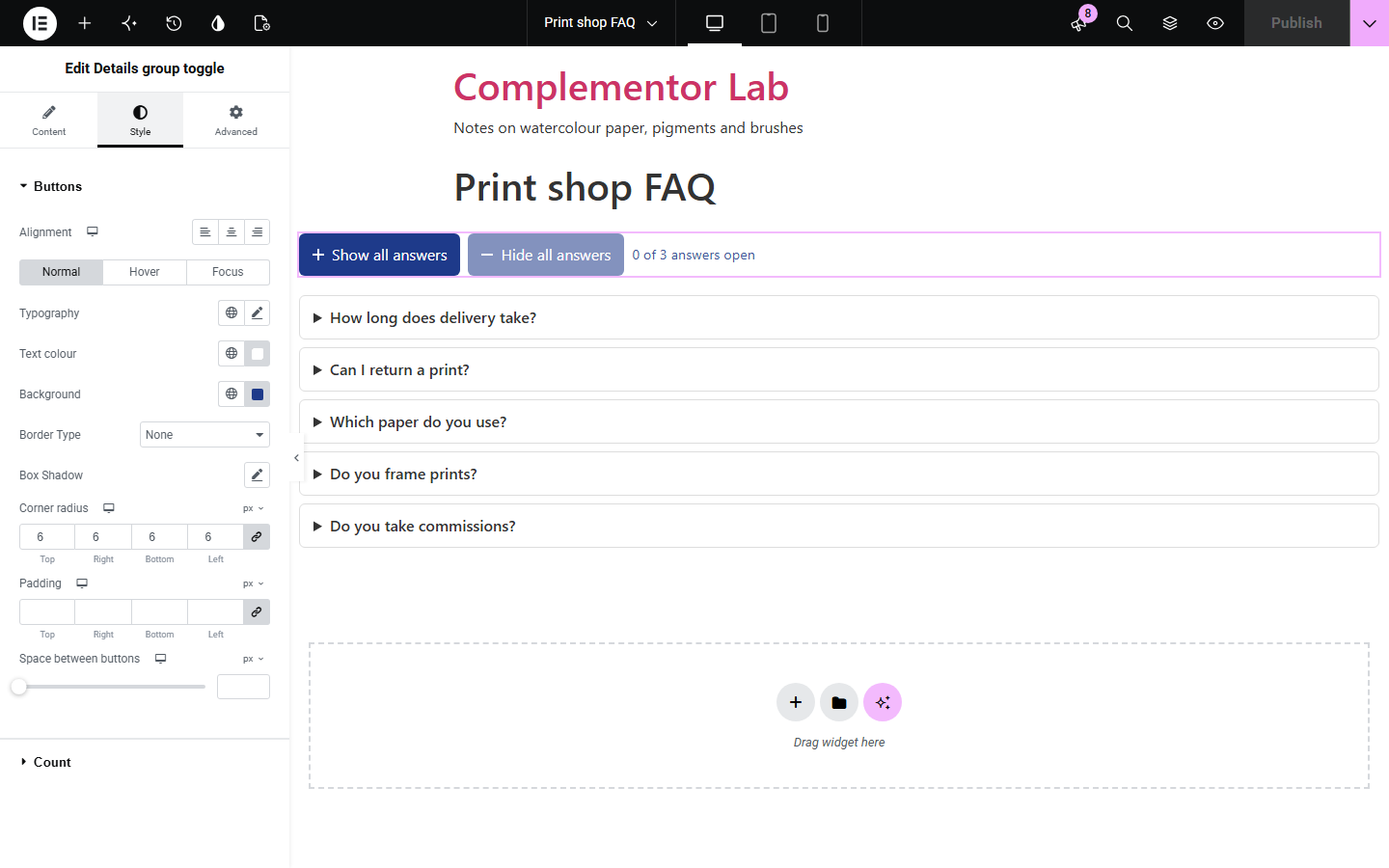
Long FAQ pages and documentation often hide answers in collapsible details sections, and visitors who want to read or search everything have to open them one by one. Details group toggle adds a clear button that opens or closes them all, either on the whole page or inside one block, and keeps its label right when visitors open sections themselves. When there is nothing to toggle it stays out of the way.
Let visitors open every answer to read or search the page.
Collapse long reference sections back to an overview.
Show or hide every lesson summary at once.
Start with Complementor installed and your license connected. Enable this module in the WordPress library, then configure it in Elementor.
Install Complementor, connect your license and enable Details group toggle in the Complementor library.
Add the widget above your FAQ or documentation sections.
Choose the whole page or one element by its CSS ID.
Choose one switching button or a pair, and adjust the labels.
Style it and press the button to check it.
Configure the settings available for this module to suit the page you are building.
Expand all and Collapse all.
Whole page or one element.
One button or a pair.
Stays in sync with visitors.
Optional open count.
Hidden when there is nothing to toggle.
Compare the existing Elementor workflow with this Complementor module before choosing your setup.
Slow on long pages, and browser search misses closed answers in some browsers.
Need code and testing, and rarely keep the button label in sync.
Complementor uses classic Elementor APIs. Atomic-native controls are not implemented. Check your theme, cache and integrations on a staging site before release.
Check these settings if the published page behaves differently from the editor.
No details sections were found, or none inside the element ID you chose. The editor explains which.
Sections that share a name attribute are an exclusive accordion; browsers allow only one of them open.
Native details and summary elements, for example in an HTML widget or the text editor.
It switches to Collapse all only when every section is open.
No. It works with the free version of Elementor.
Yes. It is a real button with aria-expanded and aria-controls, and the result is announced.
Yes. Give the block a CSS ID and choose Only those inside one element.
No. Nothing is stored; each visit starts as the page was built.
Yes. Without it the button is hidden and the sections still work on their own.
This module is included with all 1007 current Complementor solutions. Choose your production website allowance; every plan includes the same modules.
Renews at $29 USD each year.
Renews at $49 USD each year.
Renews at $99 USD each year.
Applicable taxes extra. Annual subscriptions renew automatically unless canceled in your customer account. Elementor Pro is required for Exclude current post. Read the terms and 14-day technical-issue refund policy.