Glossaries
Explain the words your customers meet on your site.
 I Build Elementor.
Show terms and definitions, such as a glossary or product details, as a real HTML definition list with three layouts, A to Z sorting and link anchors.
These are the actual published outputs of the widget, with three layouts.
Content sets the terms and definitions in a repeater (dynamic tags allowed), the layout, the separator for the one-line layout, A to Z sorting and link anchors. The Style tab covers term and definition typography and colours, the term column width, spacing, lines between items, and item background, padding and radius.
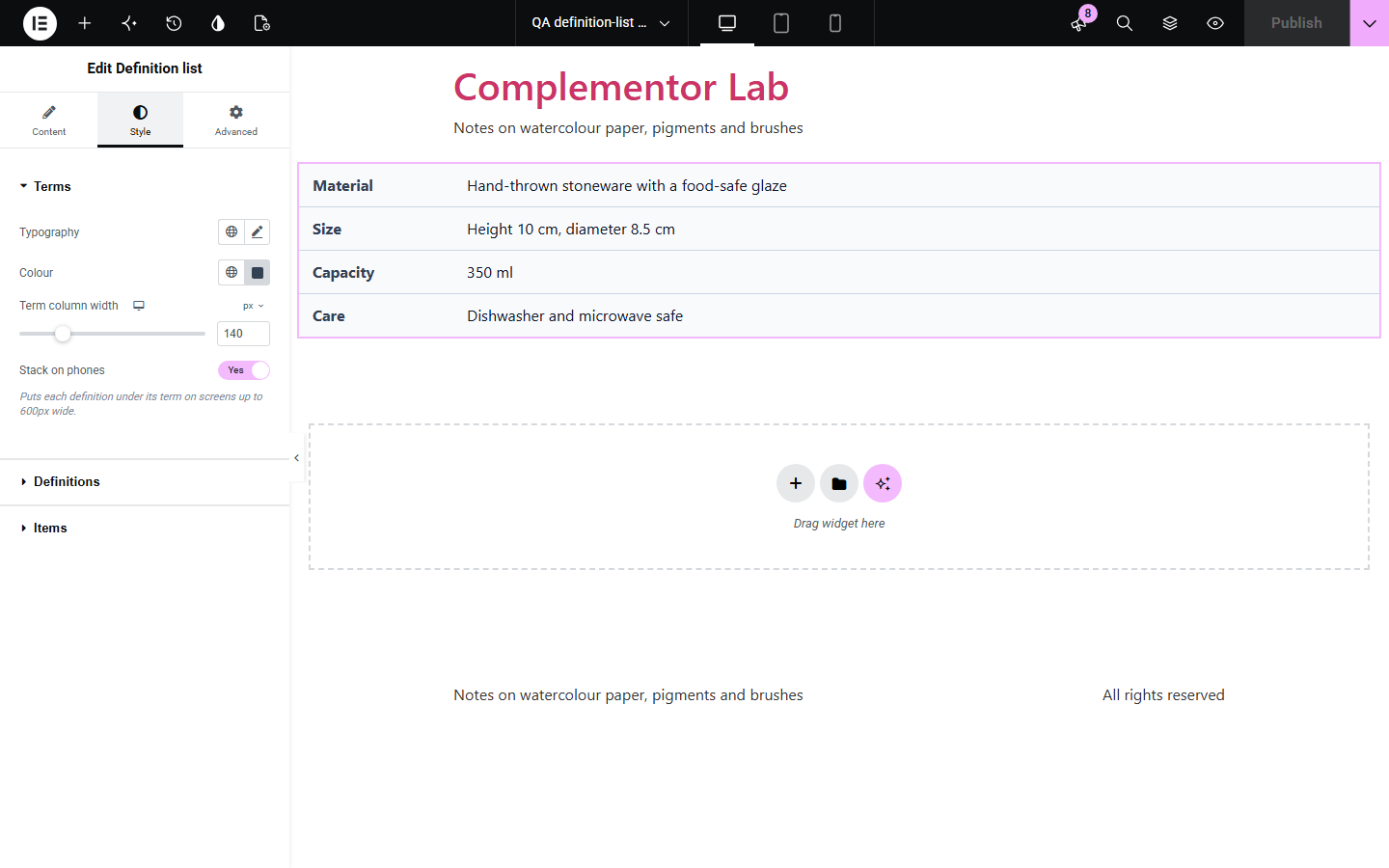
Glossaries, product specifications and opening details are pairs of a term and its meaning, but they are often built from loose headings and paragraphs, or a table that reads badly on a phone. Definition list keeps them as a real HTML definition list, edited one item at a time, so screen readers and search engines understand the pairs. Choose term above, beside or on one line with its definition, sort the terms A to Z, and give each term a link anchor.
Explain the words your customers meet on your site.
List material, size and care in a readable way.
Show opening times, prices or contact details as pairs.
Start with Complementor installed and your license connected. Enable this module in the WordPress library, then configure it in Elementor.
Install Complementor, connect your license and enable Definition list in the Complementor library.
Add the widget to a page.
Add a term and a definition for each item.
Choose a layout, sorting and link anchors.
Style the terms, definitions and lines.
Configure the settings available for this module to suit the page you are building.
Real dl, dt and dd markup.
Repeater with dynamic tags.
Three layouts.
A to Z sorting.
Link anchor for each term.
Links and bold in definitions.
Compare the existing Elementor workflow with this Complementor module before choosing your setup.
Look similar but lose the link between term and definition.
Suits many columns but reads poorly on phones for simple pairs.
Complementor uses classic Elementor APIs. Atomic-native controls are not implemented. Check your theme, cache and integrations on a staging site before release.
Check these settings if the published page behaves differently from the editor.
Items without a term are skipped. Add a term to the item.
Definitions allow links, bold, italic and code. Other HTML is removed for safety.
Turn on link anchors and link to the page address followed by #term- and the term, for example #term-glaze.
The side-by-side layout stacks below 600 pixels so long definitions stay readable.
No. It works with the free version of Elementor.
Yes. Terms and definitions accept dynamic tags.
It sorts A to Z ignoring capital letters and accents.
Yes. It uses real definition list markup that screen readers announce as terms and definitions.
No. The list is plain HTML.
This module is included with all 1007 current Complementor solutions. Choose your production website allowance; every plan includes the same modules.
Renews at $29 USD each year.
Renews at $49 USD each year.
Renews at $99 USD each year.
Applicable taxes extra. Annual subscriptions renew automatically unless canceled in your customer account. Elementor Pro is required for Exclude current post. Read the terms and 14-day technical-issue refund policy.