Travel and rentals
Show guests how long a trip or booking lasts.
 I Build Elementor.
Let visitors pick two dates and see how many days are between them, optionally in weeks and days.
These are the actual published outputs of the widget: a blank calculator, a trip with both dates counted and a weeks breakdown, and a notice period that excludes the end date. Change either date to recount.
Content › Dates sets the field labels and optional default dates. Behaviour chooses whether both dates are counted, whether an end before the start is allowed, and whether to show weeks and days. Display sets the result label, day and week words, the notes and messages, and a result icon. The Style tab covers labels, field layout, date input states and alignment, and the result.
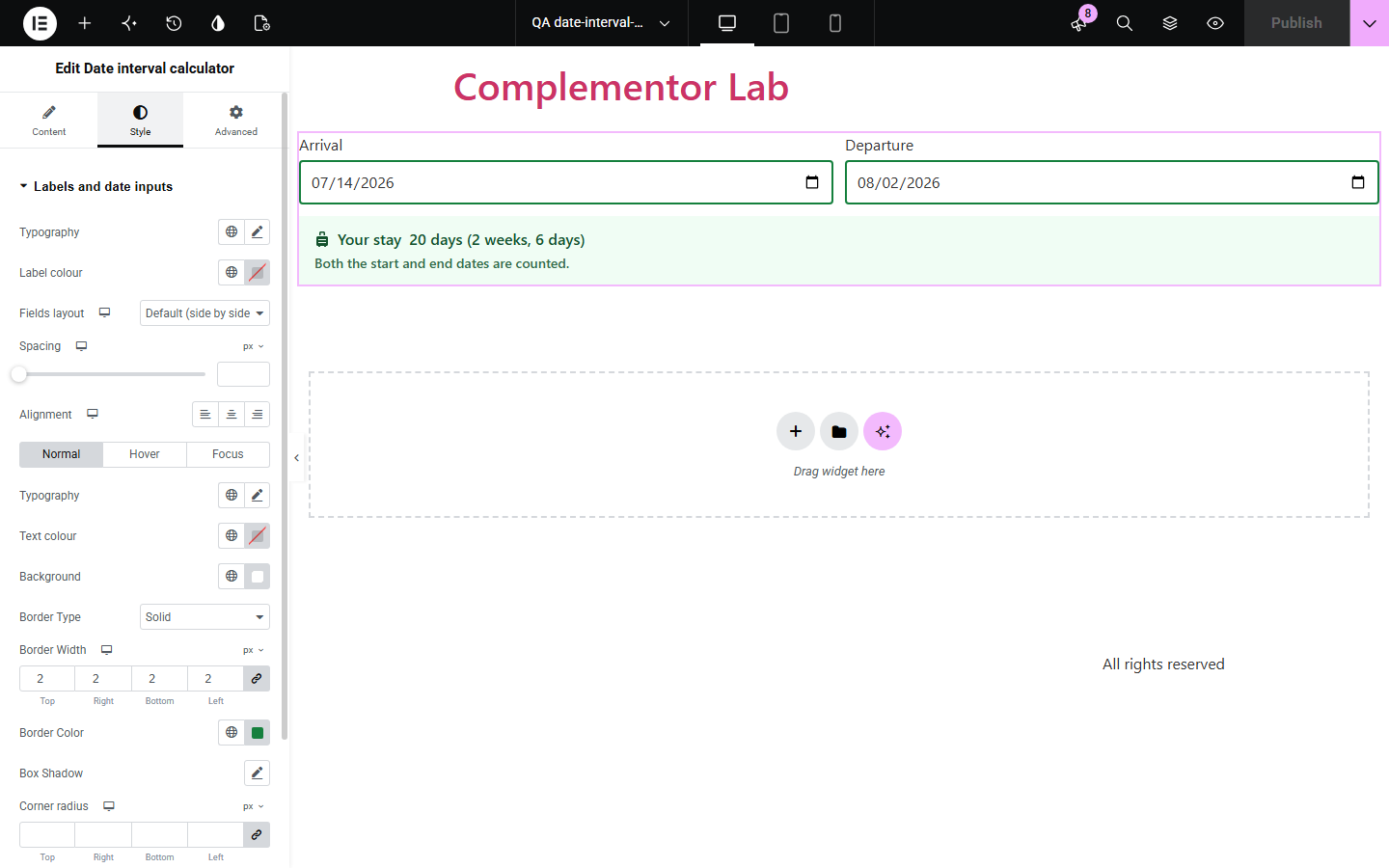
Trip lengths, notice periods and deadlines all need the number of days between two dates, and counting on a calendar is slow and easy to get wrong by one. Date interval calculator counts the days on your page, says whether both dates are counted, and never shifts by a day across time zones or daylight-saving changes.
Show guests how long a trip or booking lasts.
Let readers count notice periods and deadlines.
Count the days between two milestones.
Start with Complementor installed and your license connected. Enable this module in the WordPress library, then configure it in Elementor.
Install Complementor, connect your license and enable Date interval calculator in the Complementor library.
Add the widget and rename the date labels if needed.
Choose whether both dates are counted.
Optionally set default dates and turn on weeks and days.
Publish and pick two dates to check the count.
Configure the settings available for this module to suit the page you are building.
Native date pickers with your own labels.
Count days between, or include both dates.
Optional weeks and days breakdown.
Reject or allow an end date before the start.
Editable words and messages for any language.
Style: labels, fields, input states, result, icon.
Compare the existing Elementor workflow with this Complementor module before choosing your setup.
Manual counting is slow and often off by one. The widget states which dates are counted.
They take visitors away. This one sits next to your content.
Complementor uses classic Elementor APIs. Atomic-native controls are not implemented. Check your theme, cache and integrations on a staging site before release.
Check these settings if the published page behaves differently from the editor.
Check Count in Behaviour: days between excludes the end date, both dates included adds one.
Swap the dates, or turn on Allow end before start to show the size of the interval.
Defaults must be real dates in YYYY-MM-DD format; others are ignored.
No. It counts calendar days only.
No. It works with the free version of Elementor.
No. Dates are counted as calendar days, so the result is the same everywhere.
Yes. February 29 exists only in leap years, and is counted in them.
Yes. Fields are labelled, invalid dates are flagged, and the result is announced.
No. It counts calendar days, with an optional weeks and days breakdown.
This module is included with all 1007 current Complementor solutions. Choose your production website allowance; every plan includes the same modules.
Renews at $29 USD each year.
Renews at $49 USD each year.
Renews at $99 USD each year.
Applicable taxes extra. Annual subscriptions renew automatically unless canceled in your customer account. Elementor Pro is required for Exclude current post. Read the terms and 14-day technical-issue refund policy.