Contact and booking forms
Explain what happens to a name, email or phone number before it is sent.
 I Build Elementor.
Show visitors, next to a form or feature, what personal data you collect, why, how long you keep it and whom to ask.
These are the actual published outputs of the widget, built from sample statements. The email address is an example.
Entries holds one row per kind of data: category, purpose, retention and contact. Layout chooses blocks, a table that stacks on phones, or one line per entry, plus direction and spacing. Heading and text adds a heading, an introduction, the labels for each part, an optional privacy policy link and a message when there are no entries. The Style tab covers the entries, category, label and link colours, table lines and header, the heading and introduction, and an optional icon.
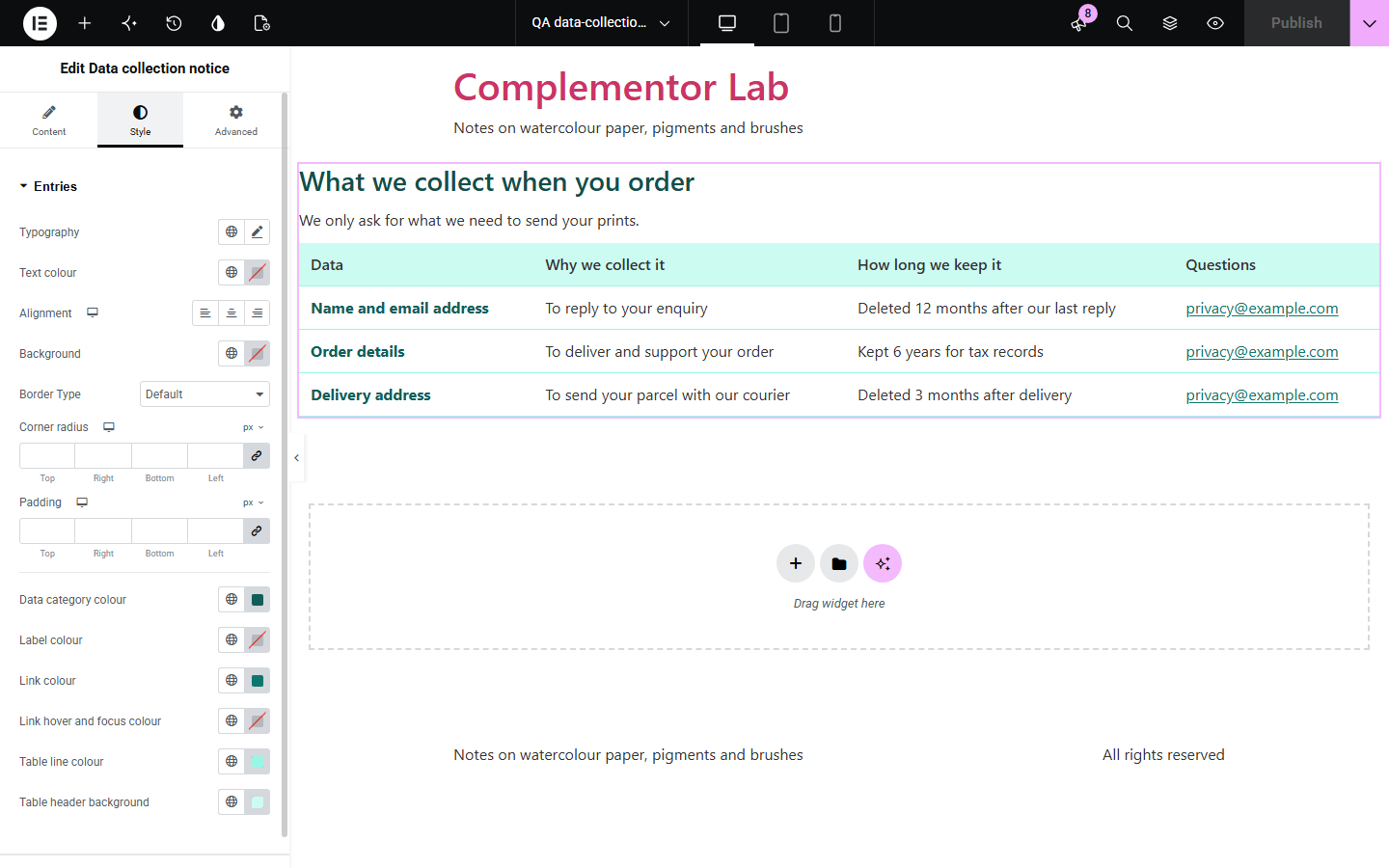
Visitors are more willing to fill in a form when they can see, right there, what happens to their details. A full privacy policy is long and on another page. Data collection notice puts a short, structured summary beside the form: each kind of data with its purpose, how long it is kept and whom to contact, as blocks, a table or one line each.
Explain what happens to a name, email or phone number before it is sent.
Summarise order, delivery and payment data in a table.
Say how long an address is kept and how to unsubscribe or ask.
Start with Complementor installed and your license connected. Enable this module in the WordPress library, then configure it in Elementor.
Install Complementor, connect your license and enable Data collection notice in the Complementor library.
Add the widget next to the form or feature that collects data.
In Entries, add one row per kind of data with its purpose, retention statement and contact.
In Layout choose blocks, a table or one line per entry; in Heading and text add a heading, introduction and the privacy policy link.
Style the entries, links and table on the Style tab, then check the notice on a phone.
Configure the settings available for this module to suit the page you are building.
Up to 40 entries, each with data category, purpose, retention statement and contact.
Three layouts: blocks with labelled details, a table that stacks on phones, or one line per entry.
Editable labels such as Why we collect it and How long we keep it.
Email contacts become mailto links and https addresses become links.
Optional link to the privacy policy page set in Settings › Privacy.
Optional heading with its own tag and an introduction.
Table columns that nobody filled in are left out.
Compare the existing Elementor workflow with this Complementor module before choosing your setup.
Use it for the full legal policy; this widget gives a short summary beside a form and can link to it.
Needed when you must collect and record consent; this widget only shows statements.
Complementor uses classic Elementor APIs. Atomic-native controls are not implemented. Check your theme, cache and integrations on a staging site before release.
Check these settings if the published page behaves differently from the editor.
There are no entries with a data category. Add one, or set Text when there are no entries.
It needs a published page chosen in Settings › Privacy and Link to the privacy policy turned on.
Only email addresses and http or https web addresses become links; other text is shown as written.
Columns that are empty for every entry are left out. Fill in that part for at least one entry.
No. It works with the free version of Elementor.
No. It only shows the statements you write; it certifies nothing and manages no consent.
No. It shows text and links and makes no network requests.
Yes. Under 600 pixels each row stacks, with its labels in front of each value.
Yes. Choose One line per entry under Layout.
This module is included with all 1007 current Complementor solutions. Choose your production website allowance; every plan includes the same modules.
Renews at $29 USD each year.
Renews at $49 USD each year.
Renews at $99 USD each year.
Applicable taxes extra. Annual subscriptions renew automatically unless canceled in your customer account. Elementor Pro is required for Exclude current post. Read the terms and 14-day technical-issue refund policy.