Home pages
Welcome visitors with a greeting that fits their time of day.
 I Build Elementor.
Greet visitors with good morning, afternoon or evening by their own clock, optionally with a signed-in visitor's name, safely on cached pages.
These are the actual published outputs of the widget. The greeting follows your own clock.
Content sets who sees the greeting, the four time-of-day texts or one fixed text, the visitor's name and a message underneath. The Style tab covers greeting and message typography and colours, the name colour, alignment, and the box background, border, radius and padding.
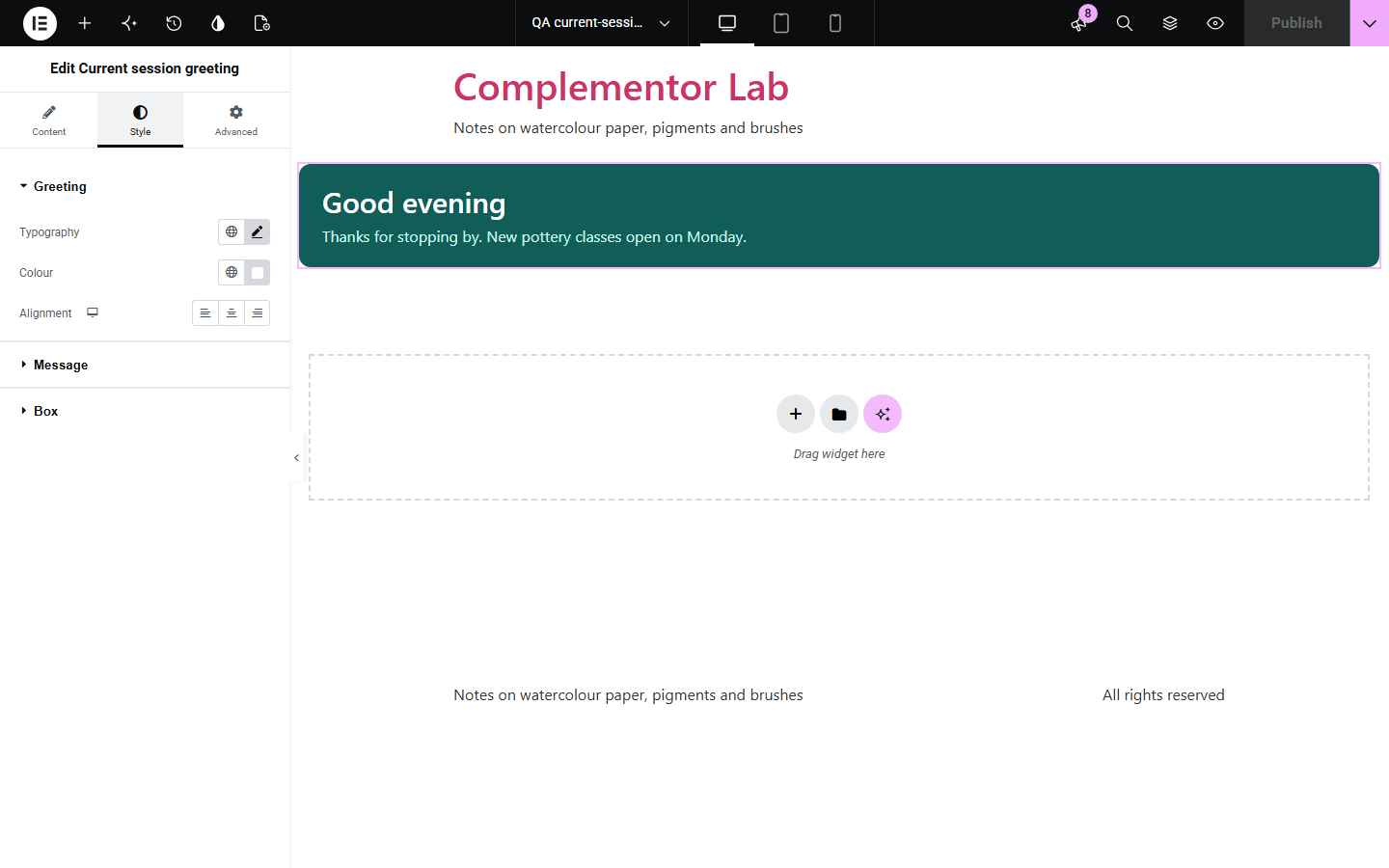
A friendly “Good morning” at the top of a page is easy to get wrong. If the server picks it, visitors in other time zones get the wrong greeting, and a page cache can keep showing “Good morning” all evening or show one member's name to everyone. Current session greeting picks the greeting in the visitor's own browser from their clock. A signed-in visitor's name is fetched by their own browser and never written into the page.
Welcome visitors with a greeting that fits their time of day.
Greet signed-in members by name without risking cached pages.
Add a friendly line above offers or news.
Start with Complementor installed and your license connected. Enable this module in the WordPress library, then configure it in Elementor.
Install Complementor, connect your license and enable Current session greeting in the Complementor library.
Add the widget to a page or header.
Choose who sees it and write the greetings.
Turn on the visitor's name if you like.
Style the greeting and the box.
Configure the settings available for this module to suit the page you are building.
Greeting by the visitor's clock.
Four time-of-day texts.
One fixed greeting option.
Signed-in visitors only option.
Visitor's name, fetched safely.
Message under the greeting.
Compare the existing Elementor workflow with this Complementor module before choosing your setup.
Shows the same words all day and cannot use the visitor's name.
Can show the wrong greeting or name when pages are cached.
Complementor uses classic Elementor APIs. Atomic-native controls are not implemented. Check your theme, cache and integrations on a staging site before release.
Check these settings if the published page behaves differently from the editor.
The greeting needs JavaScript. With “Signed-in visitors only”, it also stays hidden until your browser confirms you are signed in.
Names are shown only to signed-in visitors, and only when the theme marks the page with the WordPress “logged-in” body class. Names that look like an email address are never shown.
Night uses the evening text unless you set a night greeting.
The first word of the visitor's display name, or the full display name if you choose it. Users set it in their profile.
No. It works with the free version of Elementor.
Yes. The greeting and the name are filled in by each visitor's own browser, so a cached page never shows the wrong one.
No. It stores nothing in cookies or browser storage.
The visitor's own device clock, so every visitor sees a greeting for their time of day.
Yes. Without JavaScript the widget shows nothing.
This module is included with all 1007 current Complementor solutions. Choose your production website allowance; every plan includes the same modules.
Renews at $29 USD each year.
Renews at $49 USD each year.
Renews at $99 USD each year.
Applicable taxes extra. Annual subscriptions renew automatically unless canceled in your customer account. Elementor Pro is required for Exclude current post. Read the terms and 14-day technical-issue refund policy.