Help centres
A searchable list of guides.
 I Build Elementor.
Show a hand-picked list of links that visitors can narrow with a search box and tag buttons.
These are the actual published outputs of the widget. Try each one on this page.
Content sets the resources, the new-tab option, the tag buttons, the search box and all wording. The Style tab covers the text, links, dividers, spacing, the search box and the tag and Clear buttons.
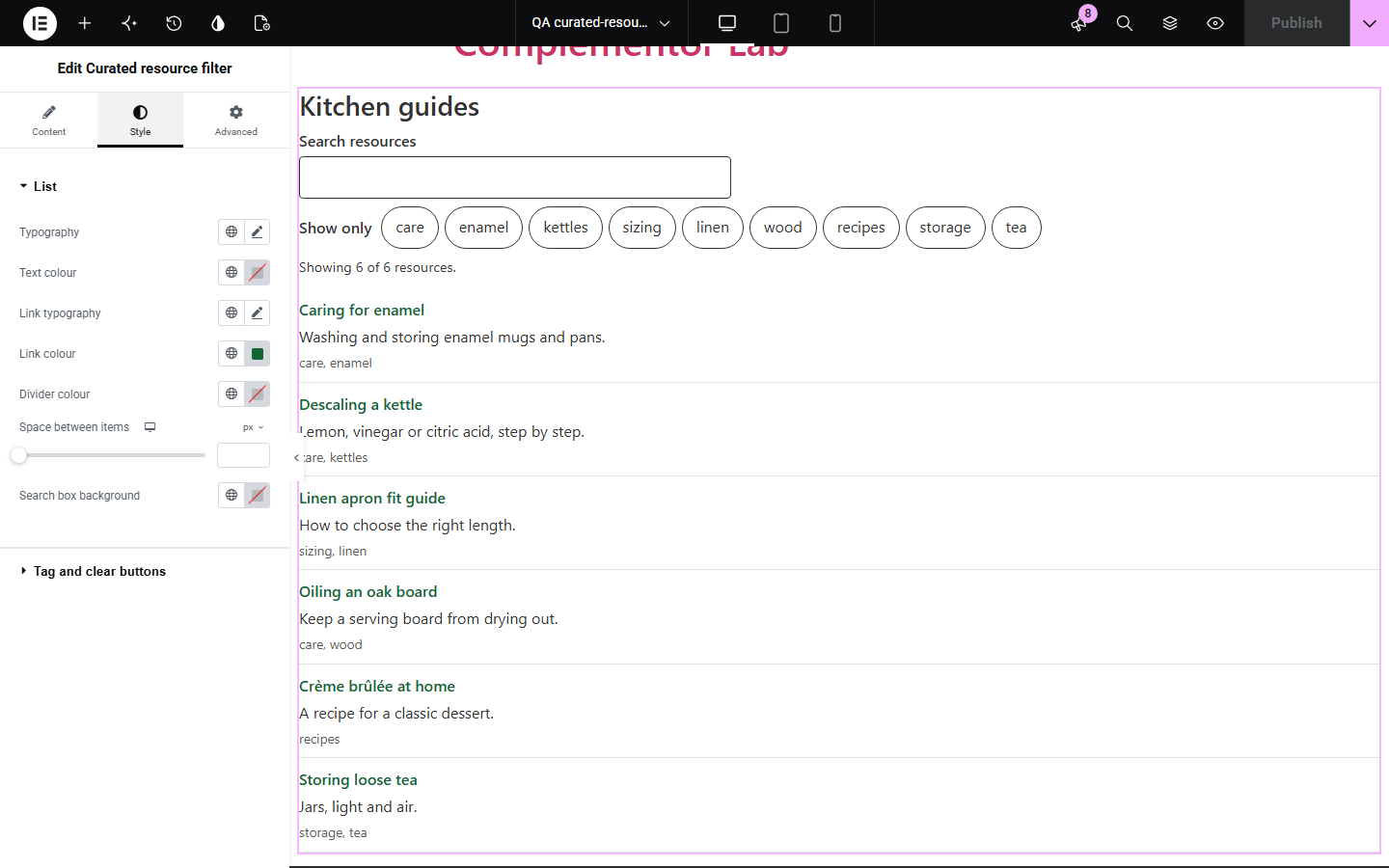
Resource pages, reading lists and link directories grow until visitors cannot find anything, and full directory plugins are more than most sites need. Curated resource filter turns a simple list of lines into links that can be searched and filtered by tag, while staying a plain list of links without JavaScript.
A searchable list of guides.
Articles grouped by topic.
Links to suppliers or partners by category.
Start with Complementor installed and your license connected. Enable this module in the WordPress library, then configure it in Elementor.
Install Complementor, connect your license and enable Curated resource filter in the Complementor library.
Add the widget and enter one resource per line.
Add tags to group them.
Choose the search box and tag buttons and style the list.
Publish the page and try it.
Configure the settings available for this module to suit the page you are building.
Title | link | description | tags lines.
Search ignores case and accents.
Tag buttons with aria-pressed.
Announced count and no-results message.
Clear filters.
Plain links without JavaScript.
Compare the existing Elementor workflow with this Complementor module before choosing your setup.
Shows links but cannot be searched or filtered.
Store entries as posts; more set-up than a short list needs.
Complementor uses classic Elementor APIs. Atomic-native controls are not implemented. Check your theme, cache and integrations on a staging site before release.
Check these settings if the published page behaves differently from the editor.
It has no title or its link does not start with http://, https:// or /.
No line has tags, or Tag buttons is off.
Tags ignore case, so “Care” and “care” are the same tag.
Items with any selected tag are shown.
No. It works with the free version of Elementor.
Yes. The full list of links is shown.
Yes. Use a path starting with /, such as /guides/.
Yes. Accents and case are ignored.
Yes. The search is labelled, tags are toggle buttons and the count is announced.
This module is included with all 1007 current Complementor solutions. Choose your production website allowance; every plan includes the same modules.
Renews at $29 USD each year.
Renews at $49 USD each year.
Renews at $99 USD each year.
Applicable taxes extra. Annual subscriptions renew automatically unless canceled in your customer account. Elementor Pro is required for Exclude current post. Read the terms and 14-day technical-issue refund policy.