Developer guides
Let readers turn sample spreadsheets into test data.
 I Build Elementor.
Let visitors paste CSV and get JSON as they type, with quoted values, separator detection, a header row option and optional number conversion, entirely in the browser.
These are the actual published outputs of the widget. Paste or edit CSV in any of them; the JSON updates as you type.
Content sets the separator, the header row, the result type, number conversion, trimming, whether visitors can change these, the input limit, and every label and message. The Style tab covers the text areas, labels and messages and the Copy and Clear buttons.
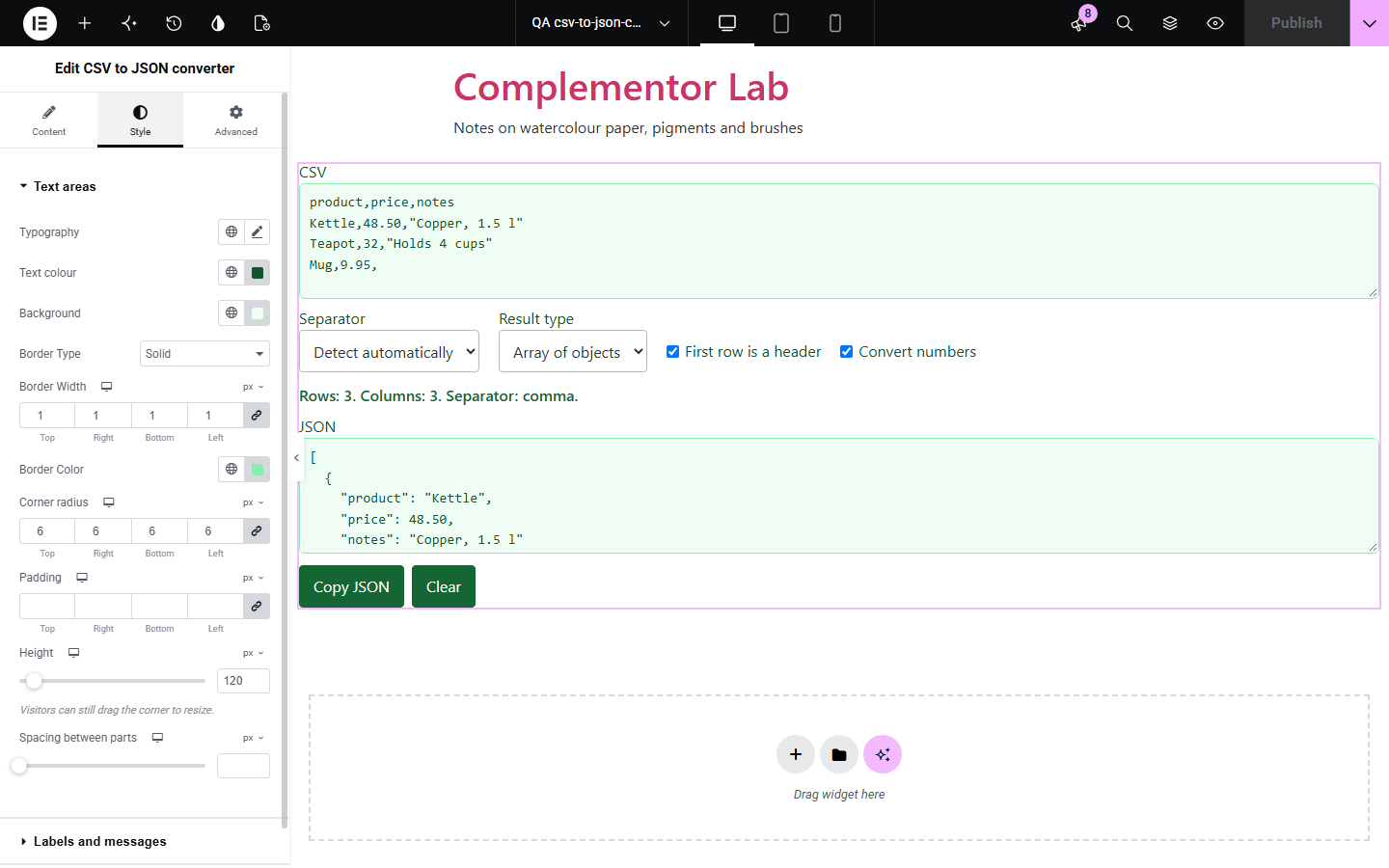
People who build forms, apps or imports often have data in a spreadsheet and need it as JSON, but online converters send that data to someone else's server and many break on commas inside quotes. CSV to JSON converter runs on your own page: visitors paste CSV and get JSON as they type. Quoted values with commas, line breaks and quotes are handled, the separator can be detected, and numbers stay as text unless the visitor asks for them to be converted. Nothing is sent anywhere.
Let readers turn sample spreadsheets into test data.
Show customers the JSON your app expects from their export.
Show students how a table maps to JSON.
Start with Complementor installed and your license connected. Enable this module in the WordPress library, then configure it in Elementor.
Install Complementor, connect your license and enable CSV to JSON converter in the Complementor library.
Add the widget to a page.
Choose the separator, header row and result type.
Decide whether numbers are converted and whether visitors can change the options.
Style it and paste some CSV.
Configure the settings available for this module to suit the page you are building.
Live conversion while typing.
Quoted values, line breaks and "" quotes.
Separator detection or a fixed choice.
Objects keyed by header, or arrays.
Optional number conversion.
Copy and Clear buttons.
Compare the existing Elementor workflow with this Complementor module before choosing your setup.
They send pasted data to their servers and take visitors off your page.
Possible, but visitors must build and maintain them.
Complementor uses classic Elementor APIs. Atomic-native controls are not implemented. Check your theme, cache and integrations on a staging site before release.
Check these settings if the published page behaves differently from the editor.
Values stay strings unless Convert numbers is on.
A leading zero is not a JSON number, so it is kept as written.
A quote inside a quoted value must be written as two quotes ("").
Detection uses the first 20 rows. Choose the separator in the options instead.
No. It works with the free version of Elementor.
No. Conversion happens in the visitor's browser and nothing is saved.
Yes. It detects comma, semicolon, tab and vertical bar, or you can fix one.
Yes. The fields and options are labelled and the summary is announced to screen readers.
Yes. Without it a short message is shown instead.
This module is included with all 1007 current Complementor solutions. Choose your production website allowance; every plan includes the same modules.
Renews at $29 USD each year.
Renews at $49 USD each year.
Renews at $99 USD each year.
Applicable taxes extra. Annual subscriptions renew automatically unless canceled in your customer account. Elementor Pro is required for Exclude current post. Read the terms and 14-day technical-issue refund policy.