Brand guides
Give developers the brand palette as variables.
 I Build Elementor.
Let visitors list colours, named or not, and get CSS custom properties, SCSS variables or JSON design tokens with swatches, ready to copy or download.
These are the actual published widgets running in your browser; edit the colours to see the variables update.
Output sets live or button generation, the syntax, colour values, :root wrapping, the visitor prefix field, swatches, visitor options, the download file name and the most colours. Labels sets the heading, the colours and prefix labels and starting values, the hint and every button and message. The Style tab covers the layout, the fields, the variables panel and swatches, and the buttons.
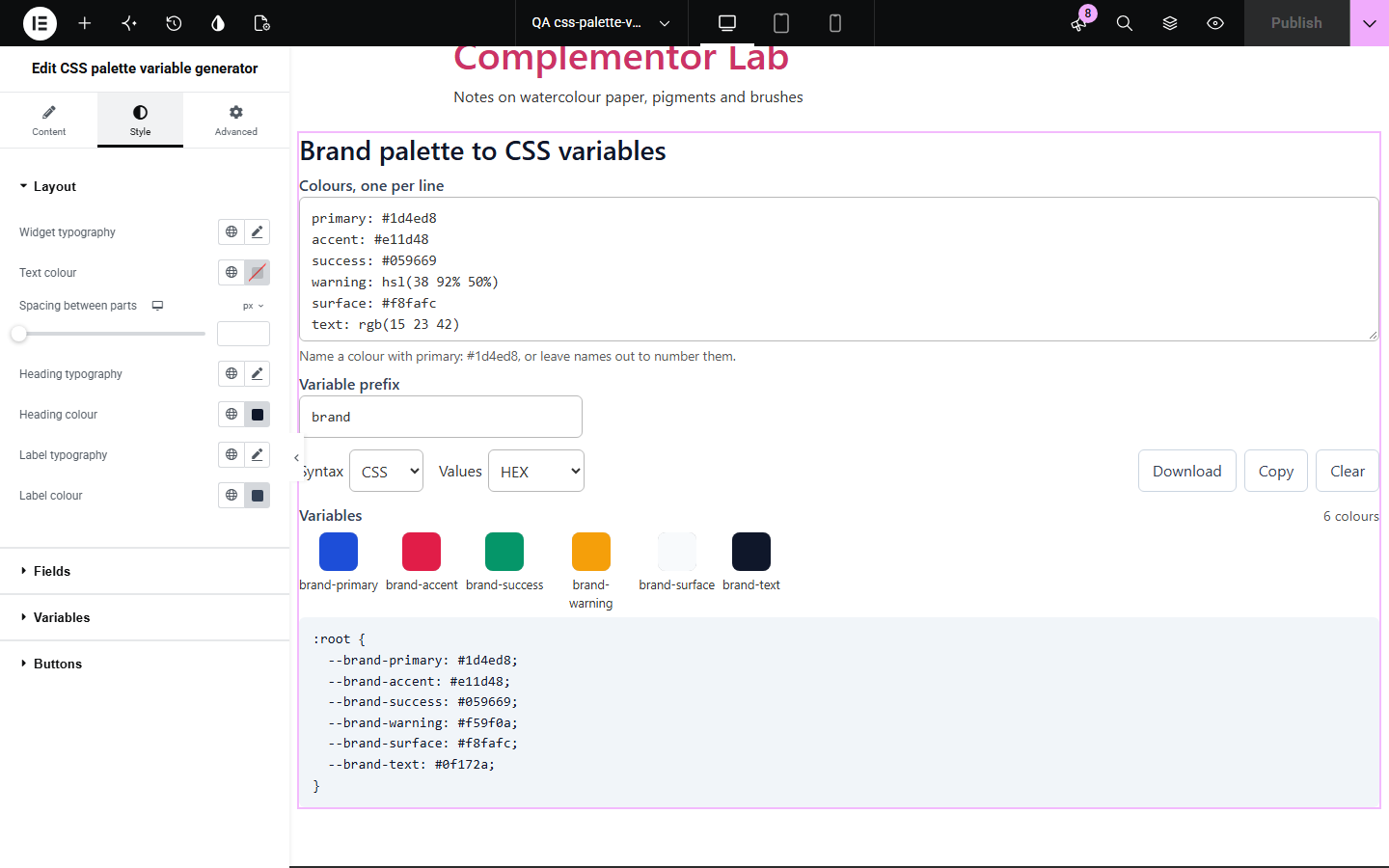
Brand guides list colours, but stylesheets need them as variables with consistent names and formats. Writing --brand-primary by hand for every shade, and converting each value, is slow and error-prone. CSS palette variable generator turns a simple list into ready-to-paste variables in the syntax and colour format a project uses.
Give developers the brand palette as variables.
Turn a designer’s colour list into theme tokens.
Convert old hex palettes into OKLCH variables.
Start with Complementor installed and your license connected. Enable this module in the WordPress library, then configure it in Elementor.
Install Complementor, connect your license and enable CSS palette variable generator in the Complementor library.
Add the widget to a style guide or developer resources page.
Choose the syntax (CSS, SCSS or JSON) and the colour format.
Optionally fill a starting palette and prefix, such as your brand colours.
Style the panel and swatches, then download or copy the variables.
Configure the settings available for this module to suit the page you are building.
Colours one per line, named as primary: #1d4ed8 or #1d4ed8 primary, or numbered.
Any CSS colour syntax, including names such as royalblue.
CSS custom properties in :root, SCSS variables or JSON design tokens.
Values as typed or converted to HEX, RGB, HSL or OKLCH.
Safe variable names from any text, with duplicates numbered.
Swatches for every colour and notes for lines that are not colours.
Download as .css, .scss or .json, Copy and Clear.
Compare the existing Elementor workflow with this Complementor module before choosing your setup.
Converts one colour into every format.
Store colours for the site; this widget produces code for other projects.
Complementor uses classic Elementor APIs. Atomic-native controls are not implemented. Check your theme, cache and integrations on a staging site before release.
Check these settings if the published page behaves differently from the editor.
It is not a colour this tool can read, or its name has no letters or numbers. The note gives the line number.
Variable names use letters, numbers and hyphens, so other characters are replaced; the note shows the prefix used.
Two colours had the same name; the second is numbered so both stay.
Lines without a name are numbered 1, 2, 3 in order.
No. It works with the free version of Elementor.
No. Everything runs in the visitor’s browser.
Design tokens with $type and $value, as in the W3C Design Tokens format.
Yes. Choose As typed for the values.
200 by default, up to 1,000.
This module is included with all 1007 current Complementor solutions. Choose your production website allowance; every plan includes the same modules.
Renews at $29 USD each year.
Renews at $49 USD each year.
Renews at $99 USD each year.
Applicable taxes extra. Annual subscriptions renew automatically unless canceled in your customer account. Elementor Pro is required for Exclude current post. Read the terms and 14-day technical-issue refund policy.