Design tools pages
Offer visitors a quick shadow builder.
 I Build Elementor.
Let visitors layer box shadows with offsets, blur, spread, colour, opacity and inset, see them on a card and copy the CSS.
These are the actual published widgets running in your browser; change a layer to see the card update.
Shadows sets the starting layers, colour and opacity, presets, the most layers and whether visitors can edit. Behaviour chooses live updates or a Generate button. Labels sets the heading, layer and colour labels and every button and message. The Style tab covers the layout, preview background, card colour, height and corners, fields, CSS panel and buttons.
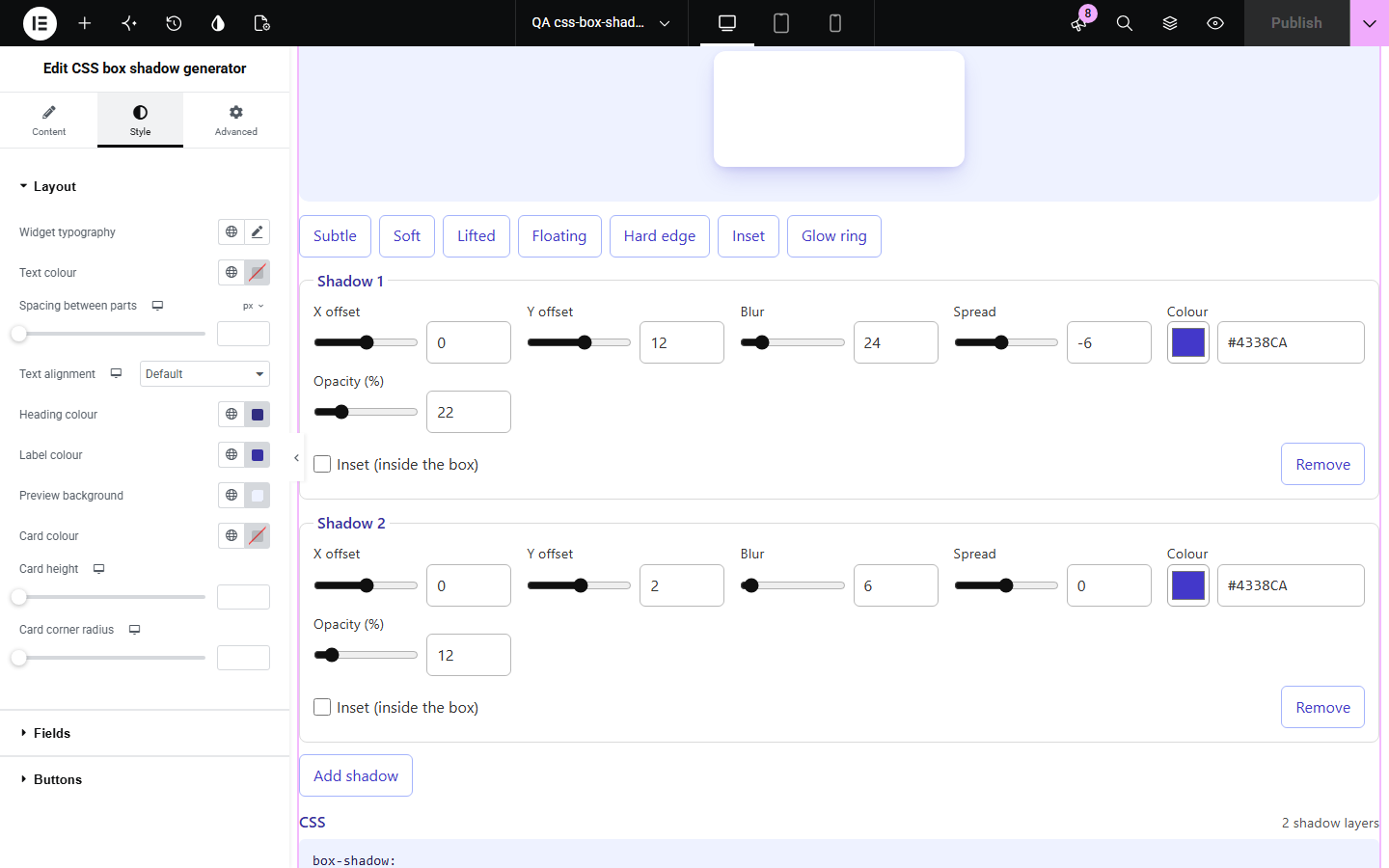
Good shadows are often two or three layers with soft, translucent colours, and the box-shadow syntax is hard to tune by typing: which number is blur, which is spread, and how inset changes it. CSS box shadow generator shows each change on a card and writes the shortest CSS, from a subtle edge to a lifted card or a focus ring.
Offer visitors a quick shadow builder.
Show the card, button and focus shadows with their CSS.
See what blur, spread and inset each do.
Start with Complementor installed and your license connected. Enable this module in the WordPress library, then configure it in Elementor.
Install Complementor, connect your license and enable CSS box shadow generator in the Complementor library.
Add the widget to a design tools or style guide page.
Type the starting shadows, one per line, such as 0 12 24 -6 #4338CA 22%.
Keep the presets for quick starts, or turn editing off to show a ready shadow.
Style the preview and panel, then copy the CSS to check.
Configure the settings available for this module to suit the page you are building.
X and Y offsets, blur and spread with a slider and a number each.
Colour picker with a hex field and an opacity percentage.
Inset shadows inside the box.
Up to eight layers, added and removed by visitors.
Presets: subtle, soft, lifted, floating, hard edge, inset and glow ring.
The shortest CSS: blur and spread left out when 0, opaque colours as hex.
Copy CSS, and an option to show a ready shadow without editing.
Compare the existing Elementor workflow with this Complementor module before choosing your setup.
Shades your own elements; this widget gives visitors the CSS.
Shapes corners the same way.
Complementor uses classic Elementor APIs. Atomic-native controls are not implemented. Check your theme, cache and integrations on a staging site before release.
Check these settings if the published page behaves differently from the editor.
When blur and spread are both 0 they are left out; browsers read the shorter form the same way.
Below 100% opacity the colour is written as rgba() with the opacity as a decimal; at 100% it stays a hex code.
The Most shadow layers setting caps the layers; the default is four.
A saved colour without an opacity starts at 100%, as it did before; set Starting opacity to soften it.
No. It works with the free version of Elementor.
No. Everything runs in the visitor’s browser.
Yes. Every value has a labelled field, and the arrow keys change numbers; the sliders are an extra for the mouse.
Yes. Each layer is listed in order and joined into one box-shadow.
Yes. Turn off Let visitors edit the shadows.
This module is included with all 1007 current Complementor solutions. Choose your production website allowance; every plan includes the same modules.
Renews at $29 USD each year.
Renews at $49 USD each year.
Renews at $99 USD each year.
Applicable taxes extra. Annual subscriptions renew automatically unless canceled in your customer account. Elementor Pro is required for Exclude current post. Read the terms and 14-day technical-issue refund policy.