Design tools pages
Offer visitors a quick corner shaper.
 I Build Elementor.
Let visitors shape a box’s corners with sliders, presets and elliptical corners, see it live and copy the shortest border-radius CSS.
These are the actual published widgets running in your browser; change the corners to see the shape update.
Corners sets the starting values and unit, preset shapes, the slider maximum, whether visitors can edit and live updates. Labels sets the heading, the corners and unit labels and every button and message. The Style tab covers the layout, the shape colour and height, fields, CSS panel and buttons.
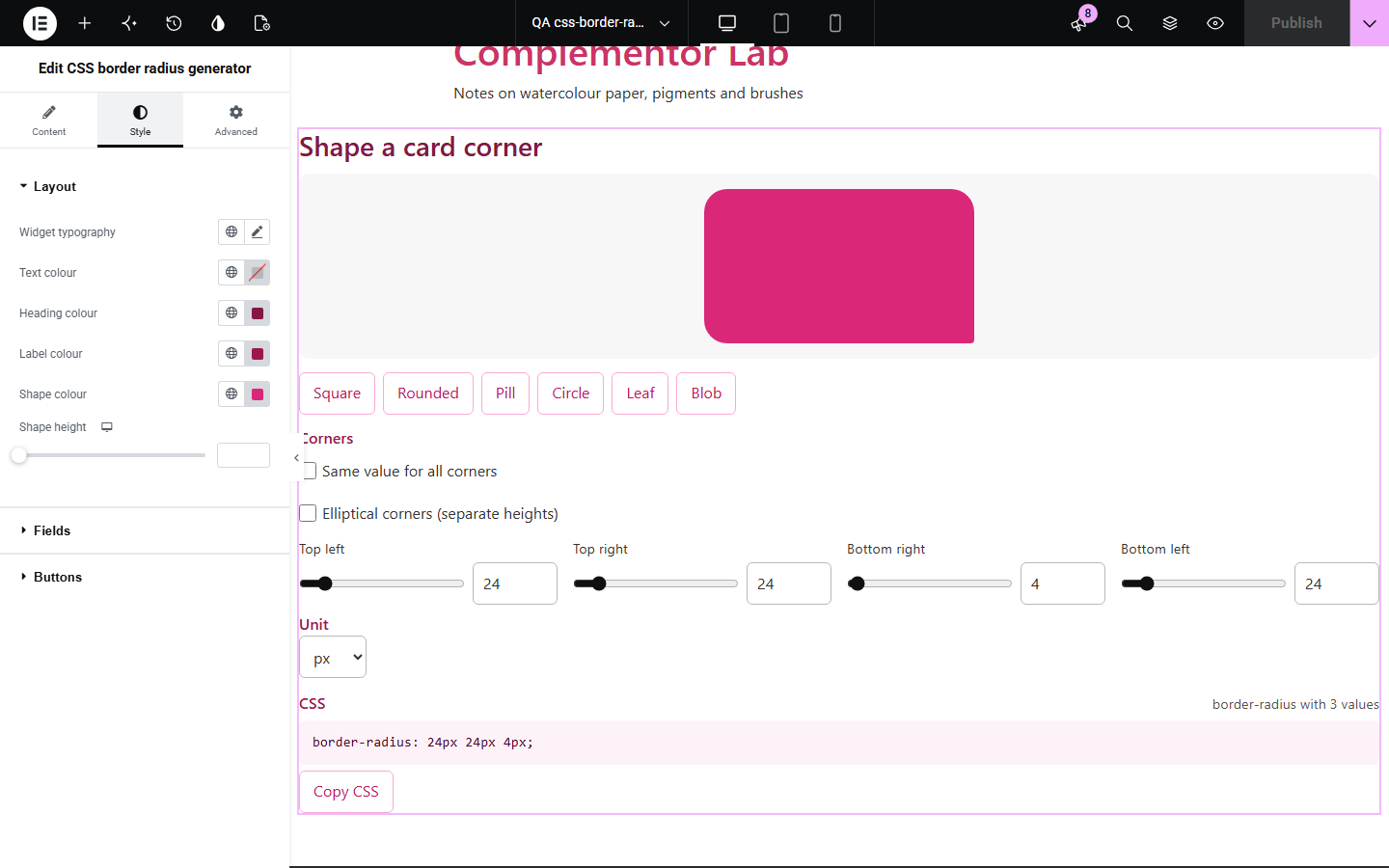
border-radius shorthand is easy to get wrong: which value is which corner, when to use three values, and how the slash makes elliptical corners. CSS border radius generator shows the shape as each corner changes and writes the shortest correct CSS, from a simple rounded card to an organic blob.
Offer visitors a quick corner shaper.
Show the card and button radii with their CSS.
See which value controls which corner.
Start with Complementor installed and your license connected. Enable this module in the WordPress library, then configure it in Elementor.
Install Complementor, connect your license and enable CSS border radius generator in the Complementor library.
Add the widget to a design tools or style guide page.
Set the starting corners, such as 24 24 4 24, and the unit.
Keep the presets for quick shapes, or turn editing off to present a ready shape.
Style the shape and panel, then copy the CSS to check.
Configure the settings available for this module to suit the page you are building.
Four corners with a slider and a number each, in CSS order.
Same value for all corners in one move.
Elliptical corners with separate heights, written with /.
Units px, %, rem and em, converting values when switched.
Presets: square, rounded, pill, circle, leaf and blob.
The shortest shorthand with one to four values.
Copy CSS, and an option to show a ready shape without editing.
Compare the existing Elementor workflow with this Complementor module before choosing your setup.
Rounds your own elements; this widget gives visitors the CSS.
Builds gradients the same way.
Complementor uses classic Elementor APIs. Atomic-native controls are not implemented. Check your theme, cache and integrations on a staging site before release.
Check these settings if the published page behaves differently from the editor.
Matching corners are merged into the shortest shorthand, which browsers read the same way.
Any radius larger than half the height makes fully round ends; 999px works for any height.
They are converted, px to rem at 16px per rem, so the shape stays the same; per cent is capped at 50.
Values after it are the vertical radii, which make elliptical corners.
No. It works with the free version of Elementor.
No. Everything runs in the visitor’s browser.
Yes. Every corner has a labelled number field; the sliders are an extra for the mouse.
Top left, then top right, bottom right and bottom left, as CSS expects.
Yes. Turn off Let visitors edit the corners.
This module is included with all 1007 current Complementor solutions. Choose your production website allowance; every plan includes the same modules.
Renews at $29 USD each year.
Renews at $49 USD each year.
Renews at $99 USD each year.
Applicable taxes extra. Annual subscriptions renew automatically unless canceled in your customer account. Elementor Pro is required for Exclude current post. Read the terms and 14-day technical-issue refund policy.